C156-E097-01EN 4 - 5
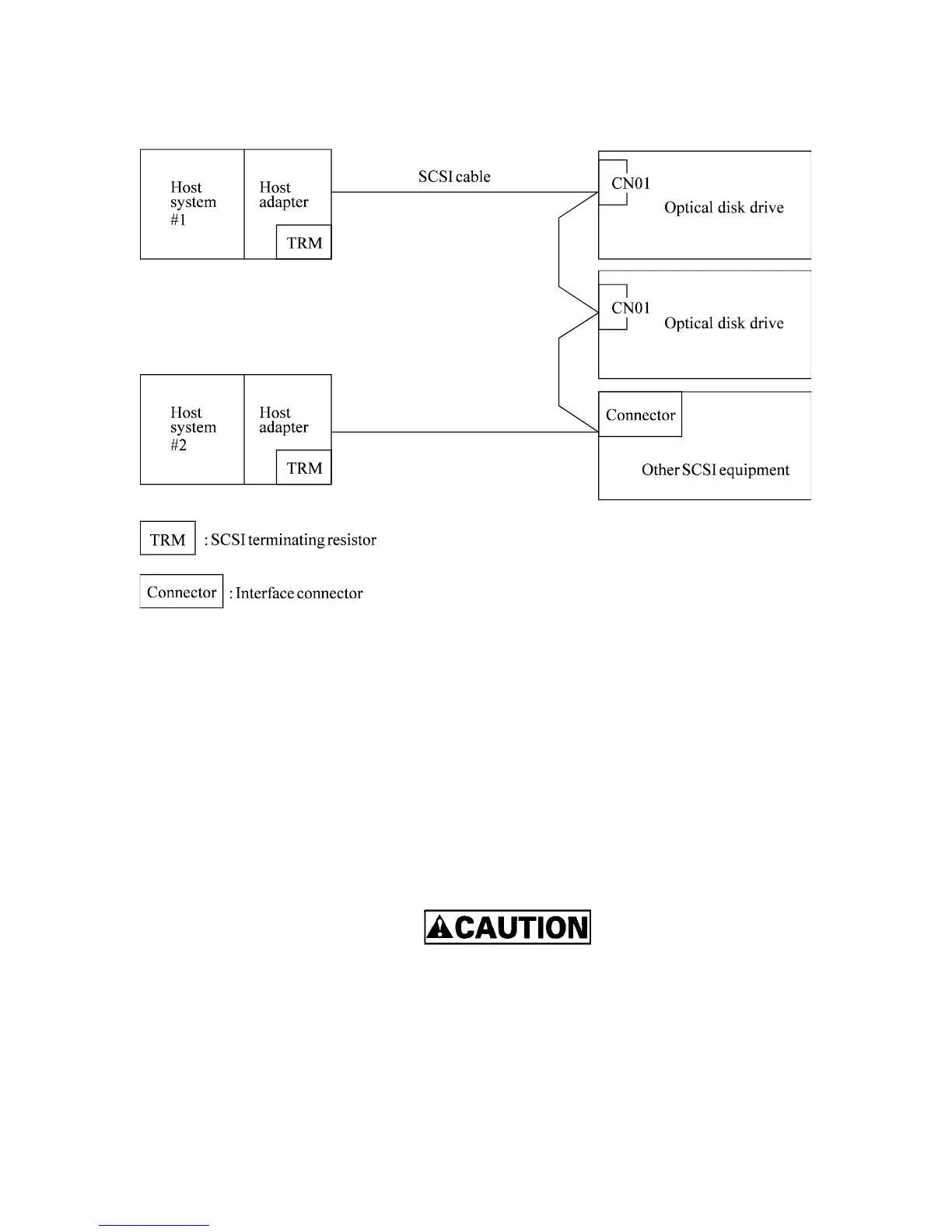
(c) Connecting more than one optical disk drive (multi-host)
Figure 4.2 SCSI bus connection modes (2 of 2)
4.3 Settings
Before installing the drive in the system, set the following setting terminal, setting switches, and
SCSI terminating resistors:
• Setting terminal : CNH1
• Setting switches : SW1
Figure 4.3 shows the positions of the setting terminal and switch.
1) The user must not change the settings of terminals not described
in this section. The terminals must remain as set when shipped.
2) Do not change terminal settings when the power is on.
3) To strap setting terminals, use the jumper shipped with the drive.



 To Next Page