Working with the Tablet PC
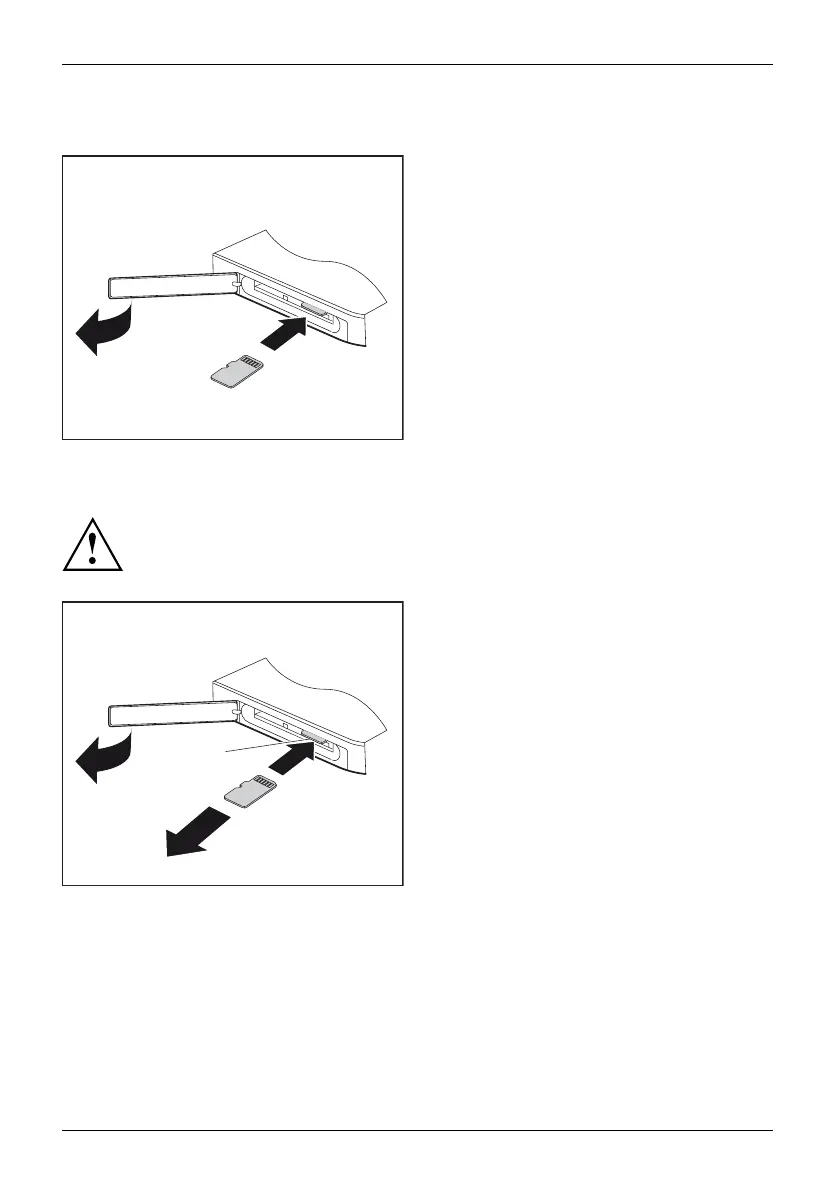
Inserting the memory card
1
3
2
► Open the slot cover (1).
► Carefully push the memory card into
the slot (2). The label area must be
facing downwards. Do not apply any
force, otherwise the delicate contact
surfaces could be damaged .
Memorycard
► Close the slot cover.
Removing the memory card
Memorycard
To avoid any loss of
data, always follow the correct procedure for removing the
card (see the docu
mentation for your o perating system).
1
a
3
2
► Open the slot cover (1).
► Press the edge of the memory card
so that the mem ory card jumps (2)
slightly out of the slot (a).
► Pull the memory c ard out of the slot (a)
in the direction of the arrow (3).
► Close the slot cover.
32 Fujitsu















 To Next Page