Security functions
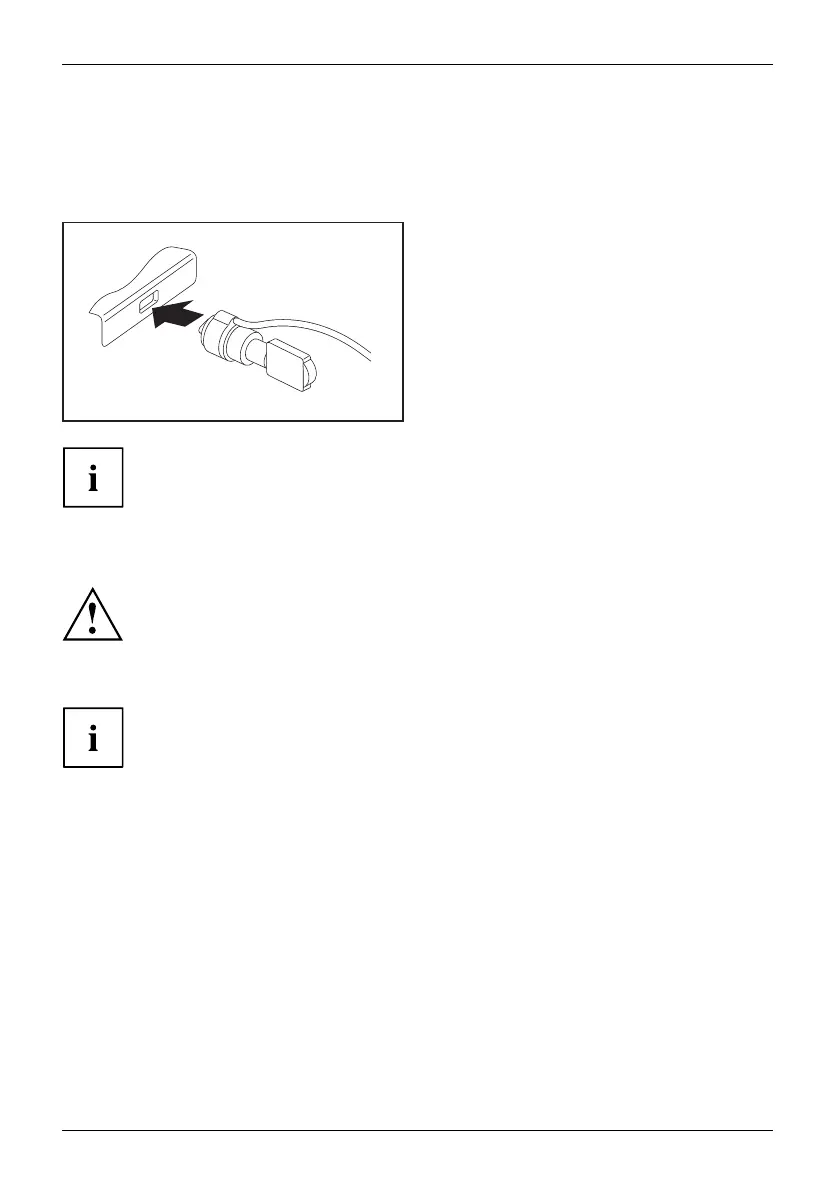
Using the Security Lock
SecurityLockAnti-theftprotectionSecurityLock
Your device comes with a Security Lock m echanism for the Kensington L ock Cable. With
the Kensington Lock Cable, a sturdy steel cable, you can protect your device and yo ur Port
Replicator from theft. The Kensington Lo ck Cable is available as an accessory.
► Fit the Kensington Lock Cable to the
corresponding device on your equipment.
Attach another Kensington Lock Cable to yo ur c radle to protect this from theft as well.
Configuring pass
wordprotectioninBIOSSetupUtility
Before using the various options for password protection in the BIOS Setup utility
to increase data security, please observe the following:
Make a note of the passwords and keep them in a safe place. If you forget your
supervisor password you will no t be able to access your Tab let P C. D eletion of the
password is not covered by your warranty and a charge will be made for assistance.
Password protection
Your password can be up to 32 characters long and can contain letters, numbers and
special characters. A distinction is made between upper and lower case.
When using special characters, please remember that they depend on the
country version of the keyboard being used.
46 Fujitsu















 To Next Page