Actions (for Windows users)
133
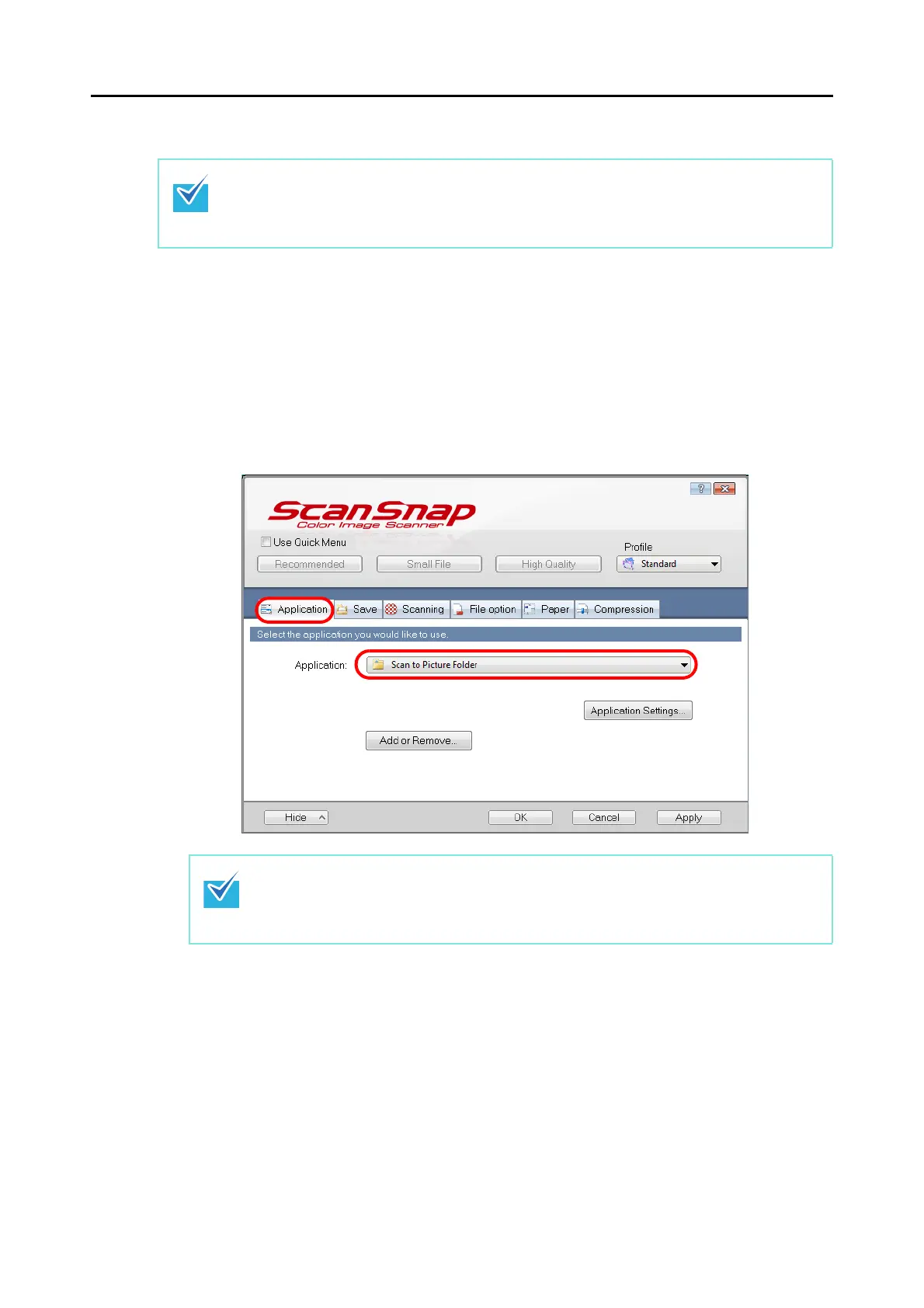
Without using the Quick Menu
1. Select [Scan Button Settings] from the Right-Click Menu.
For details about the Right-Click Menu, refer to "Right-Click Menu" (page 64).
D The ScanSnap setup dialog box appears.
2. In the [Application] drop-down list in the [Application] tab, select [Scan
to Picture Folder].
To disable the Quick Menu, you need to clear the [Use Quick Menu] check box in the ScanSnap
setup dialog box.
For more details about how to perform scanning without using the Quick Menu, refer to "Without
Using the Quick Menu" (page 73).
When you add the customized settings as profiles, the application to link with ScanSnap
Manager can be selected from the [Profile] drop-down list or Left-Click Menu next time you
perform a scan.
For details about how to add a profile, refer to "Profile Management" (page 85).















 To Next Page