Using the ScanSnap in Various Ways (for Mac OS users)
388
Using the ScanSnap in Various Ways
This section explains about various ways of using the ScanSnap.
■ Scanning Color Documents in Gray or Black & White
Mode
When [Auto color detection] is specified for [Color mode] in the [Scanning] tab of the
ScanSnap setup window, the ScanSnap automatically recognizes whether the scanned
document is color, gray or black & white, and saved the documents in their respective color
modes.
1. Select [Settings] from the ScanSnap Manager menu.
For details about the ScanSnap Manager menu, refer to "ScanSnap Manager Menu"
(page 256).
D The ScanSnap setup window appears.
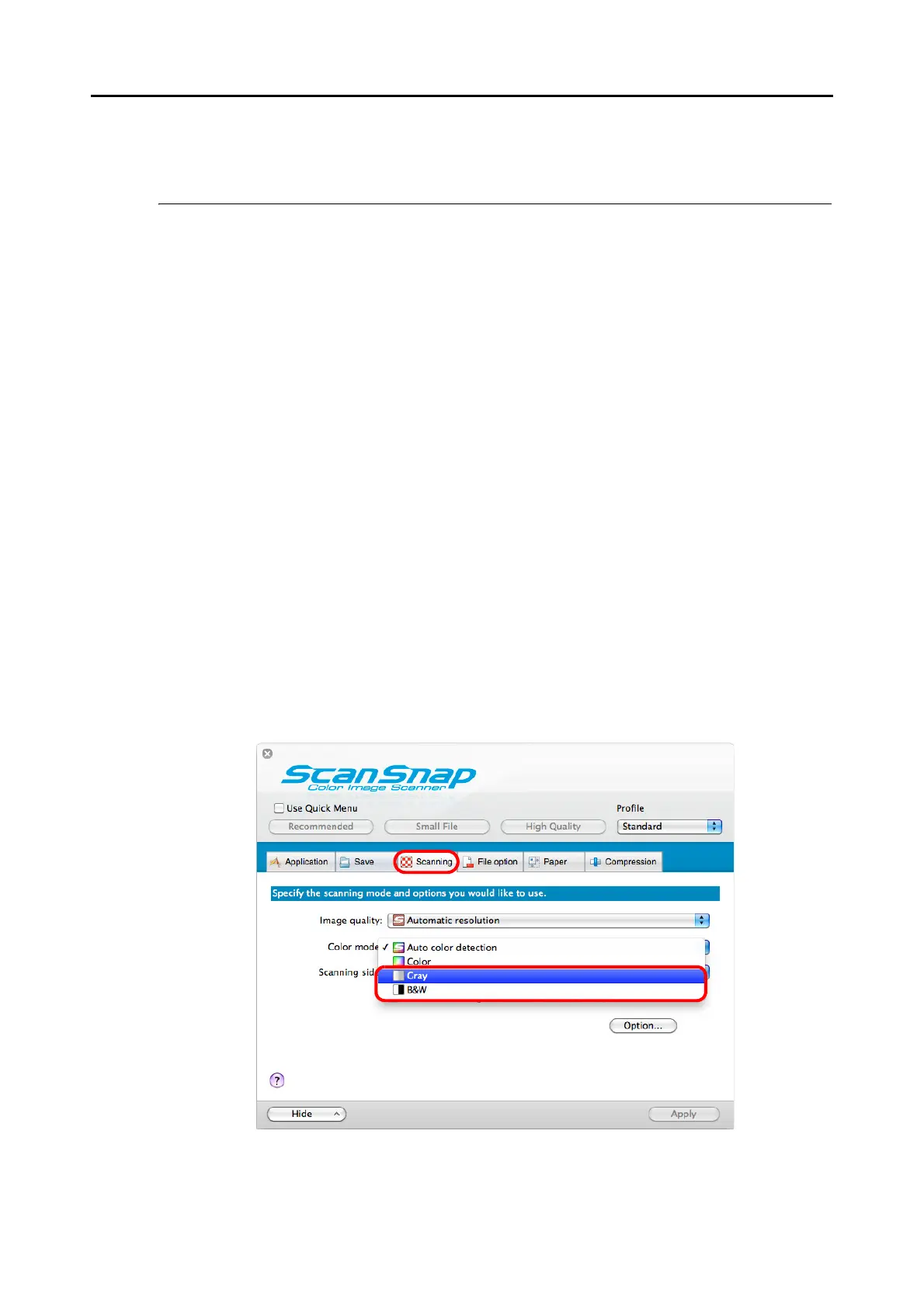
2. From the [Color mode] pop-up menu in the [Scanning] tab, select [Gray]
or [B&W].















 To Next Page