Actions (for Mac OS users)
335
■ Saving Documents to Evernote
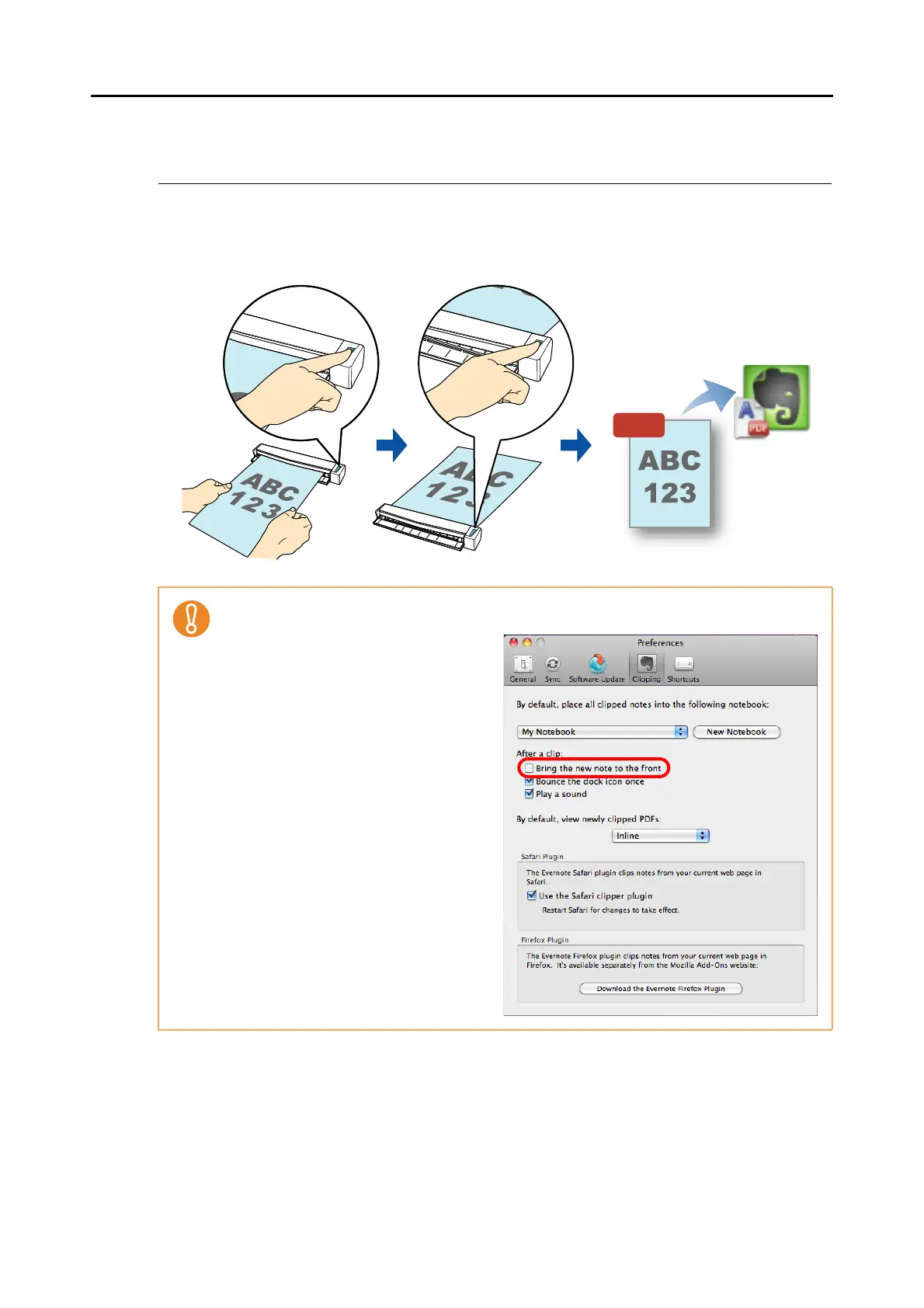
This section explains how to save the scanned image as a PDF file to Evernote.
When you save the scanned image to Evernote after converting it into a searchable PDF, the
PDF file becomes searchable in Evernote.
For details about the procedure to scan and save the scanned image to Evernote using or
without using the Quick Menu, refer to the following:
z Using the Quick Menu (→ page 336)
z Without Using the Quick Menu (→ page 339)
z You need to create an Evernote account (free or premium).
z You first need to create a notebook in Evernote for Mac to save a file to Evernote.
z Disable [Bring the new note to the front]
in Evernote [Preferences] window
beforehand to prevent new notes
appearing on the screen when you
scan documents consecutively.
The screenshot on the right is from
Evernote for Mac 2.0.4. Clear the [Bring
the new note to the front] checkbox in
this window.
The actual window and the contents
may differ depending on the Evernote
version you are using.















 To Next Page