tions.
recognition, check whether the documents you want to convert are suitable for conversion
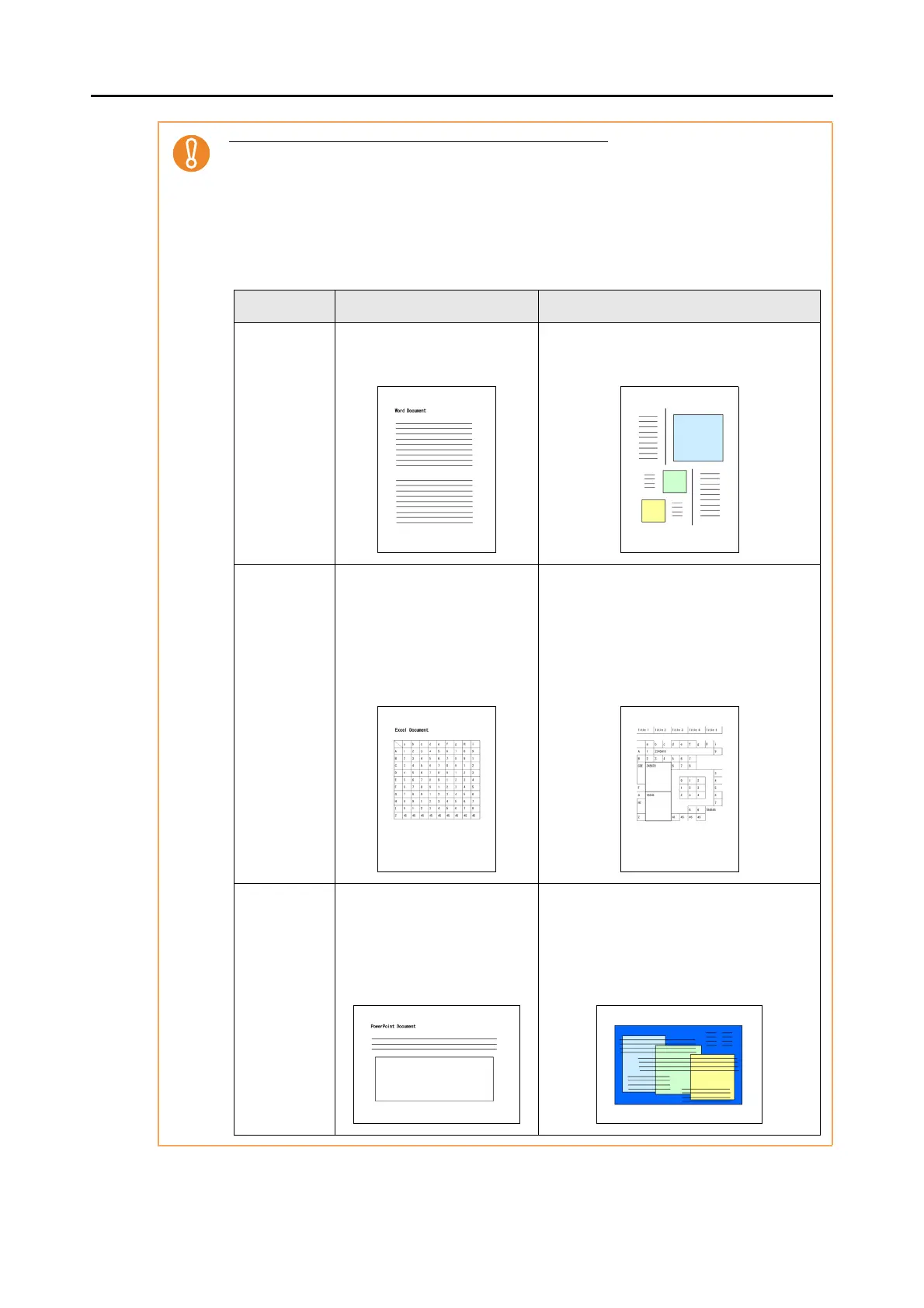
Application Suitable for conversion Not suitable for conversion
Scan to Word Documents with simple layouts
consisting of single or double
columns
Documents with complex layouts containing
a mixture of diagrams, tables and text (e.g.
brochures, magazines and newspapers)
Scan to Excel Documents containing simple
tables with no cells merged
Documents containing:
- Tables with no solid border lines
- Tables with complicated cell formats
- Complex tables containing subtables
- Diagrams
- Graphs
-Photos
- Vertical text
Scan to
PowerPoint(R)
Documents containing text and
simple diagrams/tables on a
white or light monocolor back-
ground
- Documents with complex layouts
containing text mixed with diagrams or
illustrations
- Documents containing photographs or
patterns set as the background
- Documents with light colored text on a
deep colored background















 To Next Page