Actions (for Windows users)
212
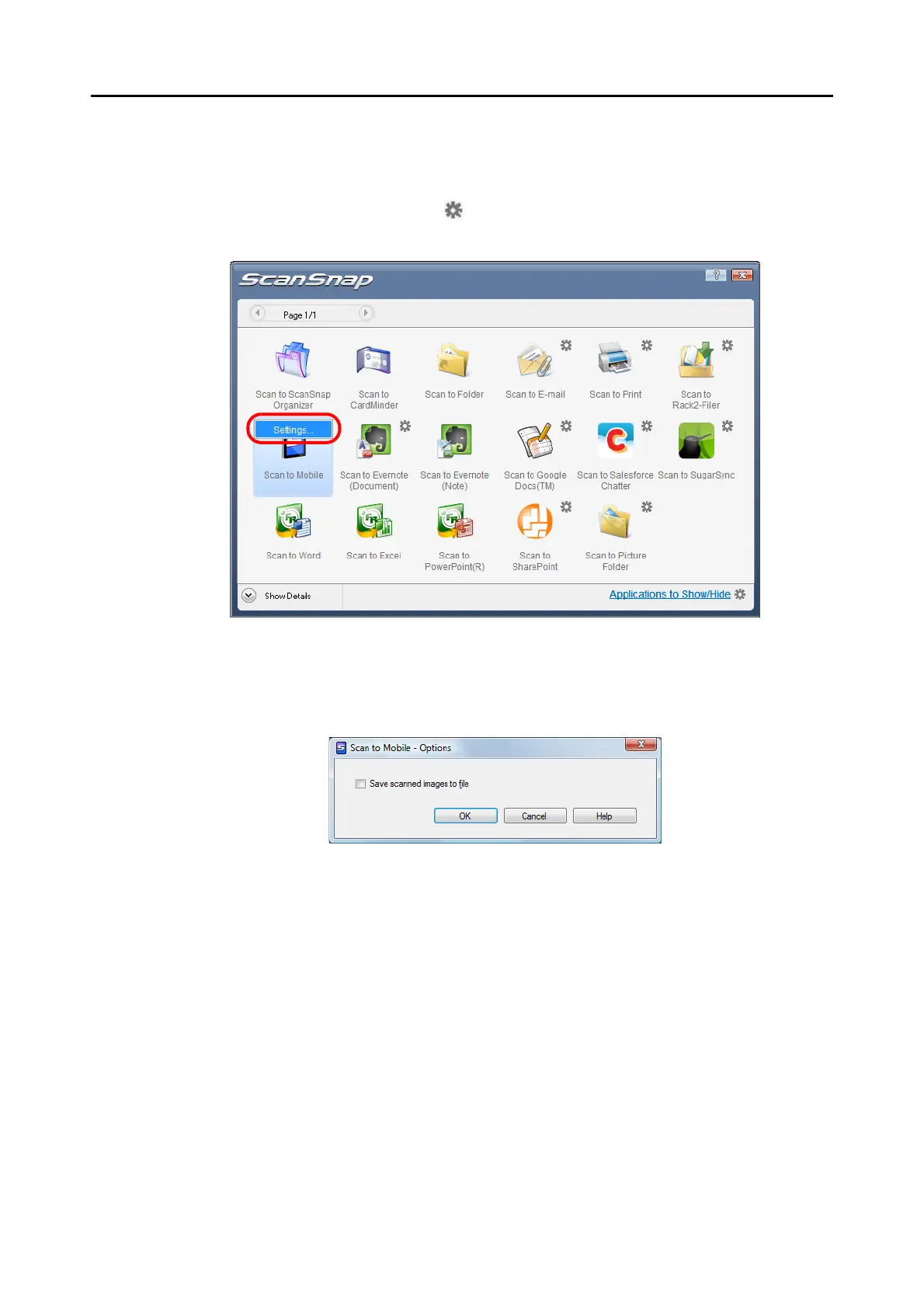
4. Change the settings for [Scan to Mobile] (If you do not want to change
any settings, go to step 5.)
1. Move the mouse cursor to the mark on the [Scan to Mobile] icon, and then select
the [Settings] menu.
D The [Scan to Mobile - Options] dialog box appears.
2. Change the setting.
For details about the [Scan to Mobile - Options] dialog box, refer to the ScanSnap
Manager Help.
3. Click the [OK] button to close the [Scan to Mobile - Options] dialog box.



 To Next Page