Actions (for Mac OS users)
352
Without using the Quick Menu
1. Select [Settings] from the ScanSnap Manager menu.
For details about the ScanSnap Manager menu, refer to "ScanSnap Manager Menu"
(page 256).
D The ScanSnap setup window appears.
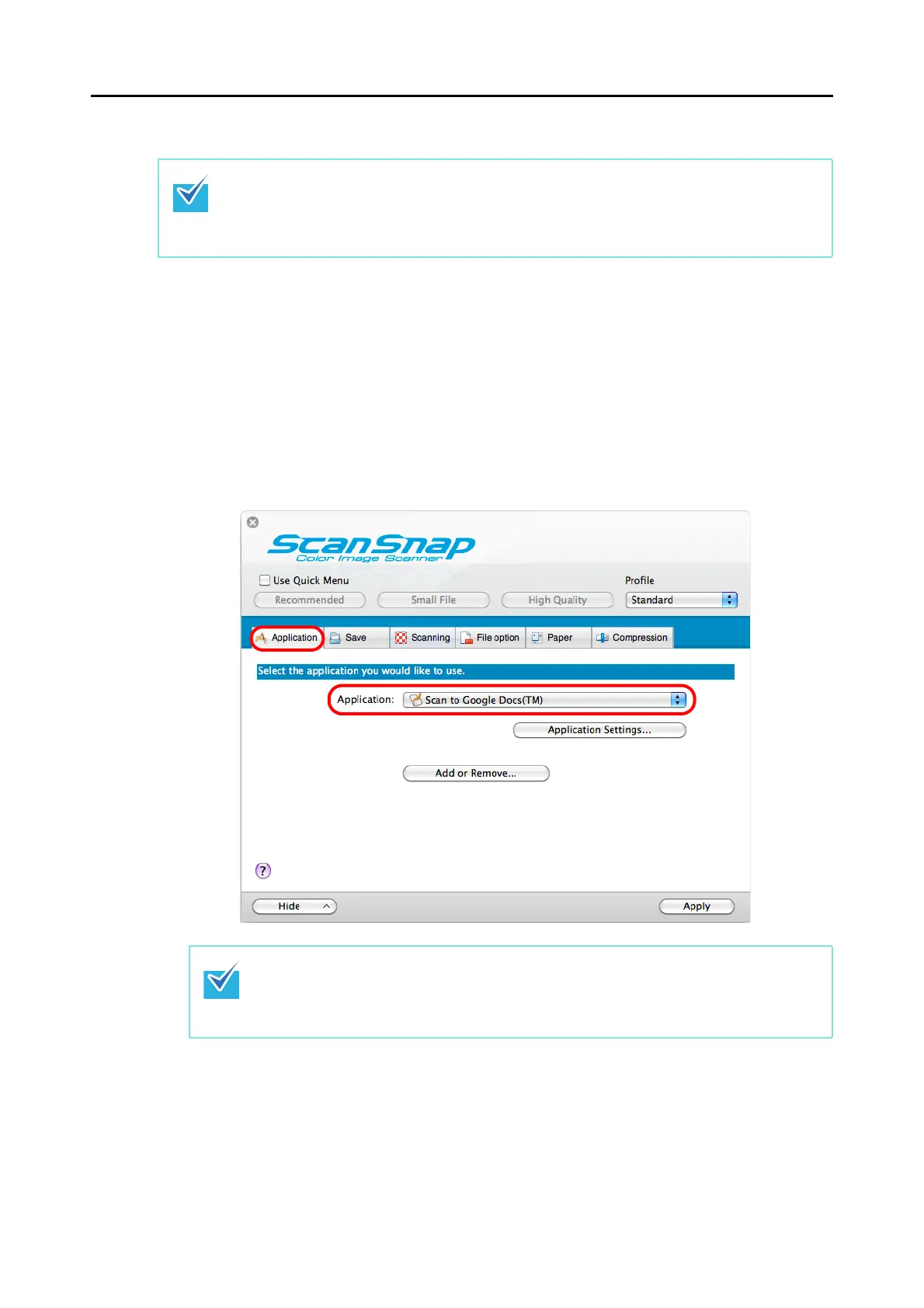
2. In the [Application] pop-up menu in the [Application] tab, select [Scan to
Google Docs(TM)].
To disable the Quick Menu, you need to clear the [Use Quick Menu] checkbox in the ScanSnap
setup window.
For details about how to perform scanning without using the Quick Menu, refer to "Without Using
the Quick Menu" (page 265).
ScanSnap Manager can also link with [Scan to Google Docs(TM)] when you select:
z [Scan to Google Docs(TM)] from the [Profile] pop-up menu of the ScanSnap setup
window
z [Scan to Google Docs(TM)] from the Profile menu















 To Next Page