51
5. OPERATION
SETTING METHOD
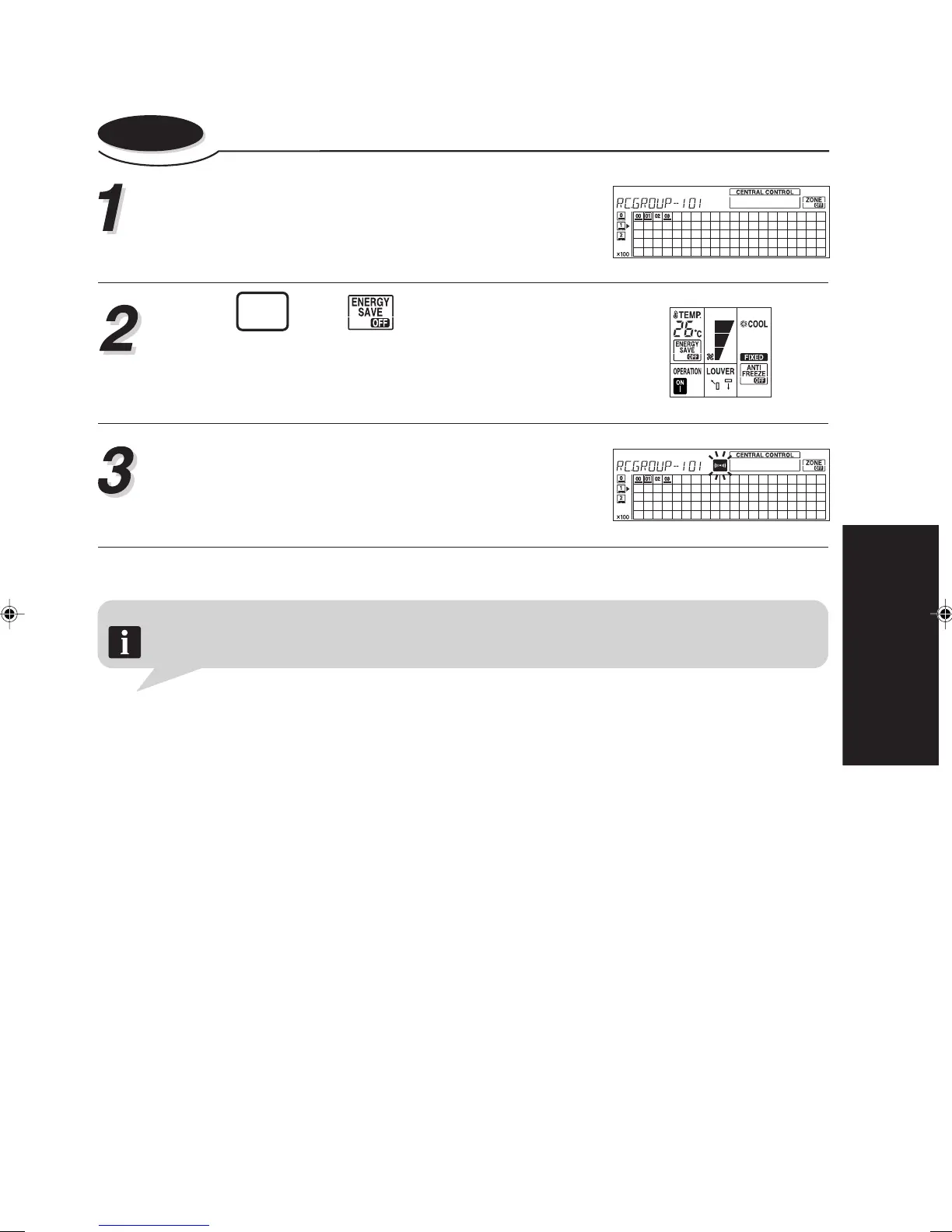
5-9-2. To cancel the energy save operation
Enter the control mode to select the central control
number (the indoor units) whose energy save op-
eration is to be cancelled.
Press
ENERGY
SAVE
again. will light up.
It is necessary to transmit the newly set information
to the relevant indoor units. Refer to steps 4, 5 and
notes of “3-3. CONTROL MODE” for details.
Note The energy save mode can only be applied to the operating modes of “COOL”, “DRY” and “HEAT”.
About the ENERGY SAVE
• The energy conservation mode (ENERGY SAVE) raises the set temperature slightly in the cool-
ing mode and lowers the set temperature in the heating mode, using a computer program to
economically control the operation of the unit.
• If you press the ENERGY SAVE button while the air conditioner is on, it will change to the conser-
vation mode. If you press the ENERGY SAVE button while the unit is in the time mode (ON timer
or WEEKLY timer), the unit will go into the conservation mode when the unit starts with the timer.
• If you turn off the air conditioner while in the conservation mode, the mode will be shut off.
• The temperature set on the remote controller will not change if the energy save mode is used.





 To Next Page