1. OPERATION
1-3
1
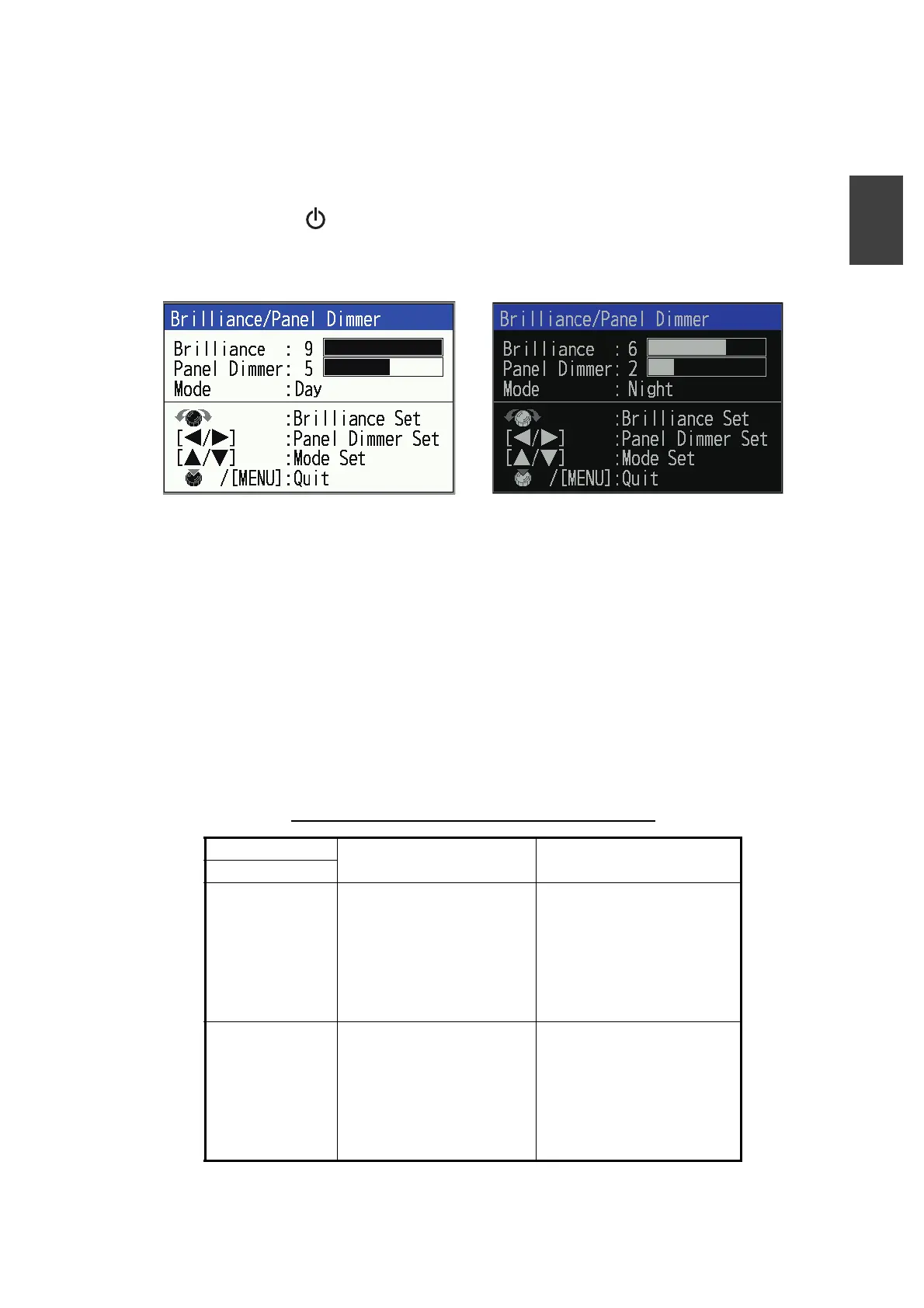
1.4 Display Color Scheme Mode
The display color scheme mode can be changed according to the operating environ-
ment, such as daytime or nighttime. Depending on the mode, the window background
color, text color, gain, and operation panel brilliance change.
1. Press the key to show the [Brilliance/ Panel Dimmer] adjustment window. The
window automatically closes if there is no key operation for approx. six seconds.
2. Press or to select background display mode.
3. Press the KNOB or MENU/ESC key to close the window.
1.5 Display Mode
The unit has four basic display modes (single frequency, dual-frequency, zoom and
navigation). By combining these modes, a variety of screens can be displayed. See
subsection 1.5.6 for details on how to combine the displays.
The display mode is selected from the [Mode] window. The factory default setting is
set as shown in the table below. The display in the [Mode] window varies depending
on the type of transducer connected to the unit and its settings.
Default settings of [Mode] window (for FCV-600)
*: L, M, or H is entered depending on the type of connected transducer.
Transducer
[Mode] window Abbreviation
Type
XDR: CHIRP Mode1: CHIRP (*)
Mode2: CHIRP (*) BL
Mode3: BL/ CHIRP (*)
Mode4: NAV4/ CHIRP (*)
Mode5: NAV2/ CHIRP (*)
Mode6: Off
Mode7: Off
CHIRP: CHIRP transducer
L: Low frequency
M: Medium frequency
H: High frequency
BL: Bottom lock
NAV: Navigation (split into
2:2 or 4:4 display)
XDR: CW (L/H) Mode1: CW (H)
Mode2: CW (L)
Mode3: CW (L)/ CW (H)
Mode4: BL/ CW (H)
Mode5: BL/ CW (L)
Mode6: NAV4/ CW (H)
Mode7: NAV2/ CW (L)
CW: CW transducer
H: High frequency
L: Low frequency
BL: Bottom lock
NAV: Navigation (split into
2:2 or 4:4 display)
Day mode (background shown as white)
Night mode (background shown as balck)



 To Next Page