2. SYSTEM MENU
2-6
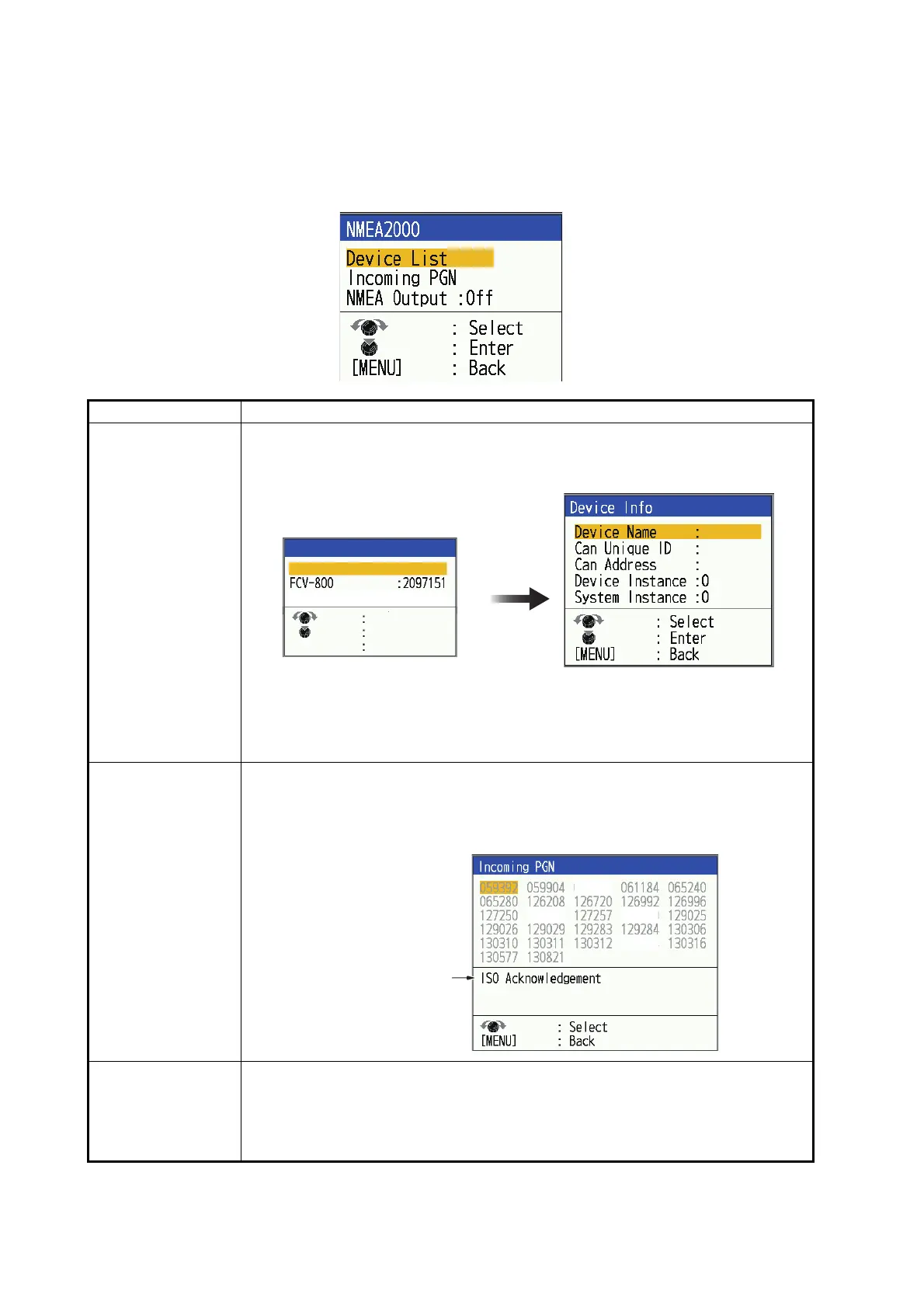
2.6.4 [NMEA2000] window
The [NMEA2000] window allows you to view the information/reception status of
NMEA2000 devices that are on the same NMEA2000 network as the unit. You can
also change the NMEA2000 output settings here.
Menu Item Description
[Device List] The [Device List] window lists the devices on the NMEA2000 network.Select a
device name and press the KNOB. The [Device Info] window appears, display-
ing information about the device.
The [Device Instance] and [System Instance] numbers can be changed as
needed.
Note: If you want to update the information, select [Refresh] in the [Device List]
window.
[Incoming PGN] The [Incoming PGN] window lists the PGNs that can be received by the unit.
Received data is shown in black, and unreceived data is shown in gray (updat-
ed in one-second cycles). The middle section of the window shows the name
of the PGNs that is selected by the selection cursor (yellow).
[NMEA Output] Adjust output settings to NMEA2000 devices.
• [Off]: 128259, 128267, 130310, 130312, 130316, 130830, 130831, 130832
PGNs are not output.
• [On]: 128259, 128267, 130310, 130312, 130316, 130830, 130831, 130832
PGNs are output.
Select the
device name
PG-700
26844
2
PG-700 : 0026844
Select
Enter
Back
[MENU]
Refresh
Device List
130314
127252 128259
PGN information
060928



 To Next Page