2. SYSTEM MENU
2-10
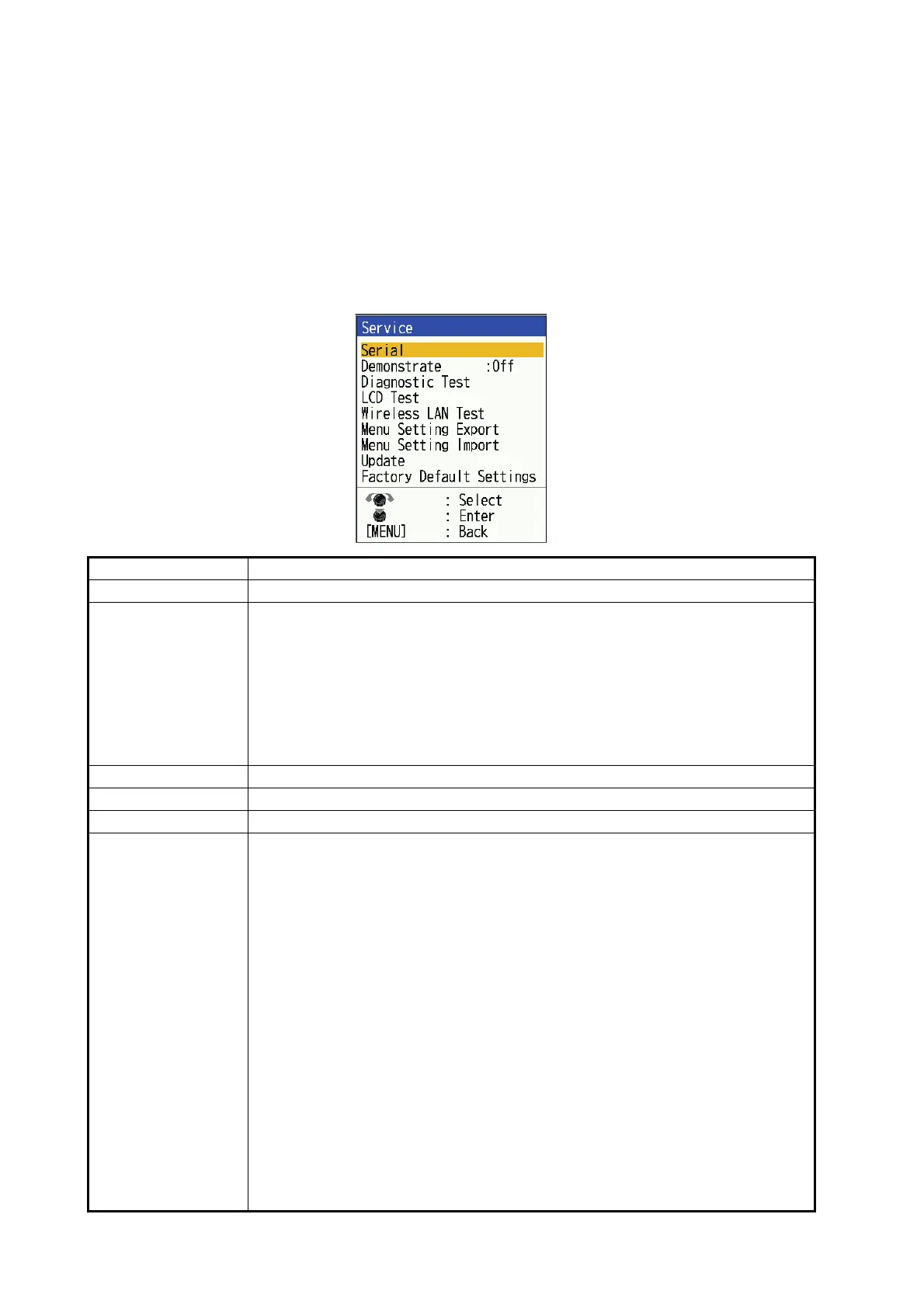
2.9 [Service] Menu
The [Service] menu allows you to do the following operations.
• Tankenmaru* settings
• Unit diagnostic test
• Export/import menu settings
• Demo mode (On/Off)
*: Not available outside Japan.
Menu Item Description
[Serial] Shows the [Serial] settings window (see below).
[Demonstrate] The demonstration mode provides, without connection of the transducer, sim-
ulated operation of the equipment, using internally generated echoes. All con-
trols are operative. The message [DEMO] appears at the bottom right corner
on the screen when the demonstration mode is active.
• [Off]: Deactivate the demonstration mode.
• [Demo1]: Show the demonstration of CW and CHIRP.
• [Demo2]: Show the demonstration of dual frequency CHIRP.
• [Demo3]: Show the demonstration of RezBoost
™
.
[Diagnostic Test] See section 3.5 for details.
[LCD Test] See section 3.6 for details.
[Wireless LAN Test] See section 3.7 for details.
[Menu Setting Ex-
port]
Menu settings can be exported to USB flash memory.
1) Open the USB port cover on the back of the unit and insert the USB flash
memory.
2) Select [Menu Setting Export], then press the KNOB.
3) Select [Yes], then press the KNOB.
"Settings Exporting..." message is displayed during exporting. When ex-
porting is completed, "FCV600_800_setting" folder will be created directly
under the USB flash memory (only if there is no corresponding folder). Be-
low files will be created.
• Setting file (FCV600_800.txt): If "FCV600_800.txt" already exists, the
file will be overwritten.
• Backup file of the setting file (FCV600_800_01 (- 99) .txt): If
"FCV600_800_01.txt" already exists, "FCV600_800_02.txt" will be cre-
ated.
Note 1: If the USB flash memory is not inserted, the message "USB stor-
age is not inserted" will be displayed.
Note 2: If the above operation is used when " FCV600_800_99.txt" back-
up file exists, the message "File cannot be created" will appear. Delete the
unnecessary backup files.



 To Next Page