2. SYSTEM MENU
2-11
2
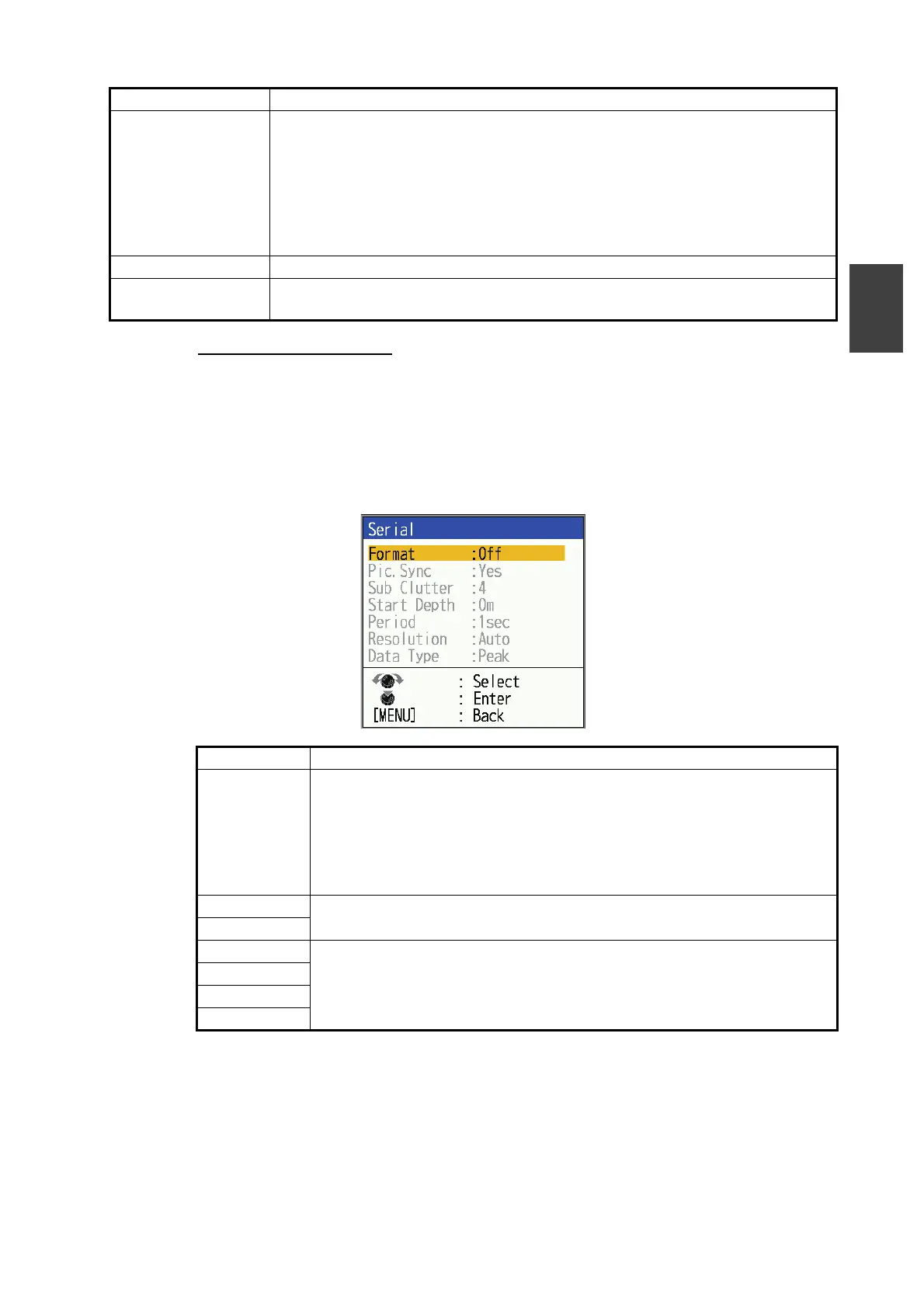
[Serial] setting window
The [Serial] setting window is used to adjust settings related to Tankenmaru* function.
Tankenmaru and is a system that wirelessly transmits fish finder data from this unit
(main unit) to a sub unit.The wireless transmitter and the sub-unit are made by Shima-
no. To use Shimano units please refer to the Shimano’s operation manual.
*: Not available outside Japan.
[Menu Setting
Import]
Menu settings can be imported from USB flash memory.
1) Open the USB port cover on the back of the unit and insert the USB flash
memory.
2) Select [Menu Setting Import], then press the KNOB.
3) Select [Yes], then press the KNOB. The system will restart automatically.
Note: If the USB flash memory is not inserted, the message "USB storage
is not inserted" will be displayed.
[Update] Used for software updates.
[Factory Default
Settings]
See section 3.8 for details.
Menu Item Description
[Format] [Off] selected as default. Do not change the settings.
Note: [Echo] for [Format] is a special setting for researchers only. Do not
select this setting for normal use. When [Echo] is selected, echo data is
output from the [PWR/NMEA0183] (FCV-600) or [PWR/KP/NMEA0183]
(FCV-800) port. However, the echo data will not be received from the
navigation equipment.
[Pic Sync] Not available outside Japan.
[Sub Clutter]
[Start Depth] For researchers only.
[Period]
[Resolution]
[Data Type]
Menu Item Description



 To Next Page