1. OPERATION
1-25
1
1.17.1 How to activate ACCU-FISH
™
Note: This operation cannot be performed if ACCU-FISH
™
compatible transducer is
not set up.
1. Press the MENU/ESC key to open the menu.
2. Select [Display], then press the KNOB.
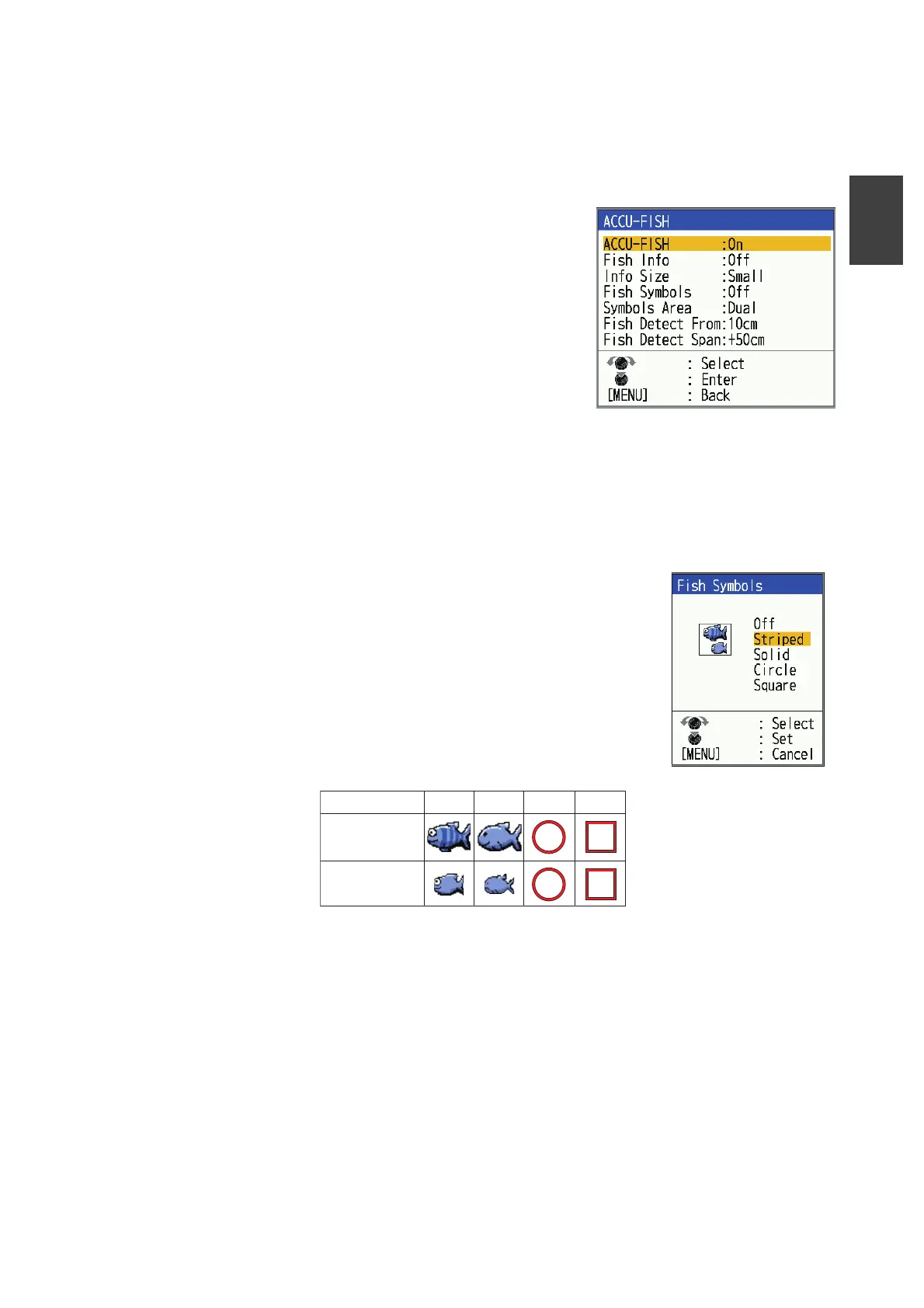
3. Select [ACCU-FISH], then press the KNOB to
show the [ACCU-FISH] menu.
4. Select [ACCU-FISH], then press the KNOB.
5. Select [On] to enable ACCU-FISH
TM
.
6. Press the MENU/ESC key twice to close the
window.
Note: To disable ACCU-FISH
™
function, select [Off]
on step 5.
1.17.2 Fish symbols
There are four types of shapes to choose for fish symbol.
1. Press the MENU/ESC key to open the menu.
2. Select [Display], then press the KNOB.
3. Select [ACCU-FISH], then press the KNOB to show the
[ACCU-FISH] menu.
4. Select [Fish Symbols], then press the KNOB.
5. Select desired symbol, then press the KNOB. The size of
the symbol is scaled according to the estimated length of
the fish.To hide the fish symbol, select [Off] at step 4,
then press the KNOB.
6. Press the MENU/ESC key twice to close the window.
Note: You can select which frequency display to show the fish symbols and fish infor-
mation, with [Symbols Area] on the [ACCU-FISH] menu.
• [Dual]: Symbols and info shown on both HF and LF displays.
• [HF]: Symbols and info shown on HF display.
• [LF]: Symbols and info shown on LF display.
Striped
Solid Circle Square
Large fish symbol
(more than 50 cm, or
more than 20 inches)
Small fish symbol
(10 to 49 cm, or 4 to
19 inches)



 To Next Page