1. OPERATION
1-15
1
1.9 Menu Operating Procedure
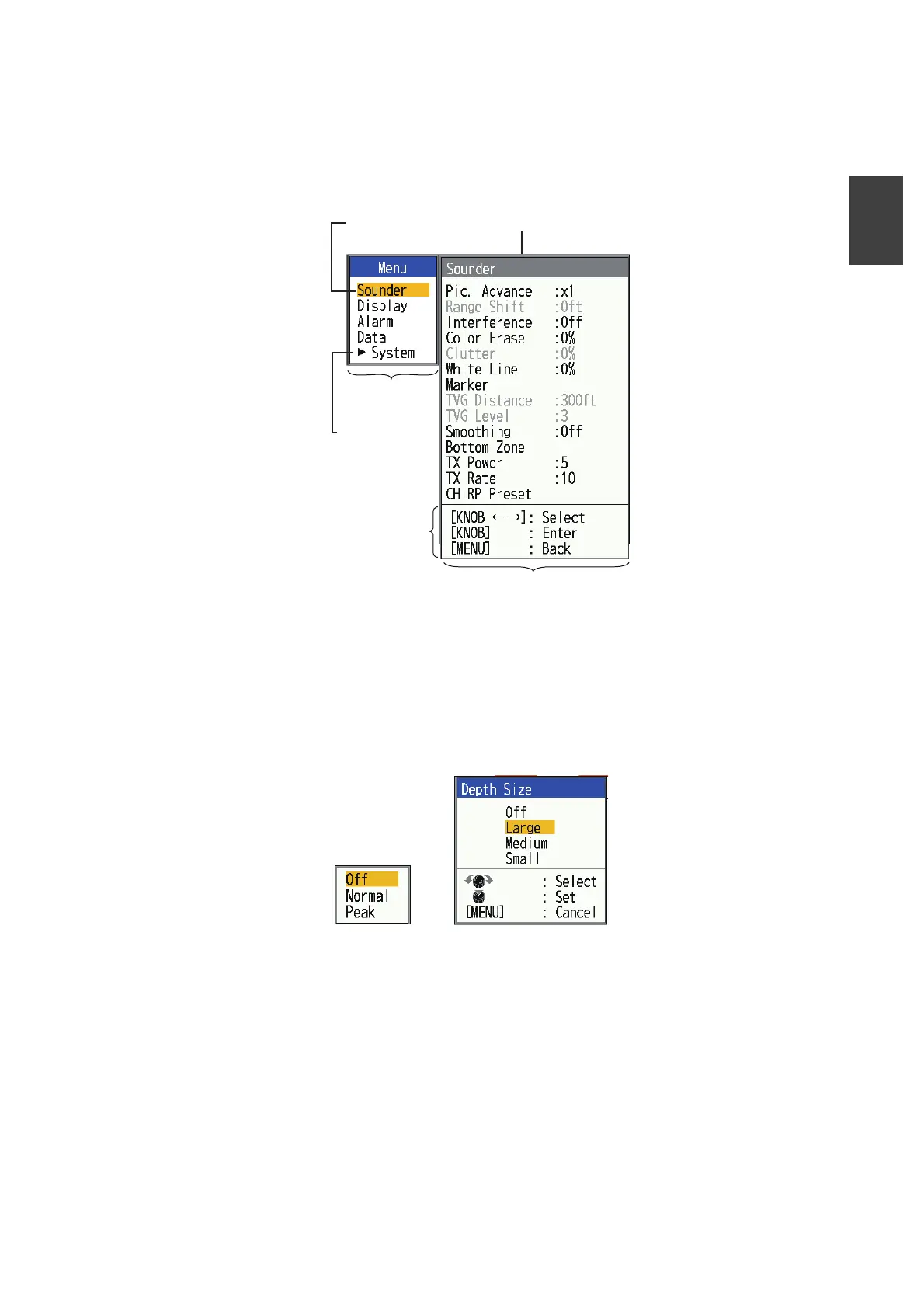
Your fish finder has five main menus: [Sounder], [Display], [Alarm], [Data], and [Sys-
tem]. Below is the basic menu operating procedure.
1. Press the MENU/ESC key to open the menu.
2. Rotate the KNOB to select the main menu desired. The cursor (yellow) highlights
current selection. The items in the sub menu change with the menu selected.
3. Press the KNOB. The cursor (yellow) shifts to the sub menu and the current se-
lection on the main menu window (left) is highlighted in gray.
4. Rotate the KNOB to select the menu item desired, then press the KNOB. A setting
box or window appears depending on menu item. The example below shows the
setting options and setting window for [Depth Size].
5. Rotate the KNOB to select an option or change a value.
6. Press the KNOB to save the setting. The setting box or window disappears. To
escape without changing a setting, press the MENU/ESC key instead of the
KNOB.
7. To select another menu, press the MENU/ESC key. The cursor (yellow) moves to
the main menu.
8. Press the MENU/ESC key to close the menu.
Sounder
Cursor
(yellow)
Currently selected menu
Main menu
Menu item
window
Sub menu
Operating
guidance
Main menu
The sub menu
appear when
selected.
See Chapter 2.
Setting options
Setting window



 To Next Page