1. OPERATION
1-17
1
1.10 How to Shift the Range
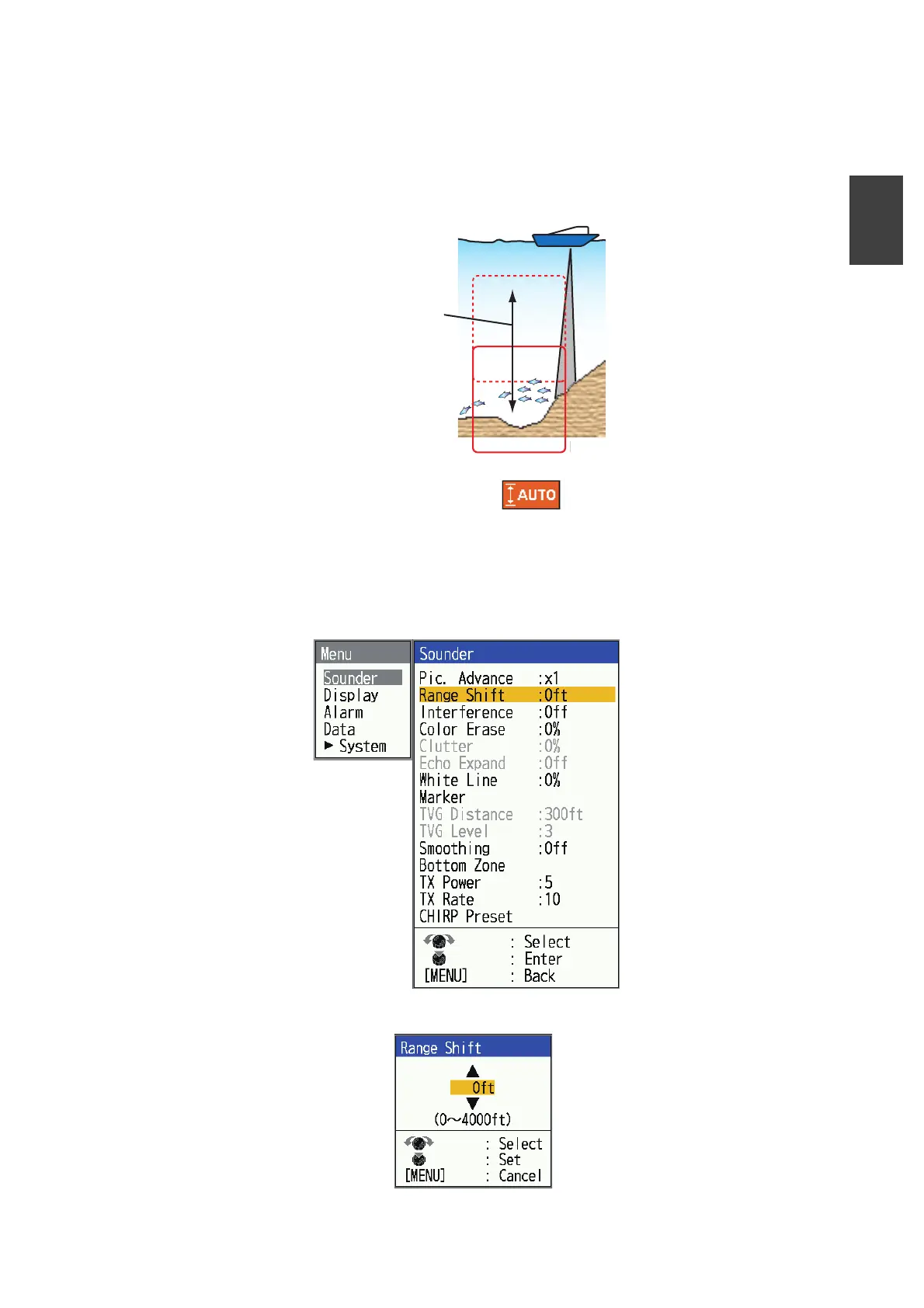
The basic range and range shift together give you the means to select the depth you
can see on the screen. The basic range can be thought of as providing a “window” into
the water column and range shifting as moving the “window” to the desired depth.
Note: This function is inoperative when [ ] (auto range mode indication) is dis-
played.
The basic range can be shifted up or down in the [Manual] mode as follows:
1. Press the MENU/ESC key to open the menu.
2. Open the menu, select the [Sounder] menu, then press the KNOB.
3. Select [Range Shift], then press the KNOB.
“Window” can be
shifted up and
down to select
starting depth.
Display
Disp



 To Next Page