2. SYSTEM MENU
2-5
2
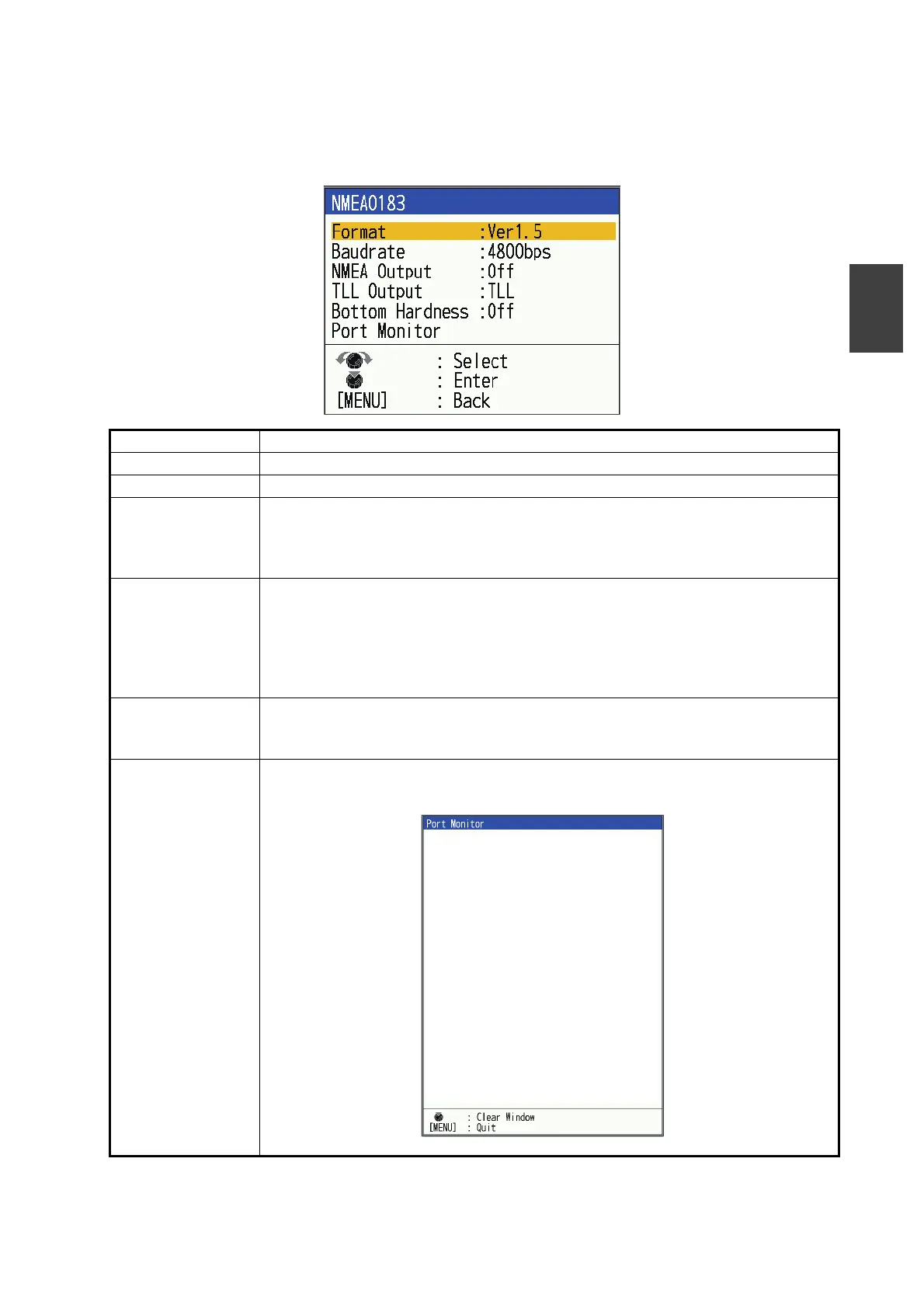
2.6.3 [NMEA0183] window (FCV-800 only)
If you have navigation equipment or other devices connected to the [PWR/KP/
NMEA0183] port, make the necessary settings in the [NMEA0183] window.
Menu Item Description
[Format] Select the version of nav equipment connected to [PWR/KP/NMEA0183] port.
[Baudrate] Select [4800bps] or [38400bps] for the baudrate.
[NMEA Output] Select what data sentences to output.
• [Off]: Do not output the NMEA0183 data sentences.
• [On]: Output the NMEA0183 data sentences. However, data is not output
from other nav equipments.
[TLL Output] Output the position specified by the MARK key to the plotter connected.
• [Off]: Do not output latitude/longitude.
• [TLL]: Output latitude/longitude.
• [FURUNO-TLL]: Output latitude/longitude, depth, water temperature, fish in-
formation, bottom discrimination data (requires [FURUNO-TLL] enabled de-
vice).
[Bottom Hardness] Shown only when the transducer that supports hardness* is connected.
Select [On] to output the hardness sentence (SDbhr).
*: See the equipment list on page AP-5.
[Port Monitor] Sentence information entered into the [PWR/KP/NMEA0183] port can be
checked. To display the latest sentence information, press the KNOB.
$GPGGA, 095354. 76, 0959. 673, S, 09959. 59, W, 0, 00, 0. 0
, 0. 0, M, 0. 0, M, 0. 0, 0000*44*6E<0d><0a>
$GPGLL, 3442. 67330, N, 13520. 59237, E, 095354. 92, A, A
*63*4C<0d><0a>
$GPGNS, 095355. 03, 3443. 4, N, 13521. 4, E, A, 00, 0. 0, 0.
0, 0. 0, 0. 0, 0. 0*3F*60<0d><0a>
$GPHDG, 255. 00000, 0. 0, E, 0. 0, E*5C*00<0d><0a>
$GPHDT, 255. 00000, T*37*19<0d><0a>
$GPMTW, 9. 00000, C*3D*60<0d><0a>
$GPMWV, 180. 00000, R, 10. 00000, K, A*17*3B<0d><0a>



 To Next Page