2. SYSTEM MENU
2-9
2
*1
: Displayed only for FCV-600.
*2
: Displayed only for FCV-800.
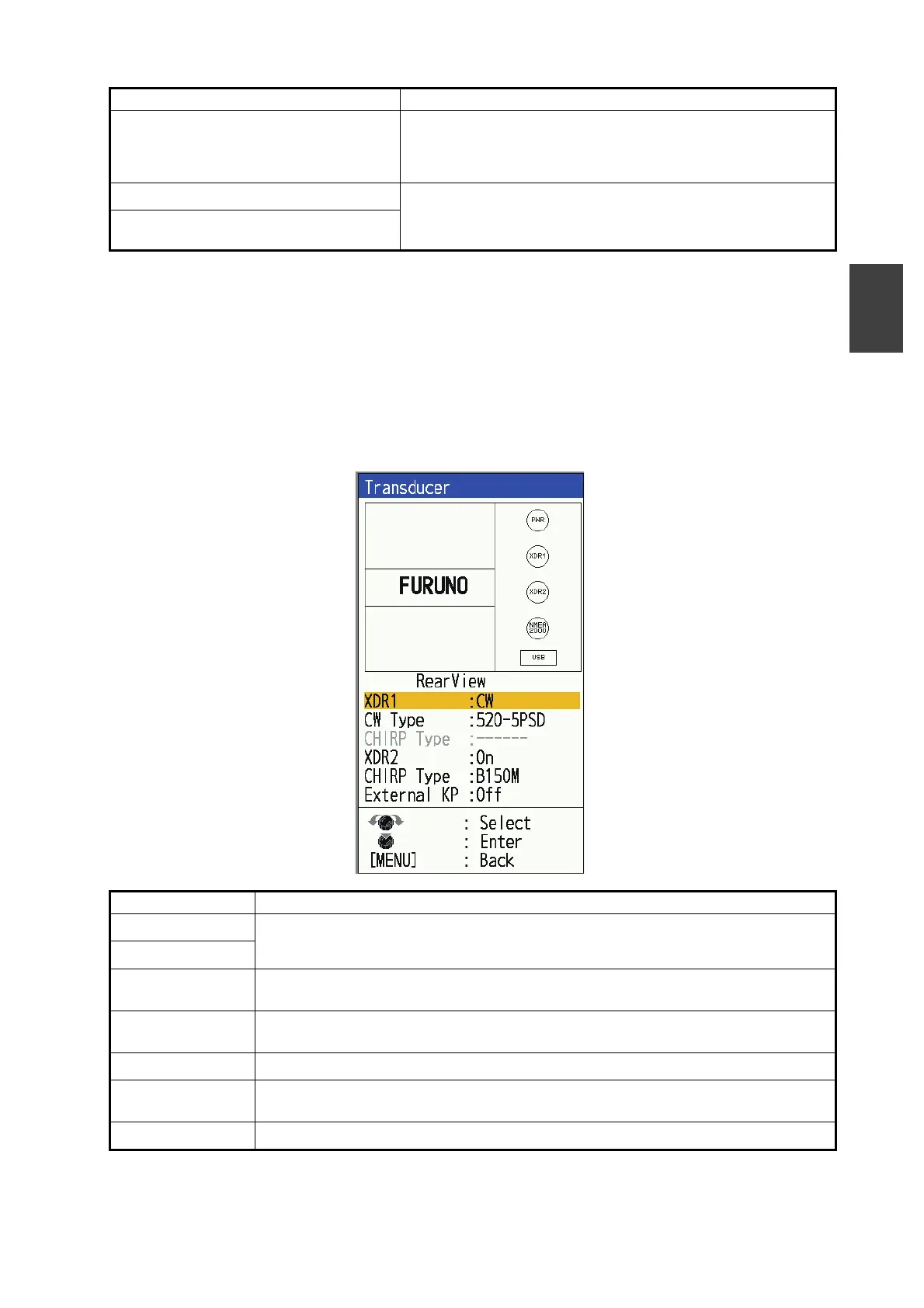
2.8 [Transducer] Menu
The [Transducer] menu allows you to set the transducer connected to the unit. It also
sets the external KP device (FCV-800 only).
*1
: Displayed only for FCV-600.
*2
: Displayed only for FCV-800.
[Heave Sensor Position (SC)]
Position of the Satellite Compass
™
set at installation.
DO NOT change this setting.
Note: Changing the setting causes inefficient performance.
[XDR Position]
*1
Transducer position; set at installation. DO NOT change
this setting.
Note: Changing the setting causes inefficient performance.
[XDR1 Position]
*2
/ [XDR2 Position]
*2
Menu Item Description
[XDR]
*1
Select the type of transducer connected to the [XDR] or [XDR1] port (CW trans-
ducer/ CHIRP transducer). If no transducer is connected, select [Off].
[XDR1]
*2
[CW Type] Enabled when [CW] is selected for [XDR] or [XDR1] above.
Select the type of transducer connected to the [XDR] or [XDR1] port.
[CHIRP Type] enabled when [CHIRP] is selected for [XDR] or [XDR1] above.
Select the type of transducer connected to the [XDR] or [XDR1] port.
[XDR2]
*2
When transducer is connected to the [XDR2] port, select [On].
[CHIRP Type]
*2
Enabled when [On] is selected for [XDR2] above.
Select the type of transducer connected to the [XDR2] port.
[External KP]
*2
Select [On] for KP unit with external sounder transmission equipment.
Menu Item Description



 To Next Page