1. OPERATION
1-9
1
1.5.5 Nav data display
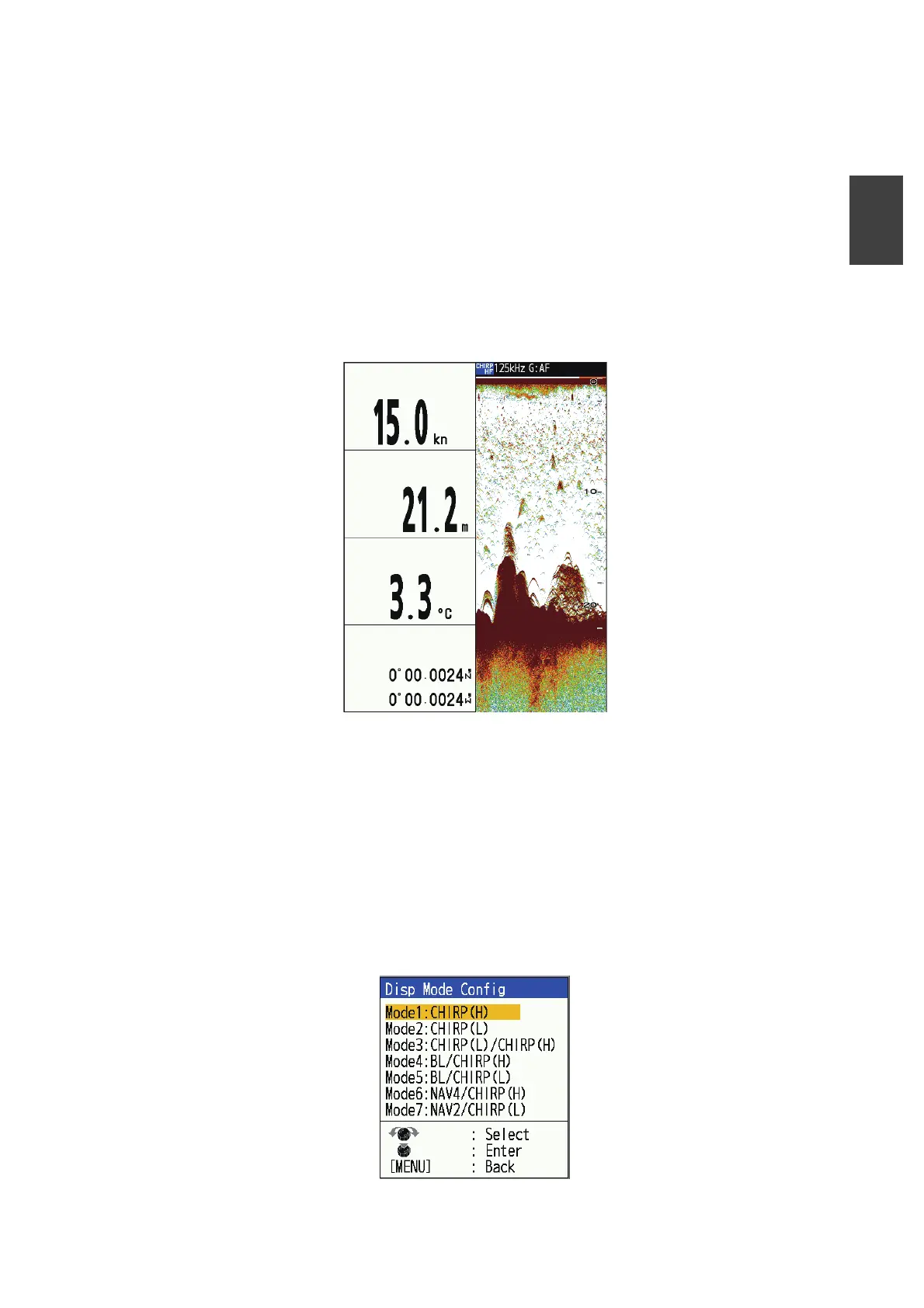
The right half of the screen displays the "single" image, and the left half displays the
navigation screen (2 to 4 data display). The default settings are as follows.
• Two-data display: Depth, wind speed/direction
• Three-data display: Wind speed/direction, Depth, Speed (STW)
• Four-data display: Speed (STW), Depth, Water temperature, Latitude/Longitude
Various data are required to display information other than depth.
See section 1.24 to change the information displayed on the screen and the next sec-
tion to change the way the screen is divided.
Example of four-data display
1.5.6 Edit display mode
Seven display modes can be registered for this equipment. The display mode set here
will appear as a choice in the [MODE] window. Carry out the following to edit display
mode.
1. Press the MENU/ESC key to open the menu.
2. Select [Display], then press the KNOB.
3. Select [Disp Mode Config], then press the KNOB.
SPEED (STW)
DEPTH
TEMP
POSITION



 To Next Page