1. OPERATION
1-8
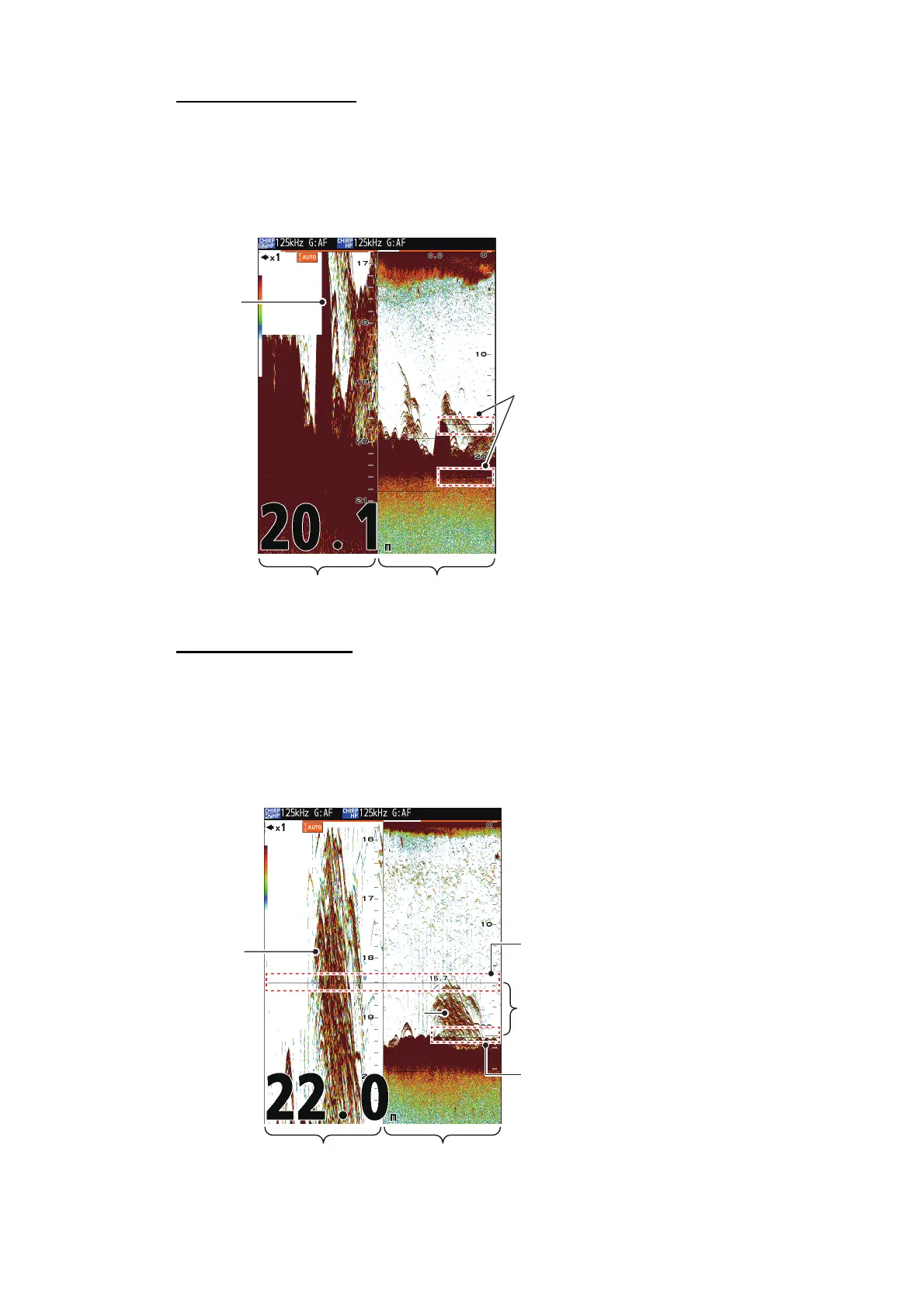
Bottom zoom display
The bottom zoom mode expands bottom and bottom fish on the left half of the screen.
This mode is useful for tracking bottom contour. When the bottom depth increases (or
decreases), the display automatically shifts to keep the bottom echo at the lower part
of the screen.
Marker zoom display
The marker zoom mode expands chosen area of the normal picture to full vertical size
of the screen on the left half of the screen. You may specify the portion to expand by
operating the VRM (Variable Range Marker), which you can shift with or . The
area between the VRM and zoom marker is expanded. This mode is useful for deter-
mining the size of fish in the middle water.
*: The marker automatically
zoom when depth changes.
SeabedSeabed
Zoom marker*
Bottom zoom
display
Single freq.
display
Zoomed
fish
Variable range
marker
This section is zoomed on
the left half of the screen.
Zoom marker
Marker zoom
display
Single freq.
display
Fish



 To Next Page