1. OPERATION
1-5
1
2. Press the MODE key again to select the display mode desired. The meanings of
the mode names at the top of the display are shown in the table below.
Mode Name Meaning Mode Name Meaning
CHIRP LF CHIRP transducer, Low fre-
quency
CHIRP BZ LF CHIRP transducer, Bottom
zoom, Low frequency
CHIRP MF CHIRP transducer, Medium fre-
quency
CHIRP BZ MF CHIRP transducer, Bottom
zoom, Medium frequency
CHIRP HF CHIRP transducer, High fre-
quency
CHIRP BZ HF CHIRP transducer, Bottom
zoom, High frequency
CW LF CW transducer, Low frequency CW BZ LF CW transducer, Bottom zoom,
Low frequency
CW HF CW transducer, High frequency CW BZ HF CW transducer, Bottom zoom,
High frequency
CHIRP BL LF CHIRP transducer, Bottom lock,
Low frequency
CHIRP MZ LF CHIRP transducer, Marker
zoom, Low frequency
CHIRP BL MF CHIRP transducer, Bottom lock,
Medium frequency
CHIRP MZ MF CHIRP transducer, Marker
zoom, Medium frequency
CHIRP BL HF CHIRP transducer, Bottom lock,
High frequency
CHIRP MZ HF CHIRP transducer, Marker
zoom, High frequency
CW BL LF CW transducer, Bottom lock,
Low frequency
CW MZ LF CW transducer, Marker zoom,
Low frequency
CW BL HF CW transducer, Bottom lock,
High frequency
CW MZ HF CW transducer, Marker zoom,
High frequency
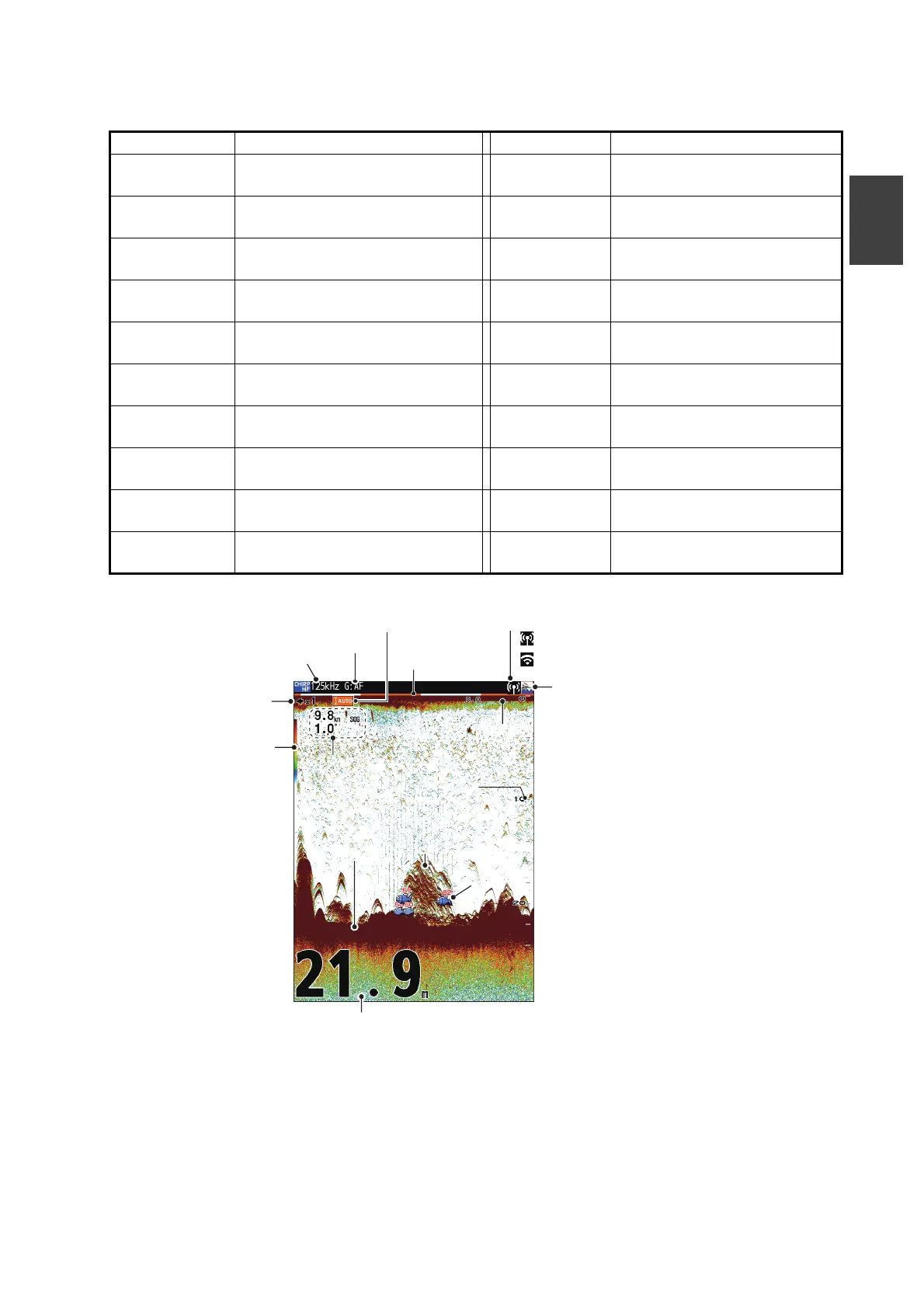
Depth
Depth scale
Fish
symbol
Fish school
Color bar
Seabed
Time mark
Alarm icon
Oscillation line
Data
Picture advance speed
Wireless LAN icon
Auto range
Sensitivity
Display mode, Frequency
: FCV main unit is in use as an access point.
: Use an existing access point.
Example of displayed screen



 To Next Page