1. OPERATION
1-52
[Depth Size] Select the font size of the depth indication ([Small], [Medium], [Large] or
[Off]).
[Zoom Marker] Turn the zoom marker on or off (on the single frequency display) when the
bottom lock display, the bottom zoom display or the marker zoom display
is active.
Note: When using sub monitor, set [Depth] in the [Wireless LAN Output]
menu to [On] on the main monitor side (see page 1-46). If [Depth] is set
as [Off], zoom marker does not appear on the single frequency display
even when [Zoom Marker] is set to [On] on the sub monitor side (Bottom
Discrimination screen only).
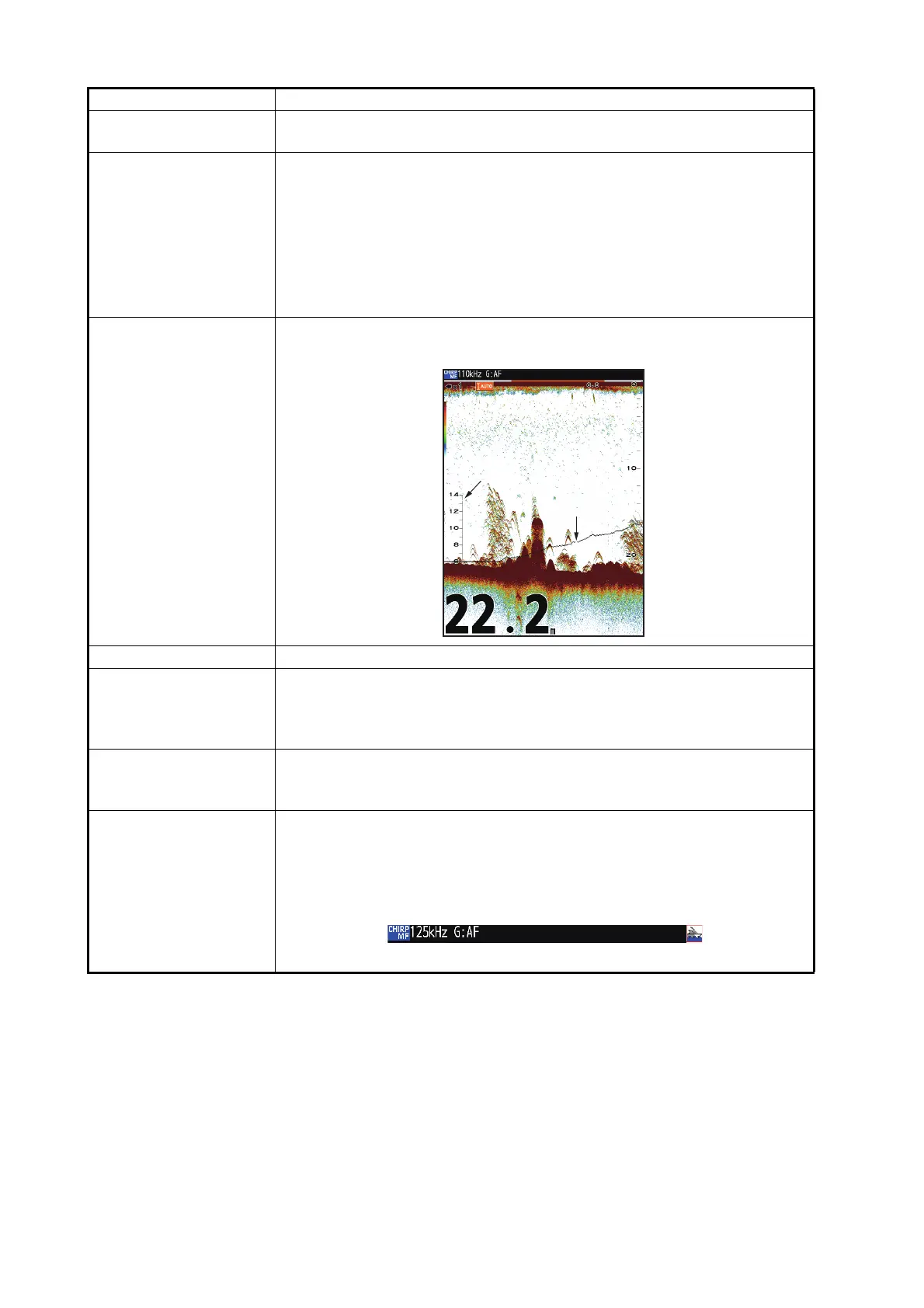
[Temp Graph] Turn the water temperature graph on or off. The temperature scale range
is 16°(°F) in [Narrow]; 40°(°F) in [Wide]. Requires water temperature data.
[Color Bar] Turn the color bar on or off.
[Color Scheme] Change the background color of the screen to suit surroundings. The
choices are white, blue, black, yellow* and sunlight*.
*:The strongest color will be black/green, not the background color. These
colors are easy to see even under sunlight.
[Echo Colors] Select amount of colors for [Color Bar] and response colors (8,16 or 64
colors). When [Echo Colors] setting is changed, the colors available at
[Marker] in the [Sounder] menu will also change.
[Header Info] Turn the operational info display (appears at the top on the screen) on or
off.
• [On]:The header info is always displayed.
• [Off]: When the KNOB is pressed while the menu or setting window is
hidden, the header area appears for 3 seconds.
Header info
Menu Item Description
Temperature Graph
Temperature Scale



 To Next Page