3E1151SmartScale800UserManual
42
Carcassweightscreen
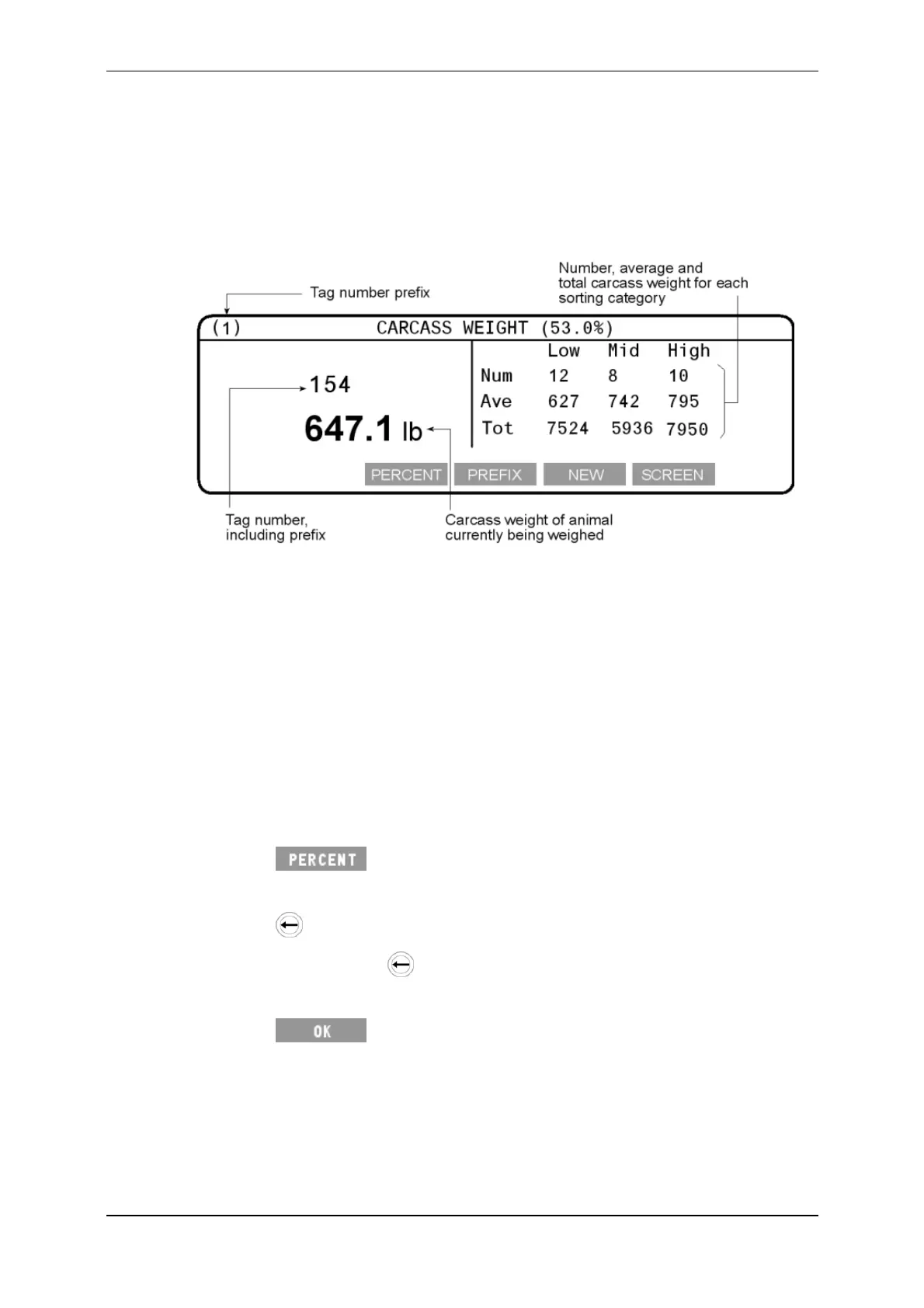
TheCarcassWeightscreendisplaysthecarcassweightoftheanimal.Thecarcass
weightiscalculatedusingthekill‐outpercentagethatyouenter.Thecarcass
weightstatisticsaredisplayedontherighthandsideofthescreen.Theformatis
thesameasthatusedintheWEIGHTSTATSorSORTINGSTATSscreens.
Thecarcassweightsonthescreenshownabovearebasedonakill‐out
percentageof53%.Withineachsortingcategory,theaverageandtotalcarcass
weightsdisplayedwillbe53%oftheaverageandtotalweightsrecordedforthe
session.Thenumberofanimalsineachsortingcategoryisdisplayed.Ifsortingis
turnedoff,thelowestandhighestcarcassweightisalsodisplayed.
Note:Ifthekill‐outpercentageischangedduringtheweighingsession,thecarcass
weightsarerecalculated.
Killoutper centage
Tochangethekill‐outpercentage:
1. Press .
Thecurrentkill‐outpercentagescreendisplays.
2. Press todeletethecurrentkill‐outpercentage.
Eachtimeyoupress onecharacterisdeleted.
3. Enterthenewkill‐outpercentageusingthekeypad.
4. Press tosavethechangeandrecalculatethecarcassweights
basedonthenewkill‐outpercentage.



 To Next Page