3E1151SmartScale800UserManual
74
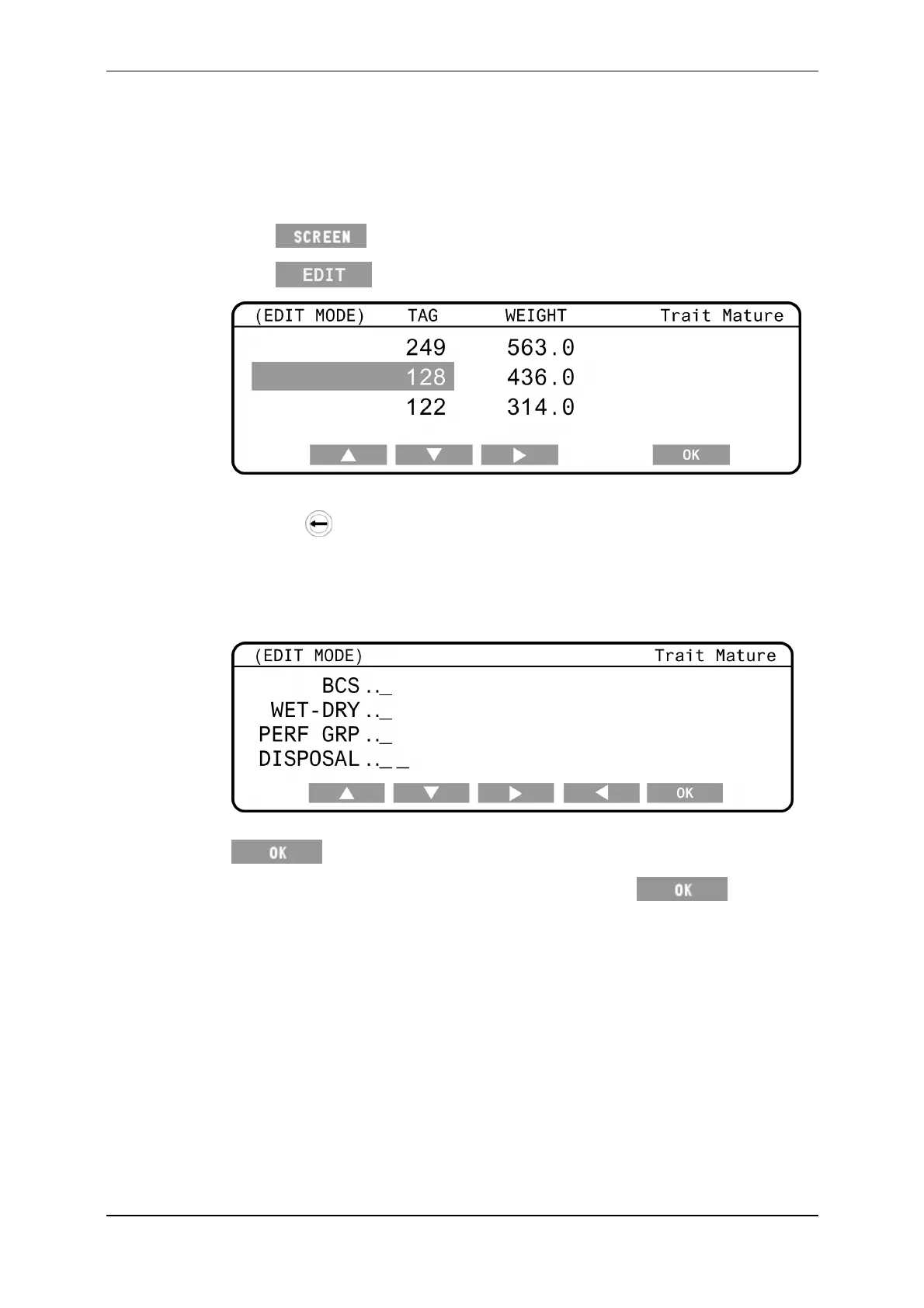
EditingaweightrecordinaTraitsession
InaTraitsession;
1. TurnthemodeselectswitchtoAorM.
2. Press untilthescreenlistingtheindividualweightsisdisplayed.
3. Press toeditweighrecords.
4. UsethearrowsoftkeystohighlighttheTagdatayouwishtoalter.
5. Pressthe buttontodeletecharacters,asrequired.
6. TypeinthenewTagnumberusingthekeypad.
7. UsethearrowsoftkeystohighlighttheTraitdatayouwishtoalter.
WhenyouhighlighttheTraitdatafieldthetraitdatascreendisplays.
8. Typeintherequiredinformationintheappropriatefieldsandpress
.
9. Whenyouhavemadealltherequiredchanges,press tosavethe
changesandexiteditmode.



 To Next Page