3E1151SmartScale800UserManual
10
SETUP
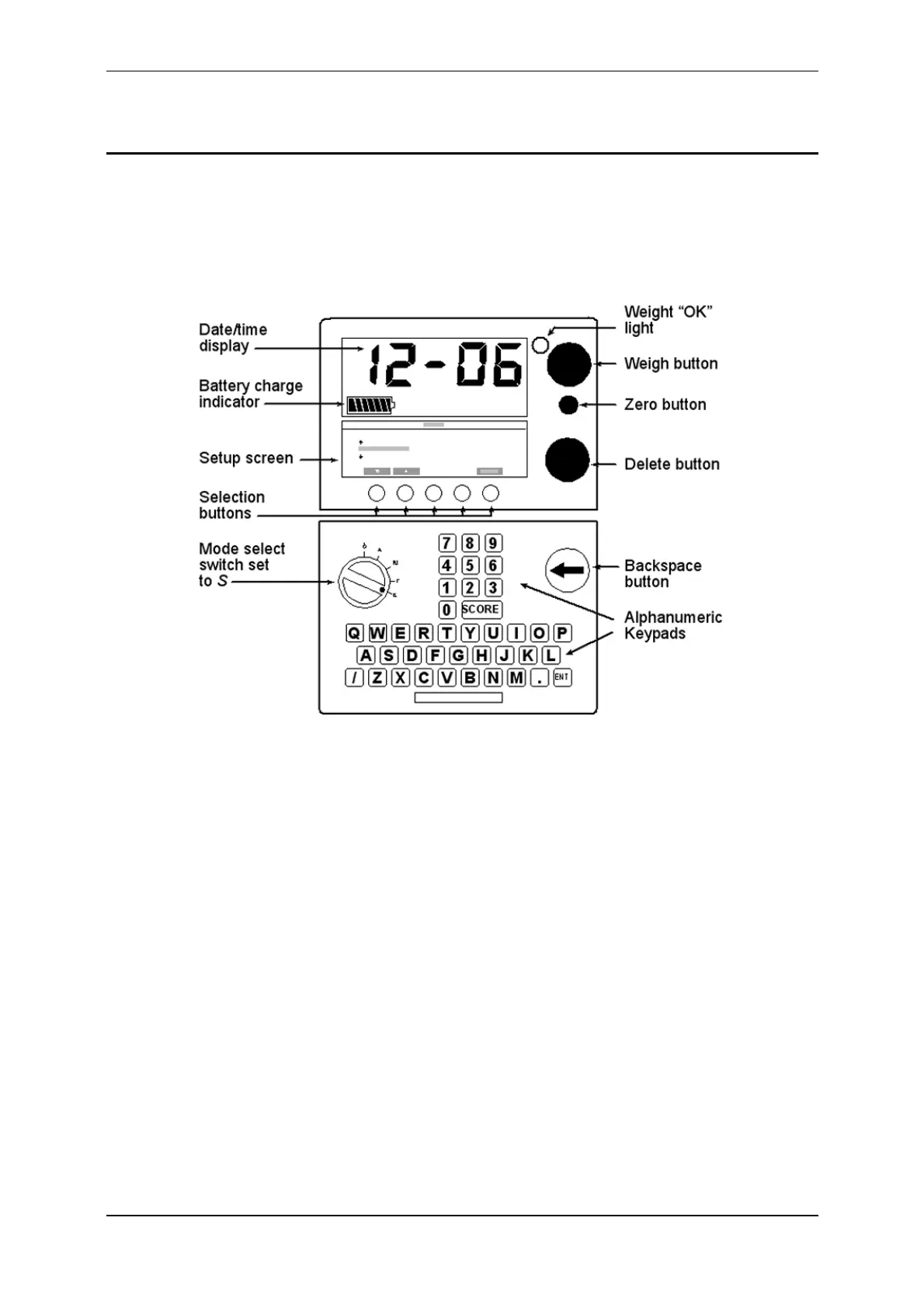
ToaccesstheSetupmenu,turnthemodeselectswitchtoS.
ThesetupmenudisplaysonthelowerofthetwoscreensontheScale.Insetup
mode,themainscreennormallydisplaysthetimein24hourformat.Every
minutethemainscreenmomentarilydisplaysthedate,thenautomatically
revertstodisplayingthetimeagain.
Thesetupmenucontainssixoptions:
1. SORTMENU‐selectthesortingmodeandspecifythesortinglimit(s).
2. SESSIONMENU‐selectasessionandview,printordeletethesession.
3. SETTIMEANDDATE‐setthecurrenttimeanddate.
4. USEROPTIONS‐selectweightunits,turnVisualTagNumbercheckingonor
off,turnliveprintingonoroff,turnADGdisplayonoroff.
5. COMMUNICATIONS‐setupaconnectiontoacomputer,printer,Electronic
IDreaderorotherexternaldeviceandenablesortingviatheautoSorter.
6. SELECTCOUNTRY‐foraspecificcountry,selectsalanguageandcountry‐
specificterminologyandweightunit.



 To Next Page