3E1151SmartScale800UserManual
84
Printing
ASmartScaleprintercanbeattachedtotheSmartScale800.IftheSmartScale
printerisconnectedduringaweighingsession,youcanconfiguretheScaleto
printeachanimal'stagnumber,weightandconditionscorewhentheScalelocks
ontotheweight.
TheSmartScaleprinterhasitsowninternalrechargeablebattery.Thebatterycan
berechargedusingthebatterychargersuppliedwiththeprinter.
Forinstructionsonprintingweightsattheendoftheweighingsession,orfroma
previoussession,seeSessionmenu(p16).
Note:TheSmartScale800isonlycompatiblewithaSmartScaleprinter.
Printingweightsduringaweighingsession
Toprinteachweightrecordduringaweighingsession,followthesesteps.
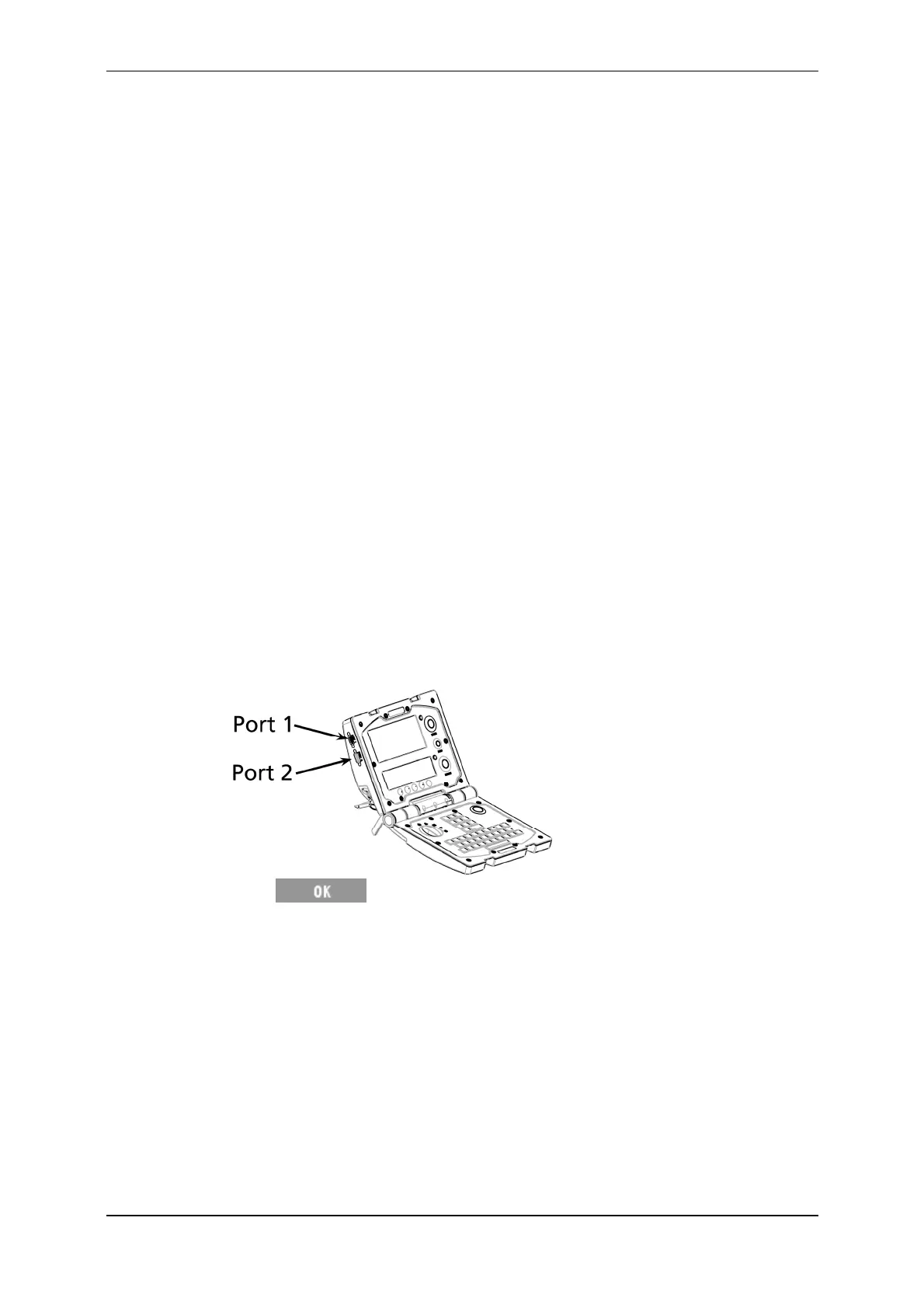
1. ConnecttheprintercabletooneofthetwoserialportsontheScale.
2. TurnthemodeselectswitchtoStodisplaythesetupmenu.
3. Select5.COMMUNICATIONS.
EnsuretheporttowhichtheprinterisconnectedissettoPrinter.When
theScalecaseisopen,Port1isonthetop,leftsideoftheScale.Port2is
directlybelow.
Press toreturntothesetupmenu.
4. Select
4.USEROPTIONSonthesetupmenu.
5. Ensure
LIVEPRINTINGisturnedON.
EachtimetheScalelocksontoaweight,thefollowinginformationprints.
Visualtagnumber,orifnoneexists,thelastfourdigitsoftheElectronicID
numberprecededbyacolon.
Weight.
Conditionscore.
thesortinggate,ifsortingisturnedon.



 To Next Page