3E1151SmartScale800UserManual
26
EIDRequired
WhenEID RequiredisOFF(defaultmode),theanimalwillbeautomatically
released.Thisappliestoallweighingmodeswhendrafting.
WhenEID RequiredisturnedON,andananimaldoesn’thaveasuccessfulread
ofanElectronicID,thenitisnotreleasedfromthedrafter.
YoumustcontrolthedraftertoreleasetheanimalastheWeighScalewillhave
nofurthercommucniationwiththedrafterforthecurrentanimal.
Note:AstheweightwillnotbelockeduntilanElectronicIDisreceived,noinfomration
fortheanimalwillberecorededinthesessionfile.IfyouapplyanElectronicID
tagtotheanimal,andscanthatElectronicIDtag,thentheanimalwillbe
released,andinformationwillberecordedinthesessionfile.
Communications
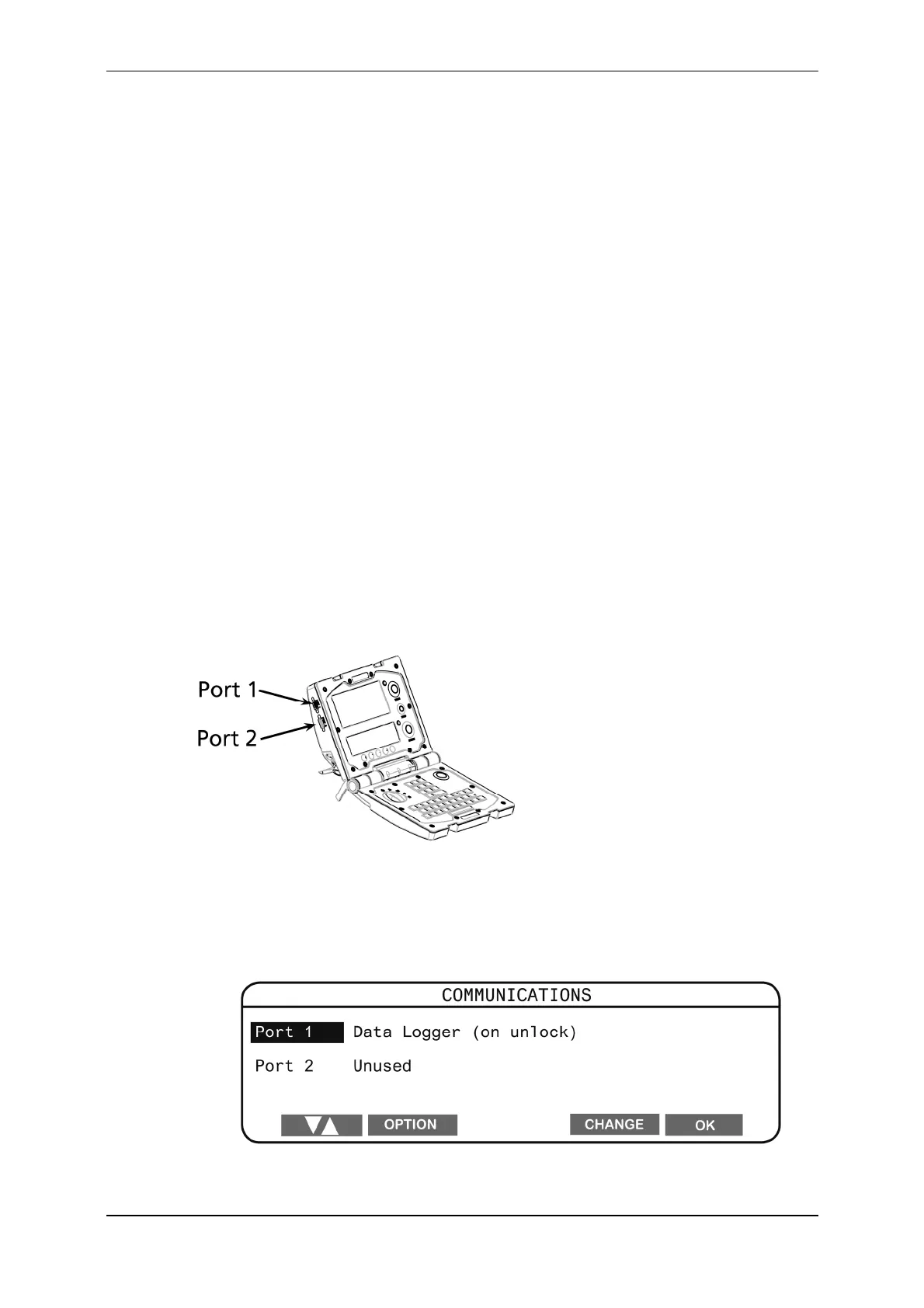
TheCommunicationsmenuenablesyoutotelltheScalewhatdeviceis
connectedtoeachport.ThedevicesthatcanbeconnectedtotheScaleincludea
computer,printer,sorter,orElectronicIDreader.Connectionsaremadeeither
toPort1orPort2.Theportsarelocatedontheupperlefthandedgeofthe
Scale.Onceyouattachadevicetoaport,youmustconfiguretheporttosuit.
YoudothisfromtheCommunicationsmenu.
TodisplaytheCommunicationsmenu,completethefollowingsteps:
1. TurnthemodeselectionswitchtoS.
2. SelectCOMMUNICATIONS.
Thefollowingscreendisplays:



 To Next Page