3E1151SmartScale800UserManual
73
EDITINGWEIGHTRECORDS
Abouteditingweightrecords
OnlyrecordsinthecurrentsessioncanbeeditedontheScale.Toedit
recordsinothersessionsyouneedtocopythemtothecomputer.Referto
theMyScaleProUserManualformoreinformation.
TheTagNumber,ConditionScoreandNotescanbeeditedduringoraftera
standardsession.
Traittabledatacanbeeditedinthecurrentsession.
Weightscannotbeedited.
Weightrecordscannotbeeditedwhileviewingthesessioninsetupmode.
EditingaweightrecordinaStandardorSortList
session
Inastandardorsortlistsession;
1. TurnthemodeselectswitchtoAorM.
Note:Youmusthaveloadbarsconnectedtoedittheweightrecordsinthe
currentsession.
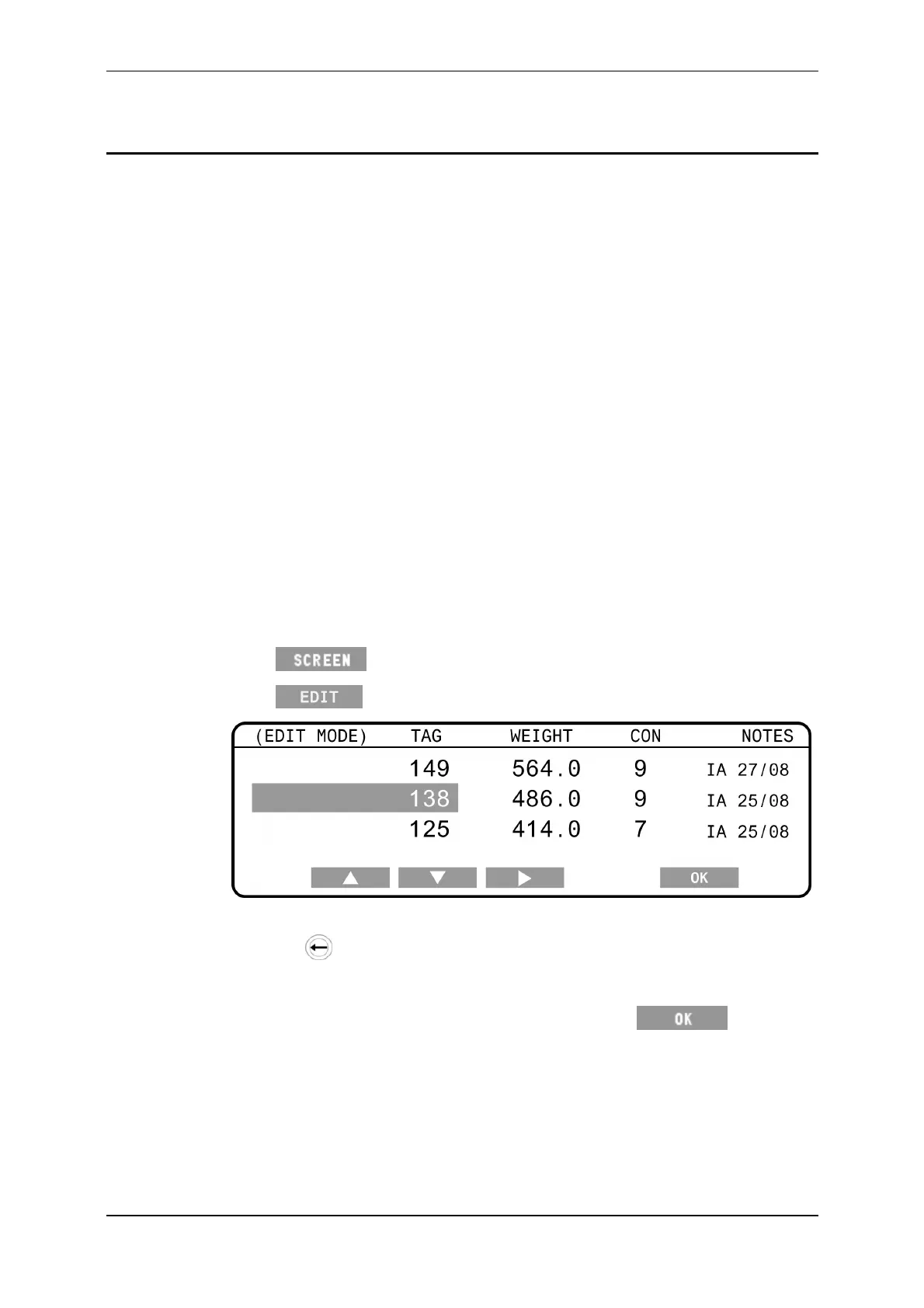
2. Press untilthescreenlistingtheindividualweightsisdisplayed.
3. Press toeditweighrecords.
4. Usethearrowsoftkeystohighlightthedatayouwishtoalter.
5. Pressthe
buttontodeletecharacters,asrequired.
6. Typeinthenewdatausingthekeypad.
7. Whenyouhavemadealltherequiredchanges,press tosavethe
changesandexiteditmode.



 To Next Page