3E1151SmartScale800UserManual
79
CHECKINGFORDUPLICATEVISUALTAG
NUMBERS
TheScaleletsyoucheckforduplicateVisualTagNumbersduringaweighing
session.Duplicatescanoccurifthesameanimalisweighedtwiceinasession.
TheycanalsooccurbecauseaVisualTagNumberhasbeenenteredincorrectly.
Inthiscase,youcanedittheincorrectVisualTagNumberimmediately.For
instructionsonturningTagCheckingonandinformationaboutwhenaduplicate
canoccur,seeUseroptions(p24).
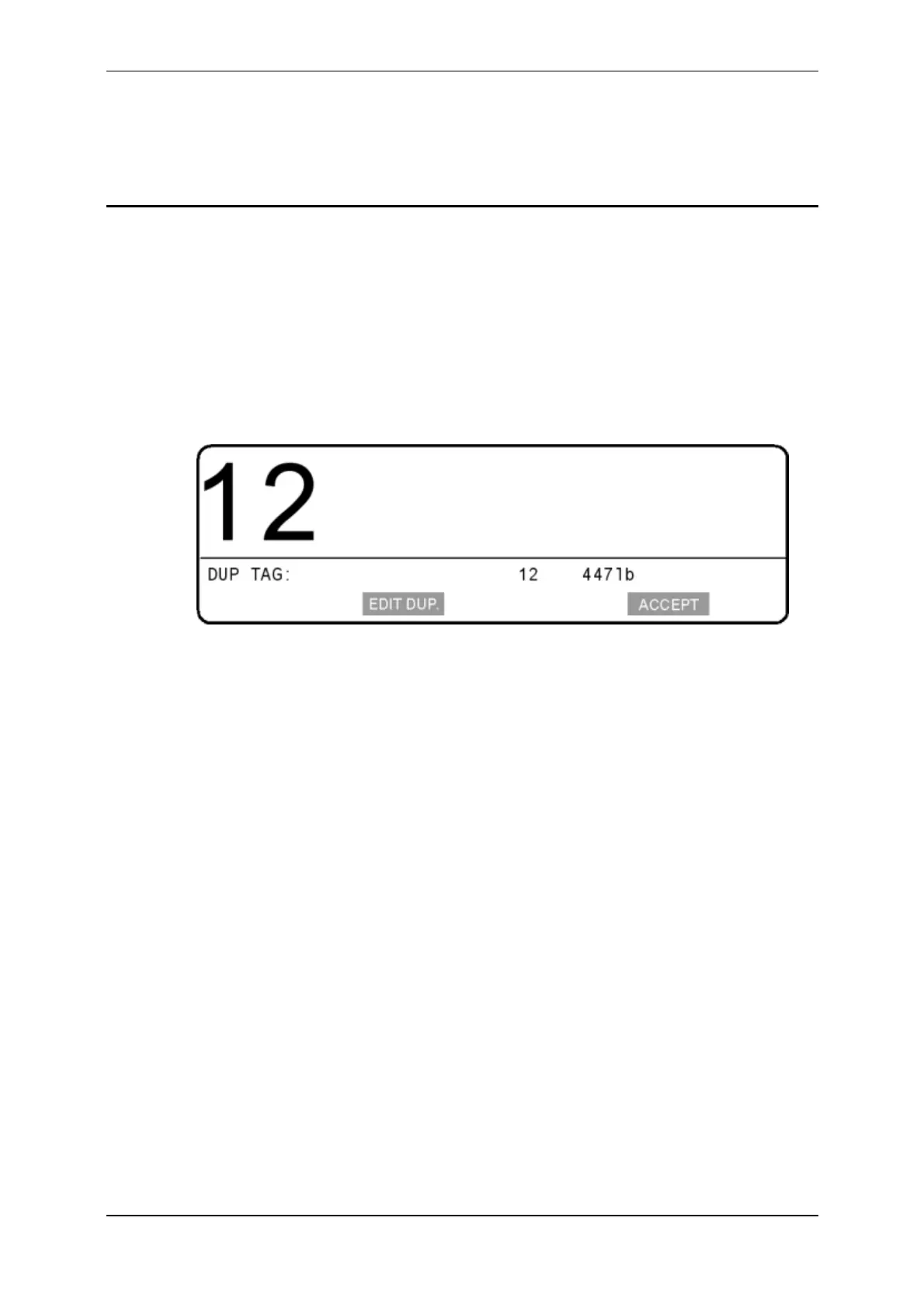
IfaVisualTagNumberduplicateoccurswithinasession,ascreensimilartothe
followingdisplays.TheduplicateVisualTagNumberisdisplayedandtheScale
beepsthreetimes.
Thisduplicatetagscreenenablesyouto:
acceptbothVisualTagNumbers(i.e.theduplicateremains),or
edittheVisualTagNumberjustentered,or
edittheVisualTagNumberrecordedearlierinthesession.
Notes:
Ifyoudonotmakeaselectionbeforetheanimal
leavestheplatformthe
duplicateVisualTagNumbersremain.
SomeElectronicIDreaderscanbesetupsothattheyareunabletoreadthe
sameElectronicIDtwiceinasession.IfyouwanttousetheScale'stag
checkingfeaturetopreventananimalbeingweighedmore
thanonceina
session,youneedtosetupthereadersothatitcanreadthesameElectronic
IDmorethanonce.
TopreventmultiplerecordingsofanElectronicID,theScalerecordsthe
numberonceafterthefirstreading.ItwillnotrecordthisElectronicIDagain
untilafteradifferentElectronicIDhasbeenread.



 To Next Page