3E1151SmartScale800UserManual
56
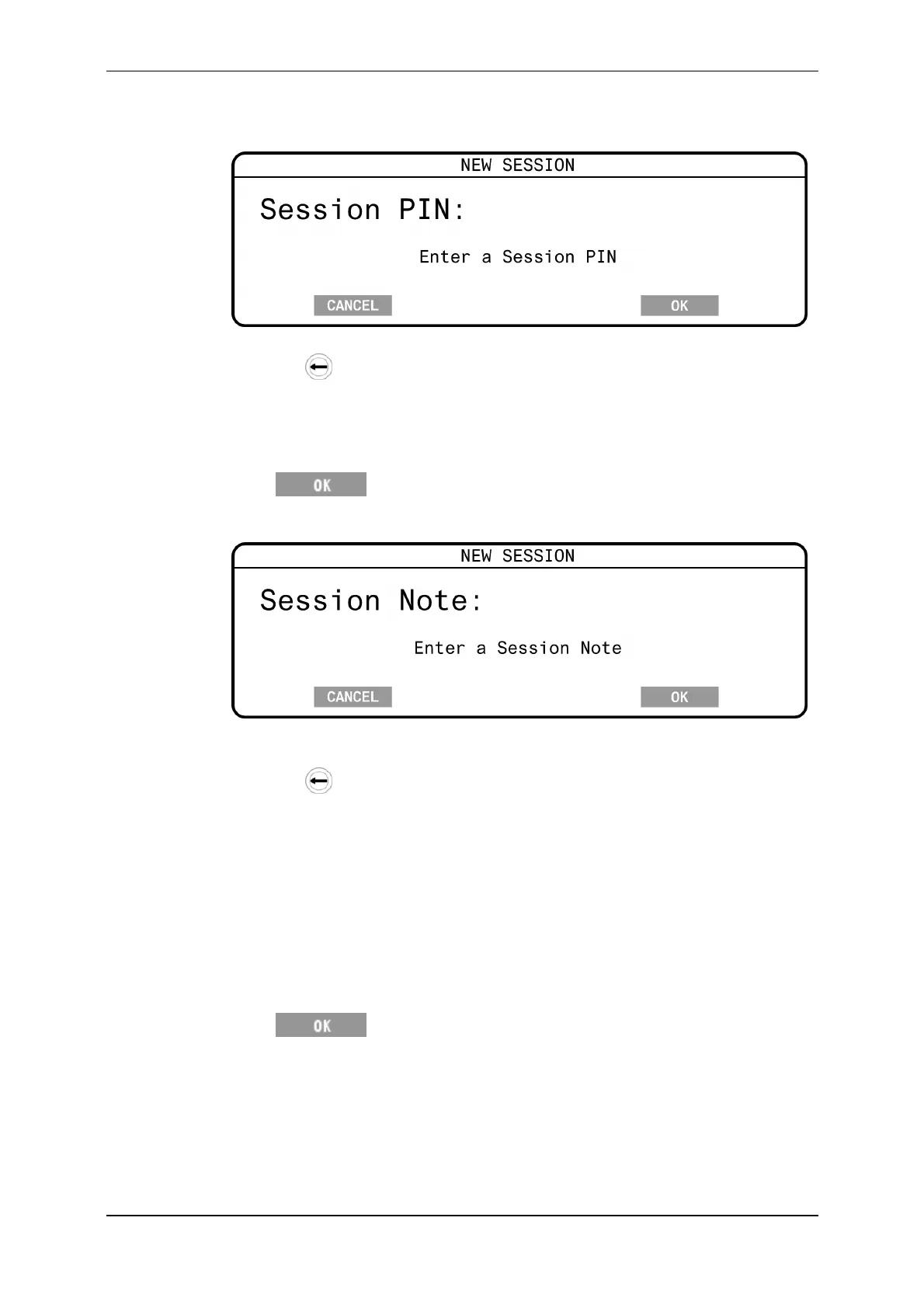
5. Ifprompted,typeinthePIN(canbeleftblank).ThepreviouslyenteredPIN
(PremiseIdentificationNumber)isdisplayedbydefault.
ThePINcanbeupto7alpha‐numericcharacterslong.
Pressthe keytodeletecharacters.
Note:
AsettinginMyScaleProsetswhetherthispromptisdisplayed.
TheenteredPINistransferredtoMyScaleProwiththesessiondata.
6. Press .
7. Ifprompted,typeinasessionnote(canbeleftblank).
Thesessionnotecanbeupto13alpha‐numeric(includingfullstop,forward
slashandspace)characterslong.
Pressthe
keytodeletecharacters.
Note:
AddingasessionnotereducesthenumberofrecordsstoredontheScale
byone.
TheenteredsessionnoteistransferredtoMyScaleProwiththesession
data.
TheMyScaleProsoftwaresetswhetherthe
Sessionnoteoption
displaysontheScale.
Thesessionnotedetailsarestoredinthefirstrecordofthesessionfile.
8. Press tosavethesession.
Thenewsessioniscreatedandastatisticsscreendisplayswithallvaluesset
tozero.
TheprevioussessionisclosedandstoredintheScale'smemoryandcanbe
viewedusingtheSessionmenu.SeeSessionmenu(p16).



 To Next Page