3E1151SmartScale800UserManual
58
session.IfthisoptionisnotswitchedONwhenyouscananEID,the
previousnote,eithertraitoruserenterednotedata,willnotbe
displayed.
6. Ifyouwanttoviewthemostrecenttraitrecord,recordedforthisanimalin
moredetail,pressthe key.Whenthiskeyisreleased,thedisplay
willreverttothepreviousscreen.
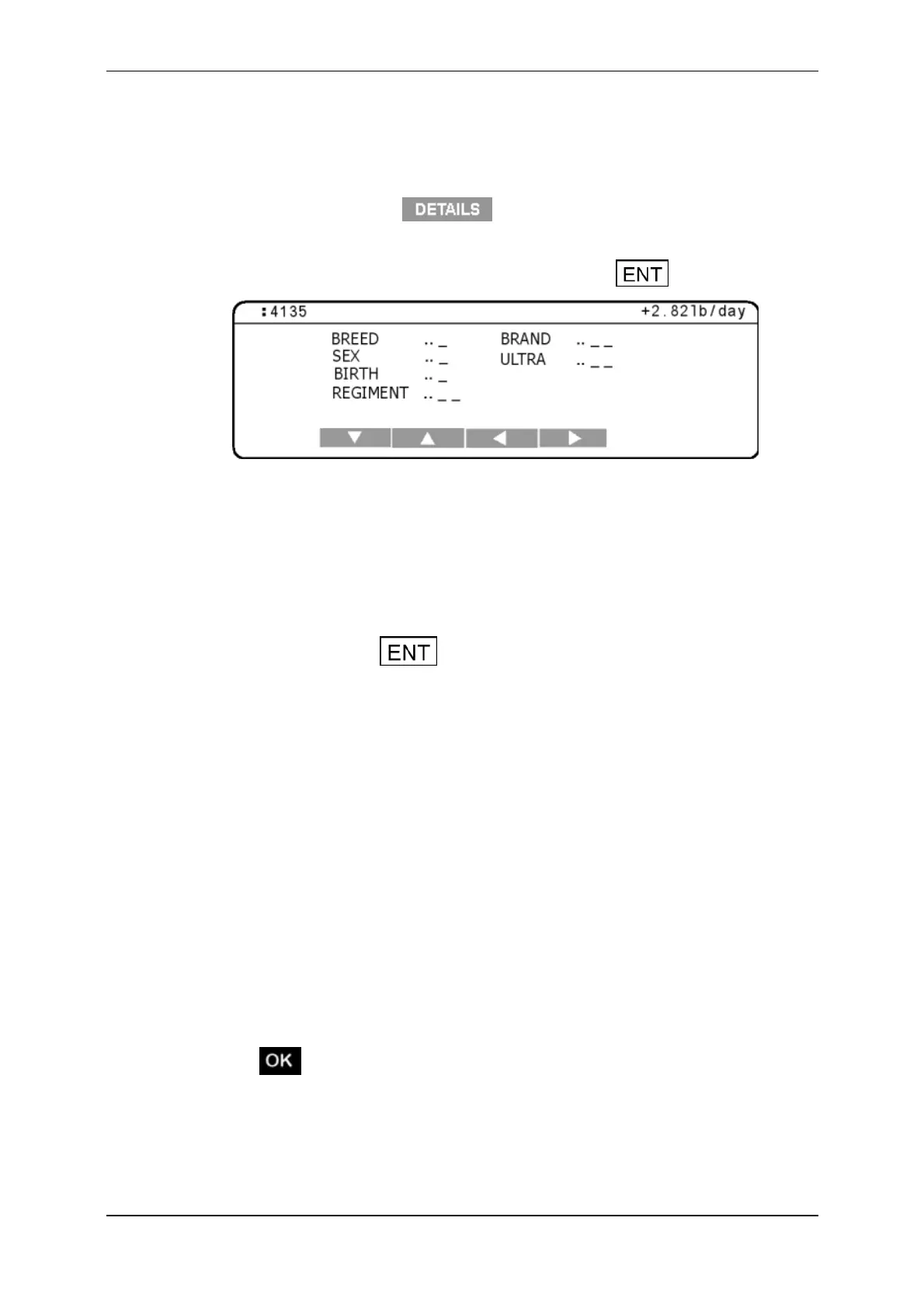
7. Ifthetraittableisnotalreadydisplayed,pressthe keytodisplayit.
Note:Theanimal'sElectronicIDorVisualTagNumberdisplaysinthetop
leftcornerofthetraittable.Theweightgain,ifonecanbecalculatedforthis
animal,displaysinthetoprightcornerofthetraittable.
8. Thecursorflashesinthefieldadjacenttothefirsttraitlabel.Thenumberof
charactersabletobeenteredagainsteachlabelisindicatedbytheblank
underlines.Usethearrowsoftkeystonavigatebetweenthetraitsandenter
thevaluesforthisanimal.
Note:Pressingthe keyalternatesthedisplaybetweentheVisual
TagNumberentryscreenandthetraittable.Youcannotreturntothe
statisticsorweightrecordscreensuntiltheweightisremovedfromthe
WeighScale.
9. Followtheinstructionsfortheweighingmodeyouhaveselected.
AutomaticModeWhenthe
WeighScalehasdeterminedanaccurate
weightfortheanimal,itlocksontotheweightandholdsitonthe
screen.Thetimetakentolockontotheweightvariesdependingonthe
movementoftheanimal.
ManualModePressthegreenweighbuttontostartweighingthe
animal.WhentheWeighScalehasdeterminedanaccurateweightfor
theanimal,itlocksontotheweightandholdsitonthescreen.Thetime
takentolockontotheweightvariesdependingonthemovementofthe
animal.
10. WhentheWeighScalehaslockedontotheweight:
the"WeightOK"lightilluminates;
displaysonthescreen;
theWeighScalebeeps;
Ifsortingisturnedon,thegatenumberdisplaysindicatingthesorting
category.


 To Next Page
 Loading...






