Garmin © 2005–2006 11 nüvi Owner’s Manual
Where To
Expanding Your Search
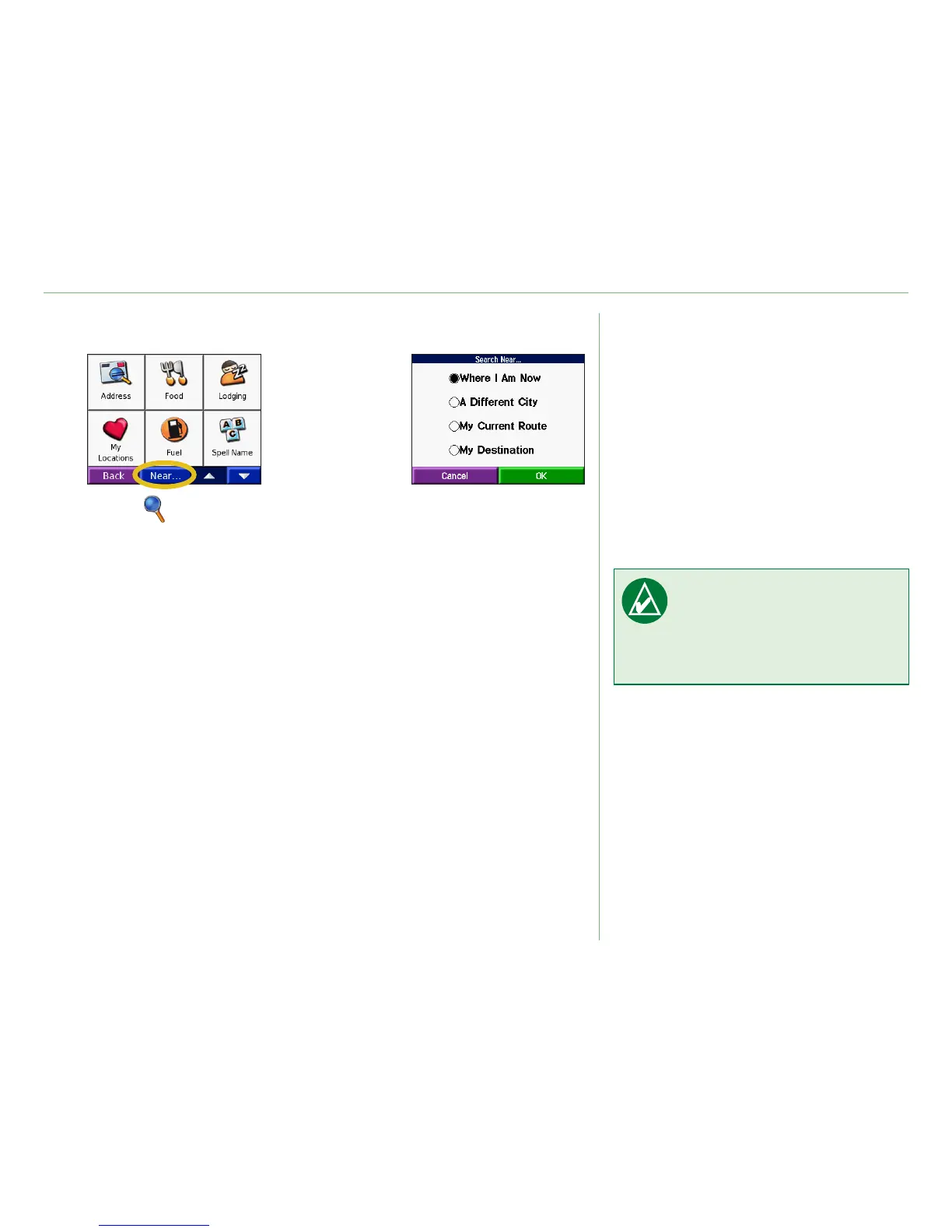
Touch Where to.
Then touch Near.
➊
Select an option.
Touch OK.
➋
• Where I Am Now—searches for places near your current
location.
• A Different City—searches for places near the city you enter.
• My Current Route—searches for places along the route you
are currently navigating.
• My Destination—searches for places near your route
destination.
NOTE: Your nüvi
automatically searches for
places near your current
location.













 To Next Page