Garmin © 2005–2006 18 nüvi Owner’s Manual
VieWinG The MaP PaGe and oTher PaGes
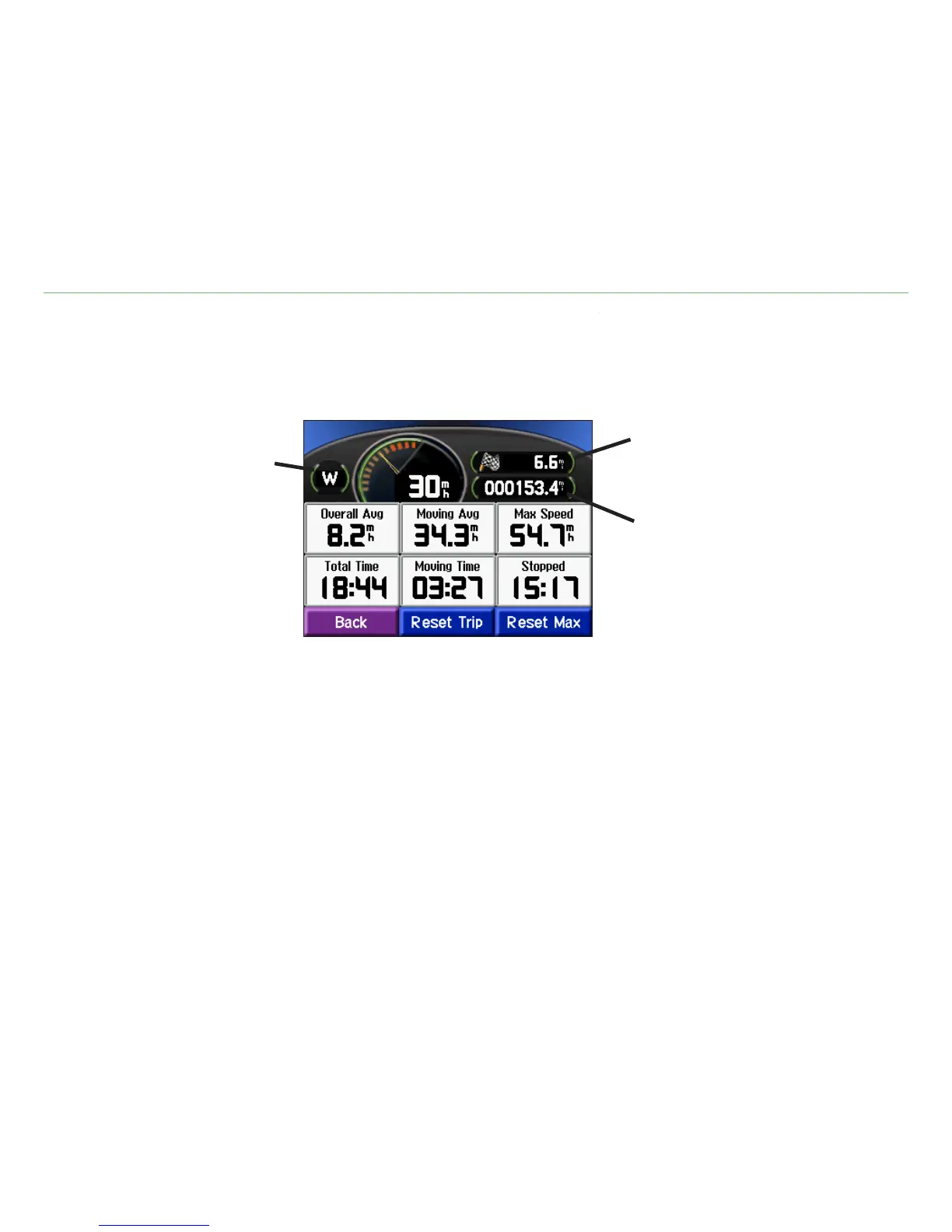
The Trip Information page displays your current speed and provides helpful data about your trip. To view
the Trip Information page, selectTrip Information page, select Speed or Arrival on the Map page.
Current direction
of travel
Distance traveled
(Odometer)
Distance to your nal
destination
Resetting Trip Information
If you want accurate trip information, reset the trip information before beginning a trip. If you make
frequent stops, leave the nüvi turned on so it can accurately measure elapsed time during the trip.
Select Reset Trip to reset the data on the Trip Information page. Select Reset Max to reset the
maximum speed.













 To Next Page