Garmin © 2005–2006 1 nüvi Owner’s Manual
GeTTinG sTarTed
GettinG Started
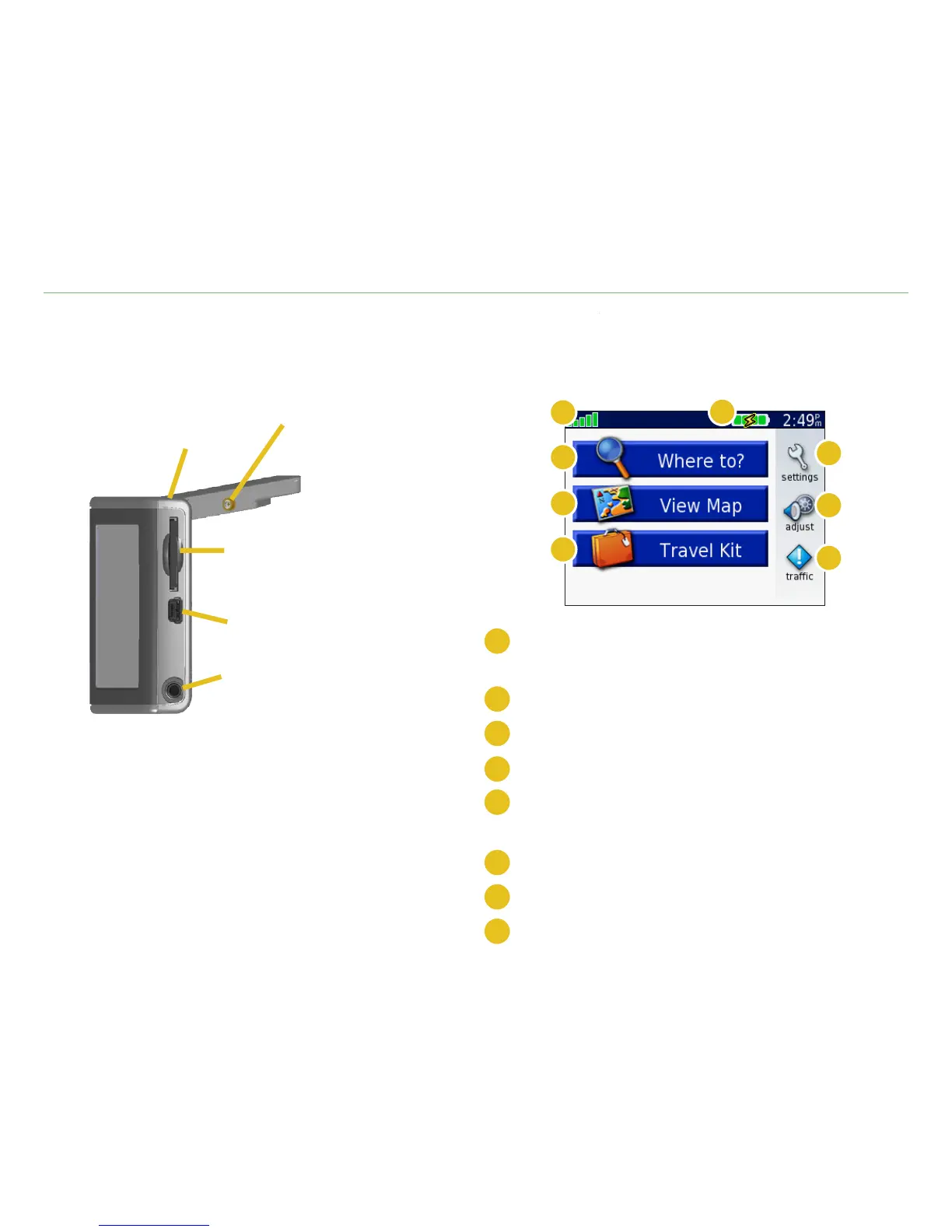
Your nüvi
MCX connector
(for an optional
external
antenna)
Power
button
Mini-USB
port
SD card
slot
Headphone
plug
nüvi Menu Page
C
F
D
G
E
H
A
B
A
Satellite signal strength indicator. Touch to view
satellite signal information.
B
Battery indicator.
C
Touch to adjust the settings.
D
Touch to adjust the volume and brightness.
E
Touch to view trafc incidents, if an optional
FM trafc receiver is connected.
F
Touch to use the Travel Kit.
G
Touch to view the map.
H
Touch to nd a destination.













 To Next Page