Garmin © 2005–2006 58 nüvi Owner’s Manual
aPPendix
Resetting Your nüvi
If your unit locks up (freezes up), press the Power button to turn
off the unit, then press again to turn the unit back on. If this does
not help, reset your nüvi.
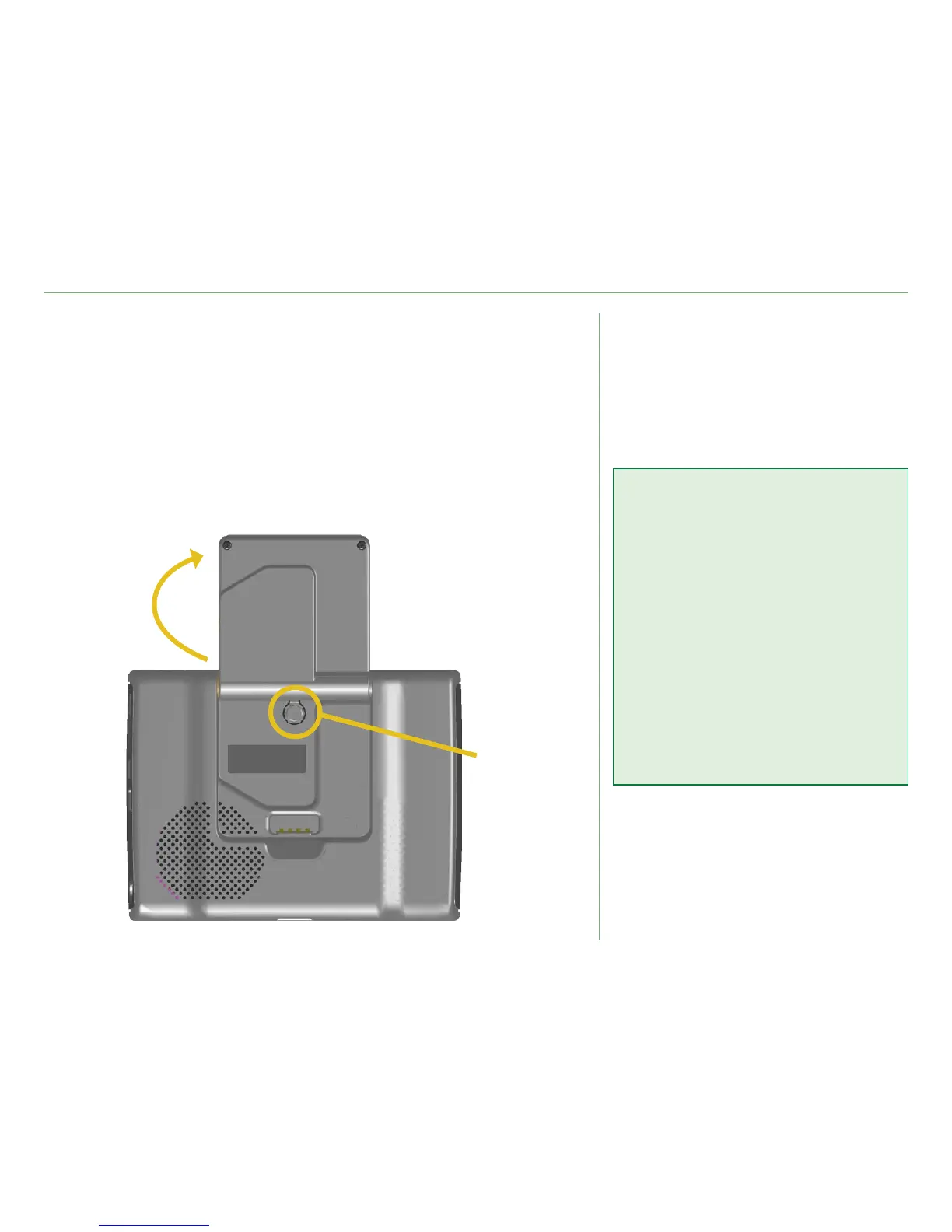
To reset the nüvi:
1. Raise the antenna.
2. Press the
Reset button.
➊
➋
Clearing User Data
Hold your nger on the upper
right corner of the nüvi’s screen
while turning on the nüvi. Keep
your nger pressed until the pop-
up window appears. Touch Yes to
clear all user data.
All original settings are restored.
Your Recent Selections and
audible bookmarks are also
deleted.













 To Next Page