Garmin © 2005–2006 50 nüvi Owner’s Manual
cusToMizinG The nüVi
Adding a Subscription
You can purchase additional subscriptions or a renewal if your
subscription expires; go to Garmin’s FM Trafc Web site at
www.garmin.com/fmtrafc.
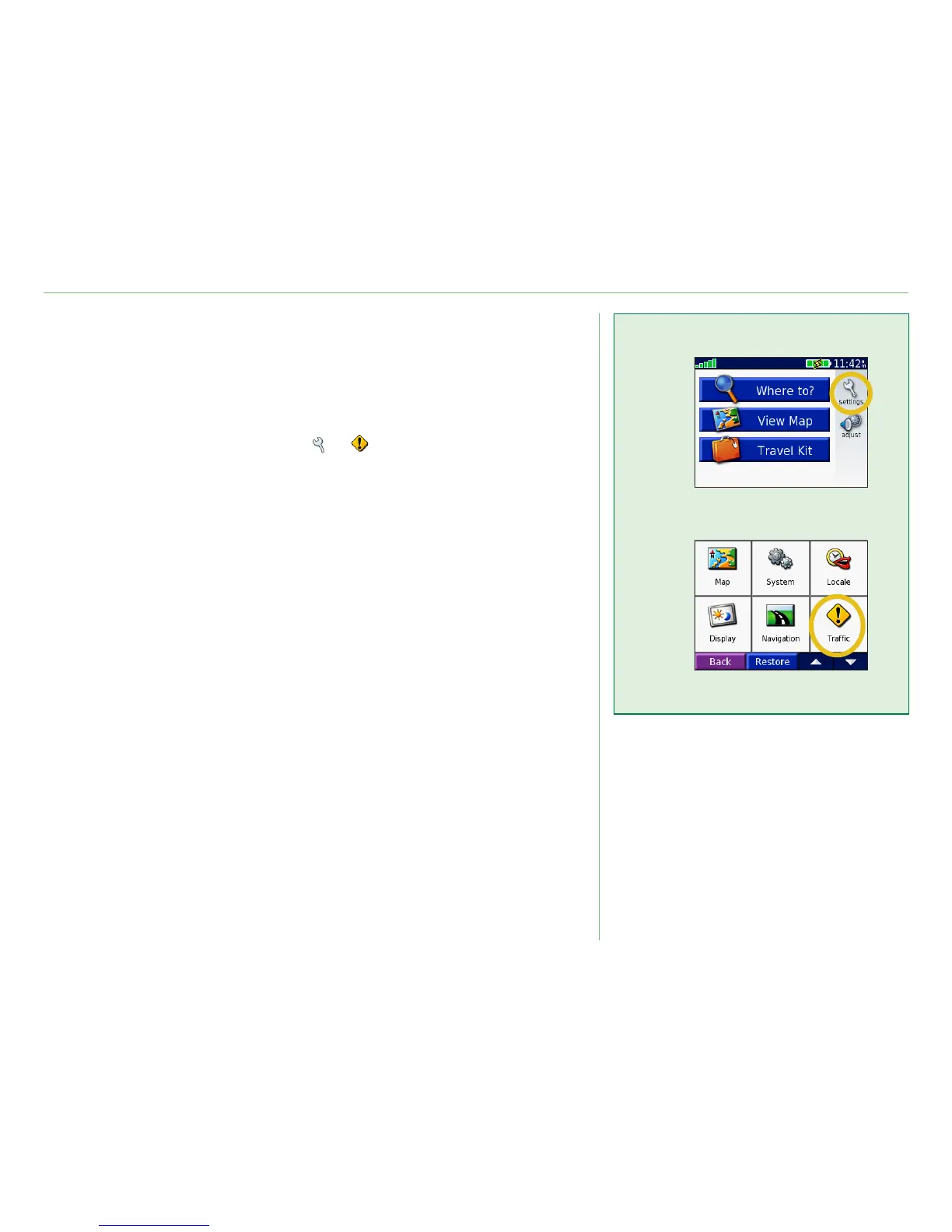
1. From the Menu page, touch > .
2. For Non-North American units, touch
Subscriptions >
Add. For North American units, touch Add.
3. Write down the FM trafc receiver’s unit ID. Go to
www.
garmin.com/fmtrafc to purchase a subscription and get a
code.
4. After you receive the 25-character code, touch
Next on
the nüvi, enter the code, and touch Done.
You must obtain a new code each time you renew your service.
If you own multiple FM trafc receivers, you must obtain a new
subscription code for each receiver.
➊
➋













 To Next Page