Astro
Dog Tracking System Owner’s Manual 3
Getting Started
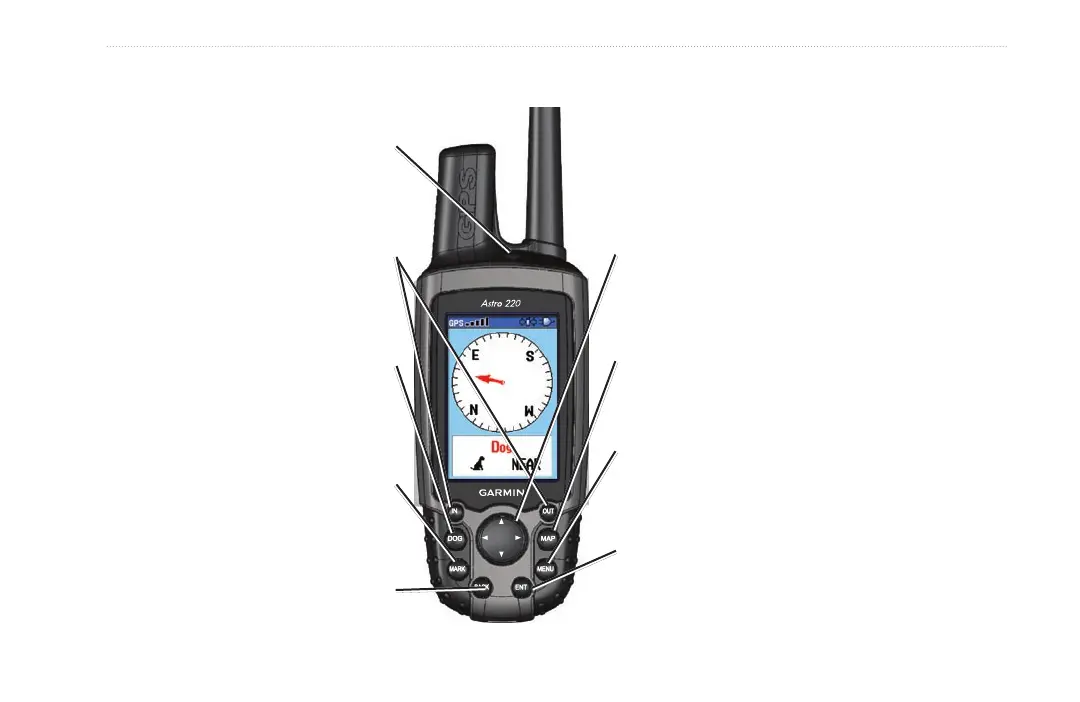
Using the Astro 220 Keypad Functions
BACK Key - Press and release to cancel
data entry or move backwards through
the pages to the Main Menu.
ENT (ENTER) Key - Press and release to enter highlighted
options, select data or conrm on‑screen messages.
IN/OUT Zoom Keys - Press to zoom in
or out on the Map page. Press to scroll
up or down a list on any other page.
DOG Key - Press and release at any
time to view the Dog Tracker page.
POWER Key - Press and hold to turn
the unit on or off. Press and release to
adjust the backlighting.
ROCKER Key - Press up, down, left, or right to highlight
options and to enter data, or move the map panning
arrow.
Map Key - Press and release to view the Map page.
MENU Key - Press and release to view page options.
Press twice to view the Main Menu.
MARK Key - Press and release at any
time to mark a variety of locations.






 To Next Page