22 Astro Dog Tracking System Owner’s Manual
Map Page
Data Fields
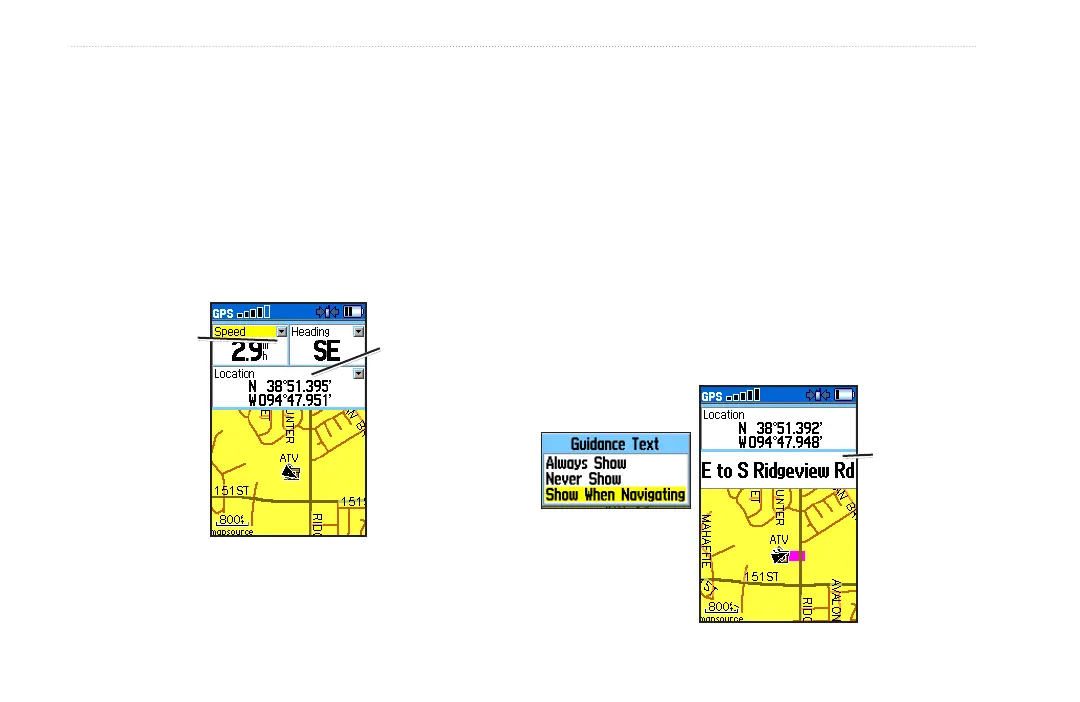
When navigating on the Map page, you can add and
congure data elds at the top of the page that provide a
variety of travel and navigational information.
To show data elds on the Map page:
1. Press MENU > select Data Fields.
2. Select the data eld conguration you want and press
ENTER.
3 data eld
option
Change data
selection
arrow
To change the data shown in selected elds:
1. Press MENU > select Change Data Fields.
2. Observe a selection arrow in the corner of each data
eld on the Map page.
3. Select the eld you want to change and press ENTER
to show a list of options.
4. Select an option and press ENTER.
Guidance Text
When navigating a route, guidance text appears above
the map. Guidance text shows useful information when
navigating to a destination.
Use guidance
text to aid
navigation
Select from 3 options






 To Next Page