Astro
Dog Tracking System Owner’s Manual 35
GPS Applications
0.25 mi
The course pointer indicates your course of travel from
your original location and the distance off course.
Scale
Move to the center line to get back on course. This is
most efcient if you are navigating on water or where
there are no major obstacles in your path. It also helps
you avoid hazards to either side of the course, such as
shoals or submerged rocks.
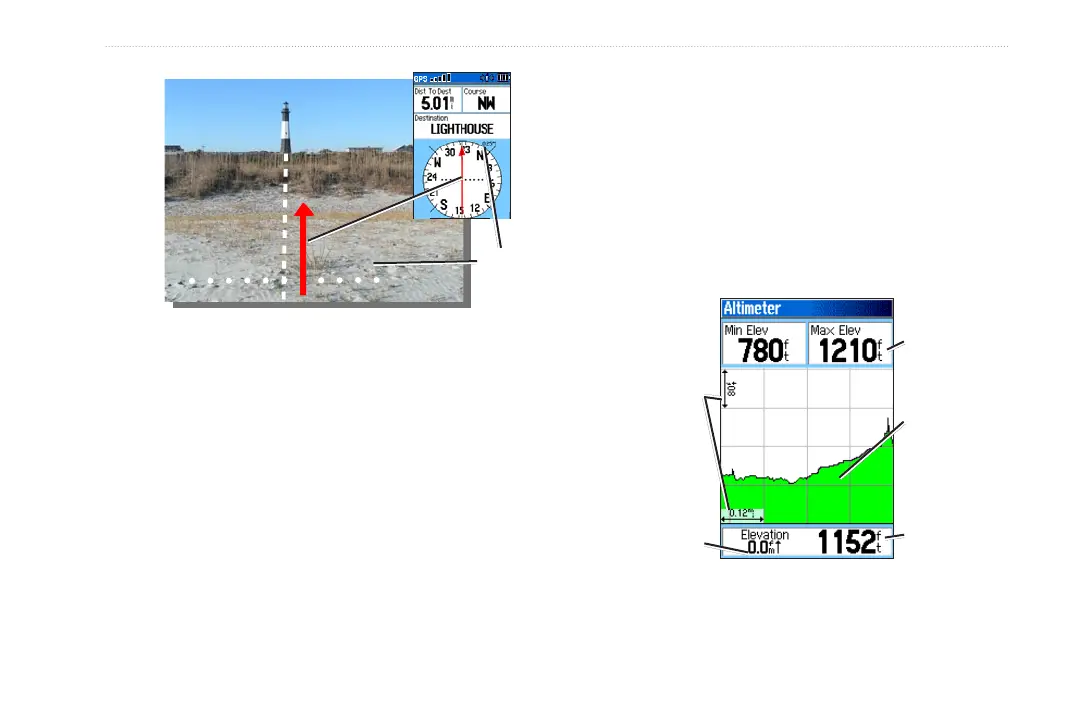
Altimeter Page
The Altimeter page can show you the current elevation,
the rate of your ascent or descent, a prole of elevation
changes over distance or time, or a prole of pressure
changes over time.
To open the Altimeter page:
Press MENU twice > select Advanced > GPS
Applications > Altimeter.
Altimeter Page
Current
elevation
Selectable
data elds
Rate of ascent
or descent
Range grid
measurement
Elevation
prole






 To Next Page