Astro
Dog Tracking System Owner’s Manual 43
GPS Applications
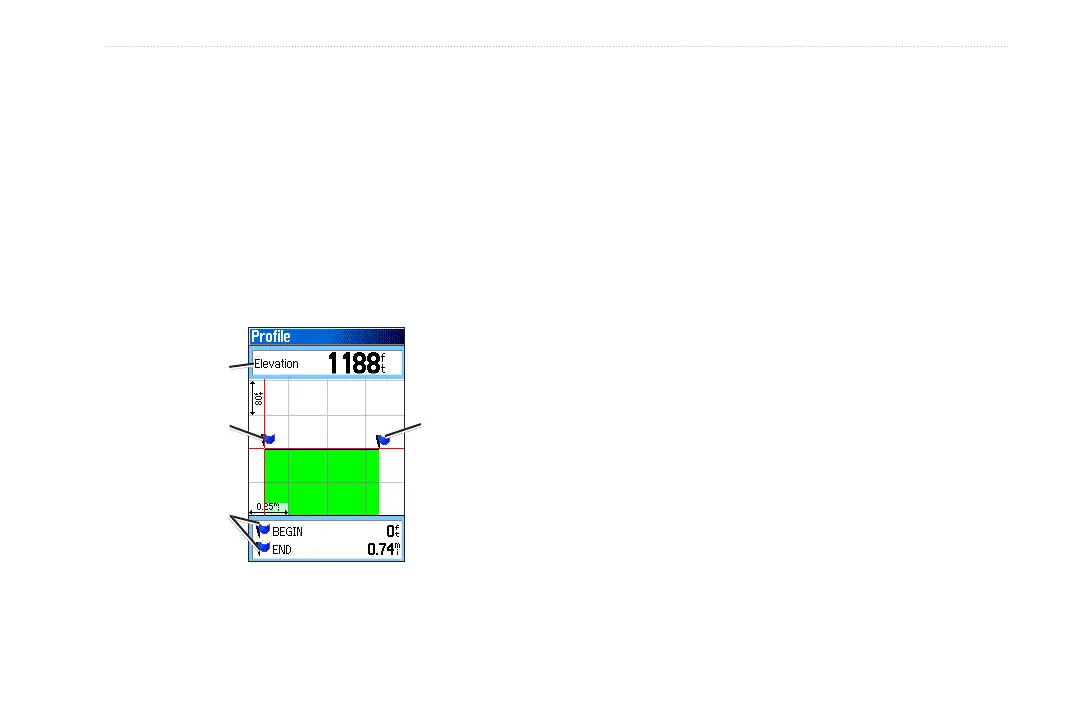
You can create a Track Elevation Prole from Digital
Elevation Models (DEM) maps (MapSource U.S. Topo),
which include elevation data contained in the map. When
these types of maps are available, a Use Map Data
- Use Track Data option menu appears when you select
Prole. Refer to the Garmin Web site,
www.garmin.com/cartography/ontheTrail/, for more
information about MapSource U.S. Topo maps.
Begin
marker
End
marker
Track Prole Page
Elevation
Distance from
Begin and End
points
Navigating a Saved Track
You can save your track log to use later as a TracBack.
When initiated, a TracBack route takes you back to the
oldest stored track log point.
To use the TracBack feature:
1. With the Saved Tracks page for the track or the Tracks
page open, select TracBack > to open the TracBack
page. A map showing the entire track appears and you
are prompted to select the point you want to TracBack
to.
2. Use the ROCKER to move the pointer to the point
on the map, and press ENTER to start navigating the
TracBack.
3. Select Follow Road to route back to the selected
point using available roadways, or Follow Track to
retrace your original path of travel. Select Don’t Ask
Again if you want to use the same option each time
you use TracBack.
The Map page opens with directions to the rst turn on
the track at the top of the page.






 To Next Page