Astro
Dog Tracking System Owner’s Manual 45
GPS Applications
Routes
Route navigation allows you to create a path to a
destination with turn-by-turn directions. The Astro 220
lets you store 50 routes with up to 250 points each.
To create a route:
1. Press MENU twice > Advanced > GPS Applications
> select Routes to open the Routes page.
2. Use the ROCKER to select New to open the Routes
page.
3. With the <Select Next Point> eld selected, press
ENTER to open the Find Menu.
4. Select a route location from one of the Find Menu
categories, and open the information page for the
selected location, city, exit, point of interest, and so on.
5. Select Use > to add it to the route.
6. To add more points to the route, repeat steps 3 to 5.
7. Select Navigate to begin navigating.
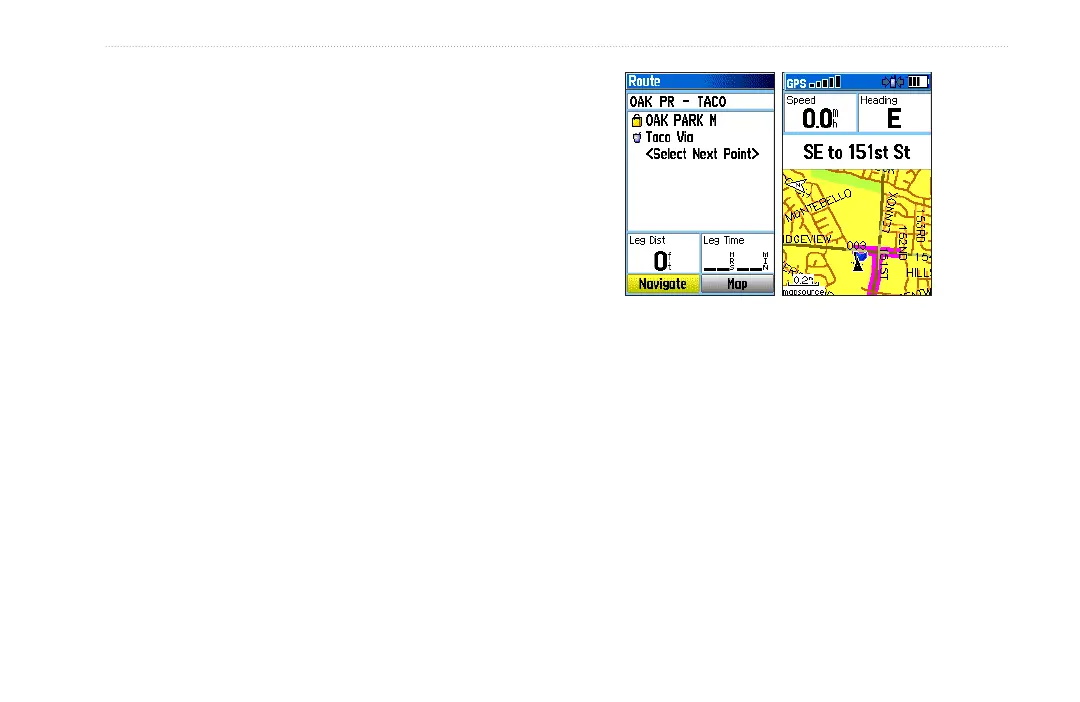
Route on the Map
Page
Route Page
Navigating a Route
After you create a route, you can begin navigation
immediately or save it to the Saved Routes list.
Routes can use existing roadways to automatically
calculate a route to your destination. Turns on roadways
are added to the Active Route page and are preceded by a
guidance message with a graphic of the turn. If there are
not enough roads at your location to calculate a route, a
message appears.






 To Next Page