10 Astro Dog Tracking System Owner’s Manual
Dog Tracking
Dog name
eld
Dog status elds
Position update
rate and dog
communication
ID No.
DC 20 battery
capacity
DC 20
communication
signal strength
DC 20 GPS
signal strength
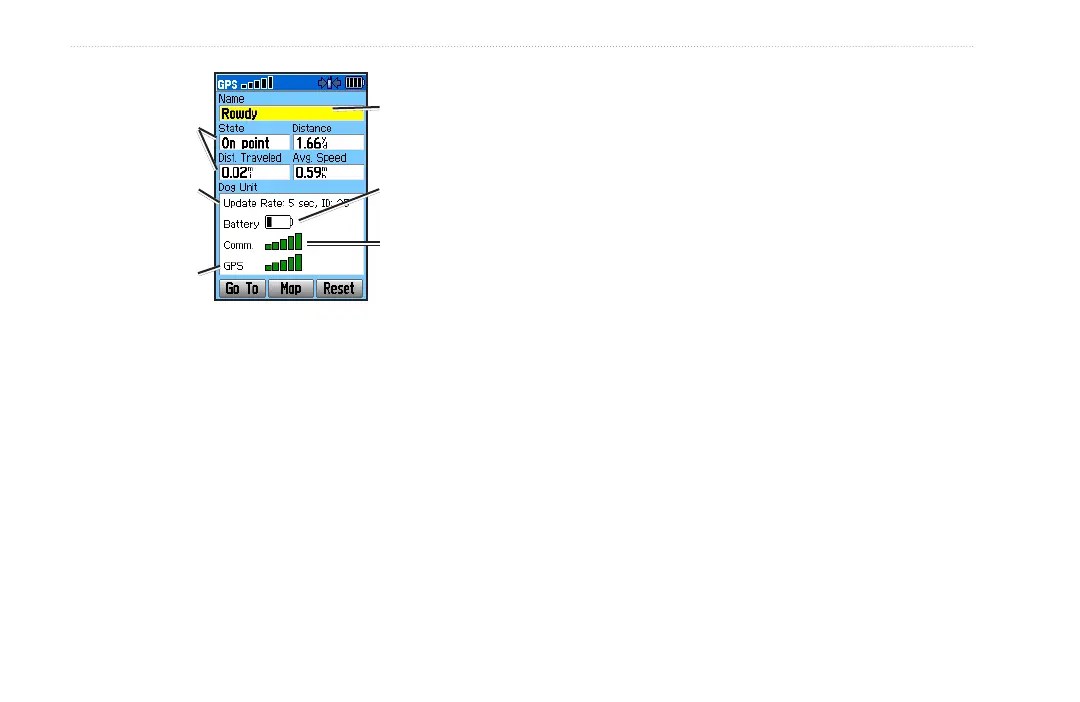
The dog being tracked is named at the top of the Dog Info
page. The elds below the name show the dog’s status
(a Running, Sitting, Treed, On-Point, or Unknown?), the
distance from your location, the distance traveled, and the
average speed. The eld titled “Dog Unit”, indicates the
position reporting update rate, the user assigned DC 20
ID number (0-49), the DC 20 battery capacity, the DC 20
to Astro 220 communication signal strength, and the DC
20 GPS signal strength.
Naming the dog
By default the Astro 220 assigns the name Dog (Dog 1,
Dog 2, etc.) to every Dog Unit (DC 20) linked to it. When
you use the ROCKER, to select the Name Field on the
Dog Info page and press ENTER, an on-screen keyboard
appears. Use the ROCKER to move about the keyboard
to place your dog’s name in the Name Field. Select OK
and press ENTER when done.
Using the Go To, Map, and Reset on-
screen buttons
Selecting the Go To button at the bottom of the page
and pressing ENTER takes you to the Map page with
directions for navigating to your dog.
Selecting the Map button takes you to the Map page
to view the location and movement of your dog.
Selecting the Reset button resets the dog stats and
track log for that dog.
•
•
•






 To Next Page