Getting Started with the ActiveCaptain App
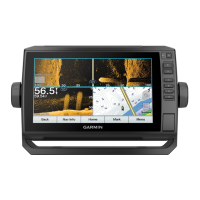
You can connect a mobile device to the ECHOMAP Plus device using the ActiveCaptain app. The app provides
a quick and easy way for you to interact with your ECHOMAP Plus device and complete such tasks as sharing
data, registering, updating the device software, and receiving mobile device notifications.
1 Insert a memory card in one of the ECHOMAP Plus device's card slots (Inserting Memory Cards, page7).
Be sure the card is inserted each time you want to use the ActiveCaptain feature.
2 Select ActiveCaptain > Create ActiveCaptain Memory Card.
NOTICE
You might be prompted to format the memory card. Formatting the card deletes all information saved on the
card. This includes any saved user data, such as waypoints. Formatting the card is recommended, but not
required. Before formatting the card, you should save the data from the memory card onto the device internal
memory (Copying User Data from a Memory Card, page105). After formatting the card for the ActiveCaptain
app, you can transfer the user data back to the card (Copying User Data to a Memory Card, page105).
3 From the ActiveCaptain page, select Wi-Fi Network > Wi-Fi > On.
4 Enter a name and password for this network.
5 From the application store on your mobile device, install and open the ActiveCaptain app.
6 Bring the mobile device within 32m (105ft.) of the ECHOMAP Plus device.
7 From your mobile device settings, open the Wi‑Fi
®
connections page and connect to the Garmin device, using
the name and password you entered.
Enabling Smart Notifications
WARNING
Do not read or reply to notifications while operating the vessel. Failure to pay attention to the conditions on the
water can result in vessel damage, personal injury, or death.
Before your ECHOMAP Plus device can receive notifications, you must connect it to your mobile device and to
the ActiveCaptain app.
1 From the ECHOMAP Plus device, select ActiveCaptain > Smart Notifications > Enable Notifications.
2 Turn on Bluetooth
®
technology in the mobile device settings.
3 Bring the devices within 10m (33ft.) of each other.
4 From the ActiveCaptain app on the mobile device, select Smart Notifications > Pair with Chartplotter.
5 Follow the on-screen instructions to pair the app to the ECHOMAP Plus device.
6 When prompted, enter the key on your mobile device.
7 If necessary, adjust which notifications you receive in your mobile device settings.
12 ActiveCaptain App





 To Next Page