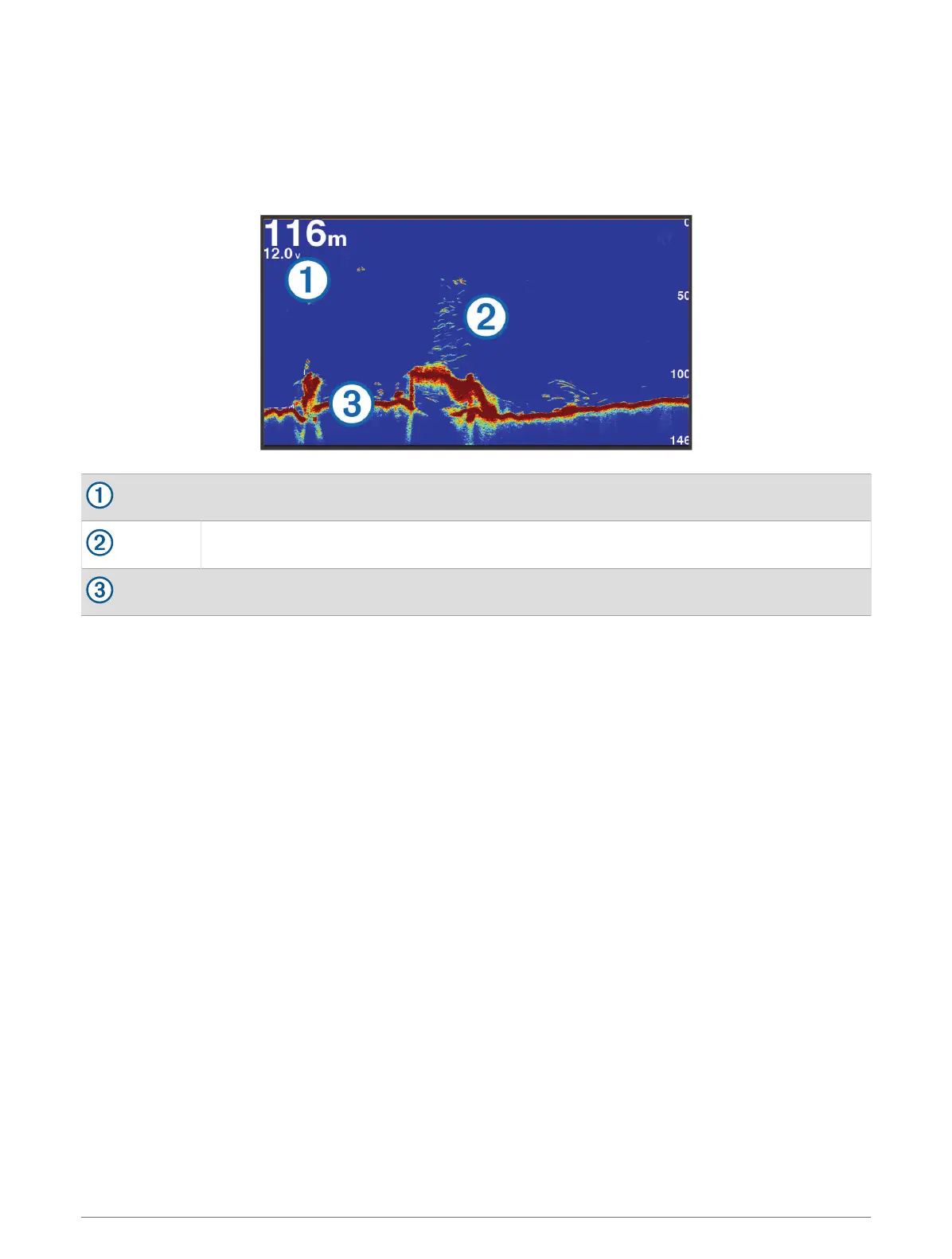
Traditional Sonar View
There are several full-screen views available, depending on the transducer that is connected.
The full-screen Traditional sonar view shows a large image of the sonar readings from a transducer. The range
scale along the right side of the screen shows the depth of detected objects as the screen scrolls from the right
to the left.
Depth information
Suspended targets or fish
Bottom of the body of water
Split-Frequency Sonar View
In the split-frequency sonar view, the two sides of the screen show a full-view graph of sonar data of different
frequencies.
NOTE: The split-frequency sonar view requires the use of a dual-frequency transducer.
Split-Zoom Sonar View
The split-zoom sonar view shows a full-view graph of sonar readings, and a magnified portion of that graph, on
the same screen.
52 Sonar Fishfinder





 To Next Page