Making an Individual Routine Call to an AIS Target
1 From a chart or 3D chart view, select an AIS target.
2 Select AIS Vessel > Call with Radio.
3 If necessary, select Channel, and select a new channel.
4 Select Send.
The chartplotter sends information about the call to the radio.
5 On your Garmin VHF radio, complete the call.
Gauges and Graphs
The gauges and graphs provide various information about the engine and environment. To view the information,
a compatible transducer or sensor must be connected to the network.
Viewing the Compass
You can view information about your bearing, heading, and route using the compass.
Select Gauges > Compass.
Viewing Trip Gauges
Trip gauges show information for odometer, speed, time, and fuel for your present trip.
Select Gauges > Trip.
Resetting Trip Gauges
1 Select Gauges > Trip > MENU.
2 Select an option:
• To set all the readings for the present trip to zero, select Reset Trip.
• To set the maximum speed reading to zero, select Reset Maximum Speed.
• To set the odometer reading to zero, select Reset Odometer.
• To set all the readings to zero, select Reset All.
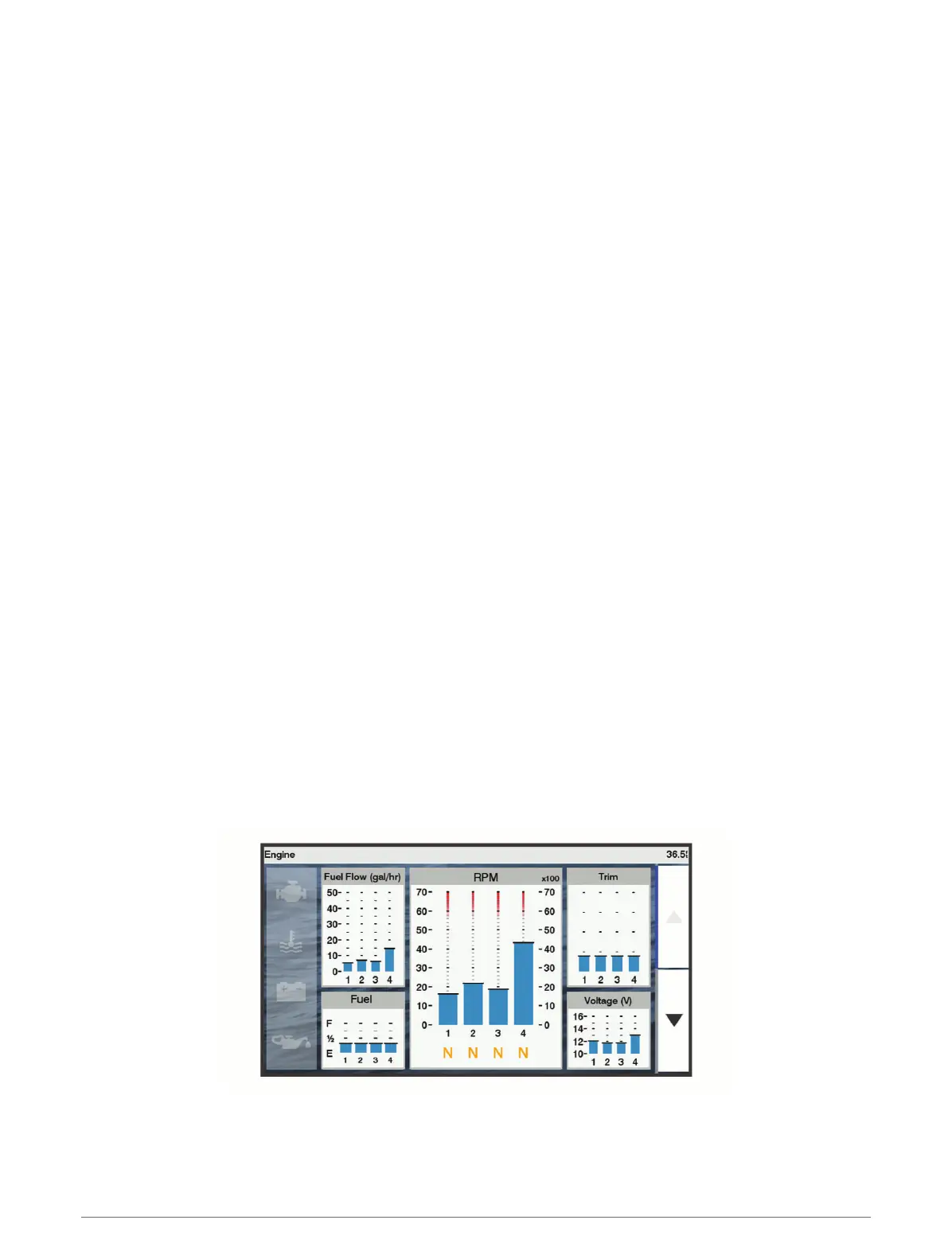
Viewing Engine and Fuel Gauges
Before you can view engine and fuel gauges, you must be connected to a NMEA 2000 network capable of
sensing engine and fuel data. See the installation instructions for details.
Select Gauges > Engine.
Gauges and Graphs 85





 To Next Page