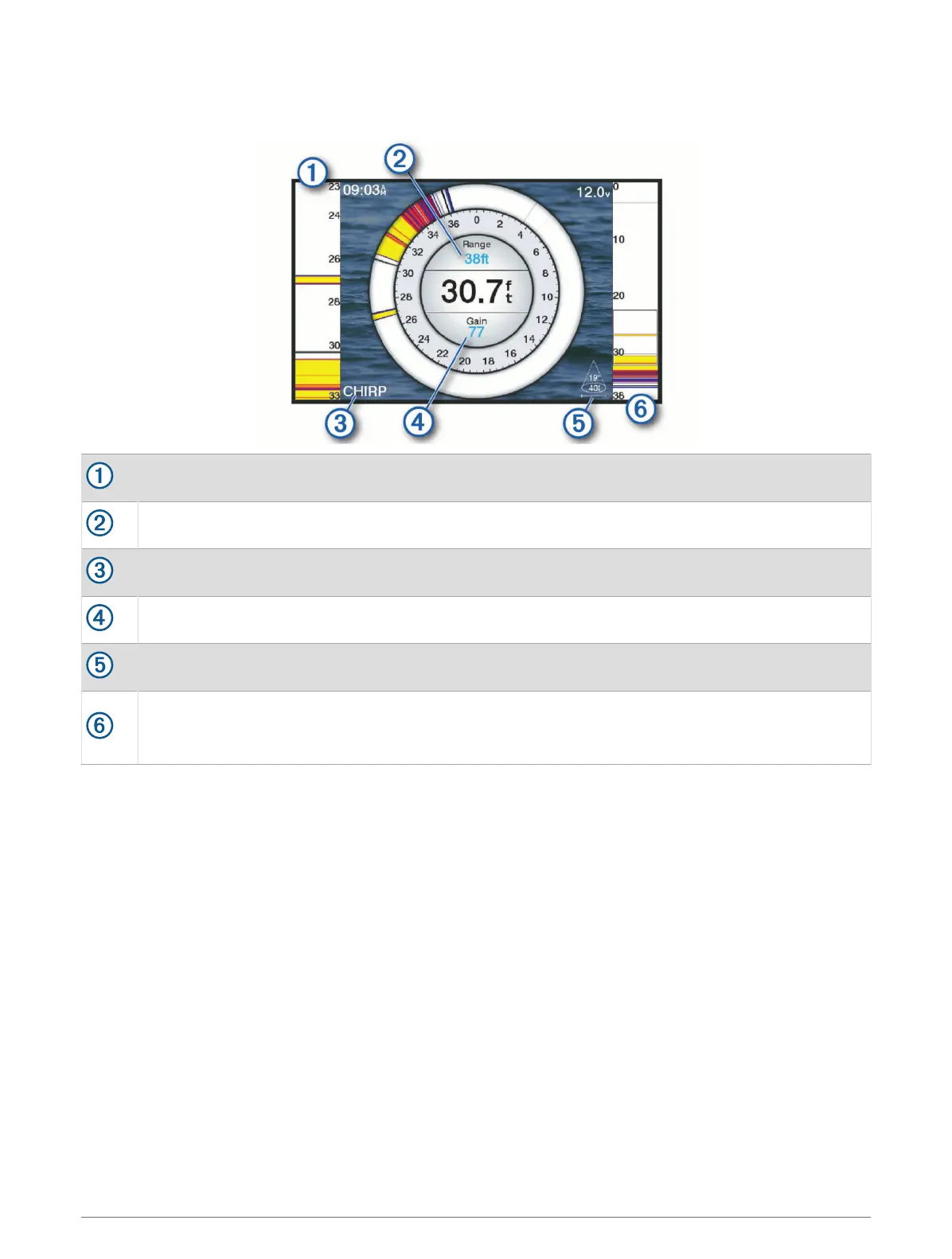
Flasher Page Shortcuts
On touchscreen devices, you can interact with the flasher and a-scopes.
Drag up and down to move the zoom area.
Select to adjust the range.
Select to adjust the frequency.
Select to adjust the gain.
Select to adjust the beam width.
Drag the zoom window to move the zoom area on the left A-scope.
Spread two fingers apart to zoom in.
Pinch two fingers together to zoom out.
54 Sonar Fishfinder





 To Next Page