GNS 430 Pilot’s Guide and Reference
SECTION 6
PROCEDURES
6-18
To select ‘VECTORS’ from the Transitions
Window:
1) Select Billard Municipal (KTOP) as the
destination, using the Direct-to Key, or as the
last waypoint in a flight plan.
2) Press the PROC Key and select the ‘VOR 22’
approach using
the steps outlined in Section
6.1.
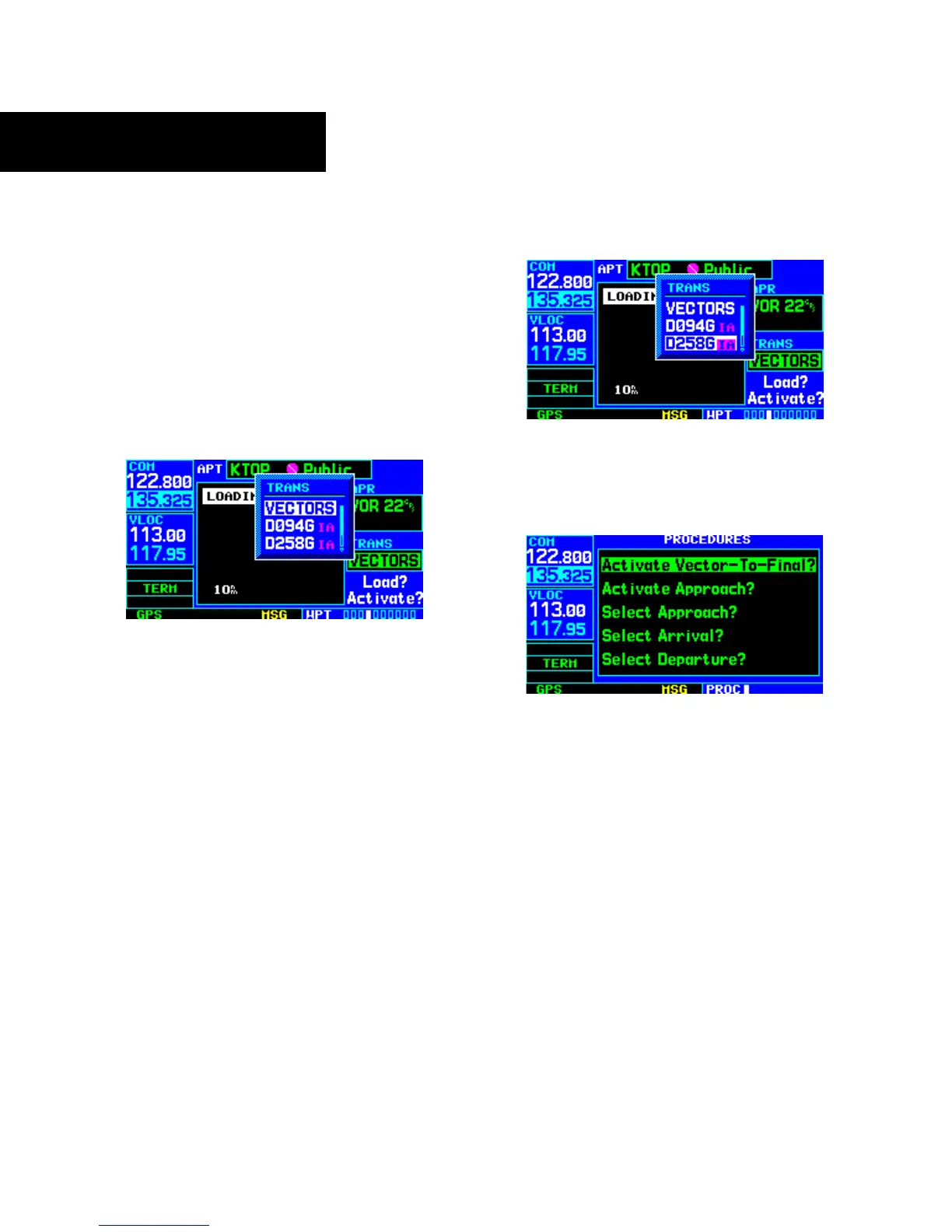
3) From the Transitions Window, select ‘VECTORS’
(Figure 6-48).
Figure 6-48 Transitions Window
4) Select ‘Load?’ (or ‘Activate?’, if already cleared
for the approach).
To activate vectors-to-final from the
Procedures Page:
1) Select Billard Municipal (KTOP) as the
destination, using the Direct-to Key or as the
last waypoint in a flight plan.
2) Press the PROC Key and select the ‘VOR 22’
approach using
the steps outlined in Section
6.1.
3) From the Transitions Window, select ‘D258G’
as the IAF (Figure 6-49). Also, select ‘Load?’.
Figure 6-49 Transitions Window
4) When cleared, press the PROC Key and select
‘Activate Vector-To-Final?’ (Figure 6-50).
Figure 6-50 Procedures Page
Flying the Vectors Approach
With ‘vectors to final’ selected, the CDI needle remains
off center until the aircraft is established on the final
approach course. With the approach activated, the Map
Page displays an extension of the final approach course in
magenta (magenta is used to depict the active leg of the
flight plan) and ‘VTF’ appears as part of the active leg on
the Default NAV Page (as a reminder that the approach
was activated with vectors-to-final).





 To Next Page