GNS 430 Pilot’s Guide and Reference
4-1
SECTION 4
DIRECT-TO NAVIGATION
SECTION 4: DIRECT-TO
NAVIGATION
4.1 OVERVIEW
The GNS 430’s direct-to function provides a quick
method of setting a course to a destination waypoint.
Once a direct-to is activated, the GNS 430 establishes a
point-to-point course line (great circle) from the present
position to the selected direct-to destination. Navigation
data on the various NAV pages provides steering guidance
until the direct-to is cancelled or replaced by a new
destination.
To select a direct-to destination:
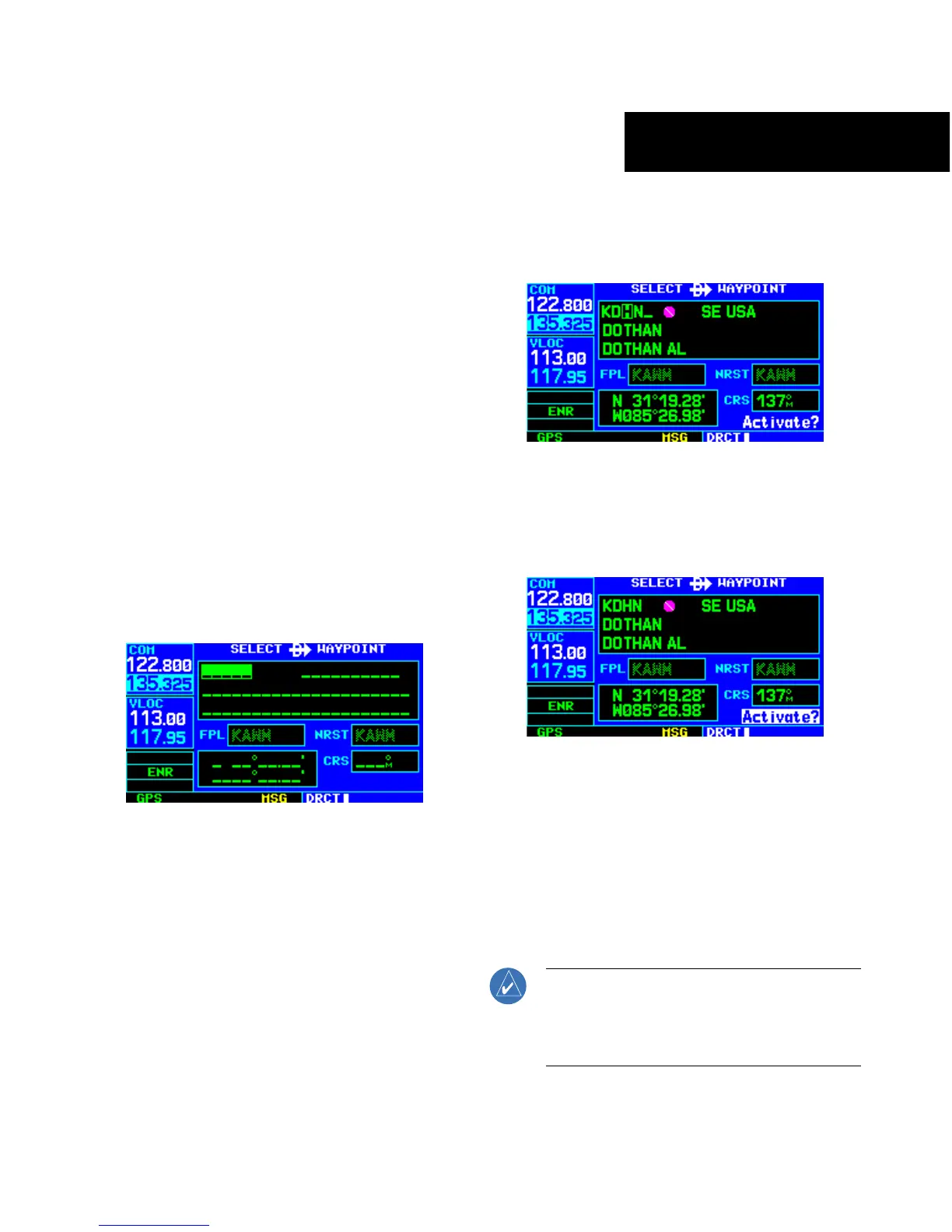
1) Press the Direct-to Key. The Select Direct-to
Waypoint Page appears (Figure 4-1), with the
waypoint identifier field highlighted.
Figure 4-1 Select Direct-to Waypoint Page
2) Use the small and large right knobs to
enter the identifier of the desired destination
waypoint (Figure 4-2).
Figure 4-2 Waypoint Identifier Field Selected
3) Press the ENT Key to confirm the selected
waypoint, and press the ENT Key again to
activate the direct-to function (Figure 4-3).
Figure 4-3 ‘Activate?’ Field Highlighted
When off course while navigating to a waypoint, the
direct-to function may also be used to re-center the CDI
(HSI) needle and proceed to the same waypoint.
To re-center the CDI (HSI) needle to the
same destination waypoint:
Press the Direct-to Key, followed by the ENT
Key twice
.
NOTE: When navigating an approach with the
missed approach point (MAP) as the current
destination, re-centering the CDI (HSI) needle
with the Direct-to Key cancels the approach.





 To Next Page