GNS 430 Pilot’s Guide and Reference
SECTION 3
NAV PAGES
3-17
3.6 NAV/COM PAGE
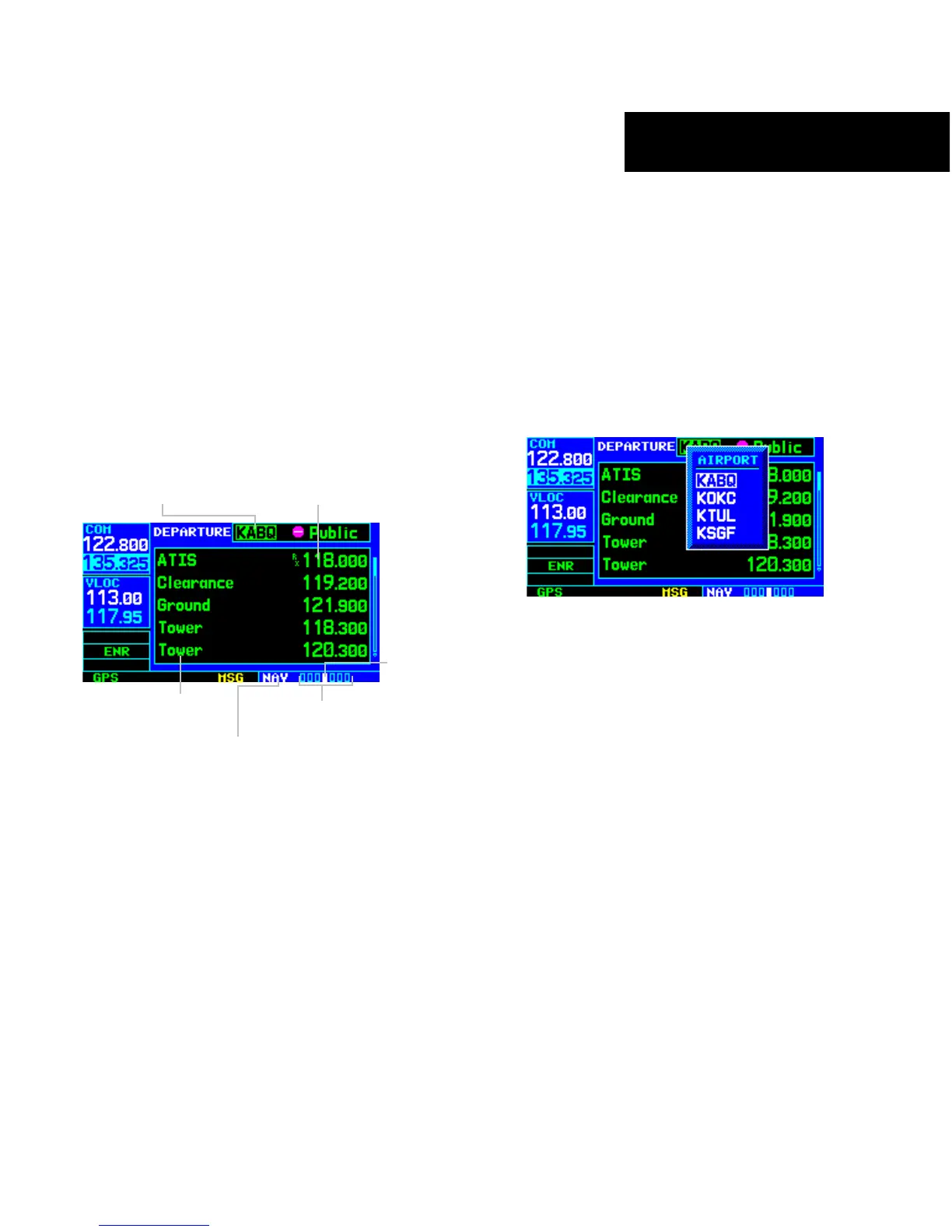
The fourth NAV page is the NAV/COM (navigation
communications) Page (Figure 3-33). The NAV/COM
Page provides a list of the airport communication and
navigation frequencies at the departure, enroute, and
arrival airports. The NAV/COM Page makes selection of
the frequencies needed along the flight plan quick and
convenient. If there is no active flight plan with a departure
airport, the NAV/COM Page displays the frequencies for
the airport nearest the departure position.
Figure 3-33 NAV/COM Page
Frequency Type
Departure, Enroute,
or Arrival Airport
Assigned Frequency and
Usage Information
(when applicable)
Number of Pages in
Current Page Group
Position of
Current Page
within Current
Page Group
Current Page Group
To select a frequency list for a departure,
enroute or arrival airport:
1) Press the small right knob to activate the
cursor.
2) Turn the large right knob to place the cursor
on the
airport identifier field (top line on the
NAV/COM Page, see Figure 3-33).
3) Turn the small right knob to select the desired
airport (Figure 3-34) and press the ENT Key.
Figure 3-34 Airport Window





 To Next Page